
The iFIT App Just Got Smarter: What’s New in August 2026
You finished the workout. The screen went back to the dashboard. And just like that, the momentum was gone.
That moment between done and what's next is where most people stop. The experience let them.
The August update is about closing that gap. Stacked Workouts keeps you moving when one session ends. SmartAdjust now starts where you actually are, not where a default thinks you should be. And the metrics bar is finally yours to arrange.
Three updates. One direction. Here's what changed.
One workout just became two
You've been there. You finish a run, you're still warm, you have the time, and you wouldn't mind doing more. But the screen is back at the dashboard, and by the time you find something else, the feeling is gone.
Stacked Workouts fixes that.
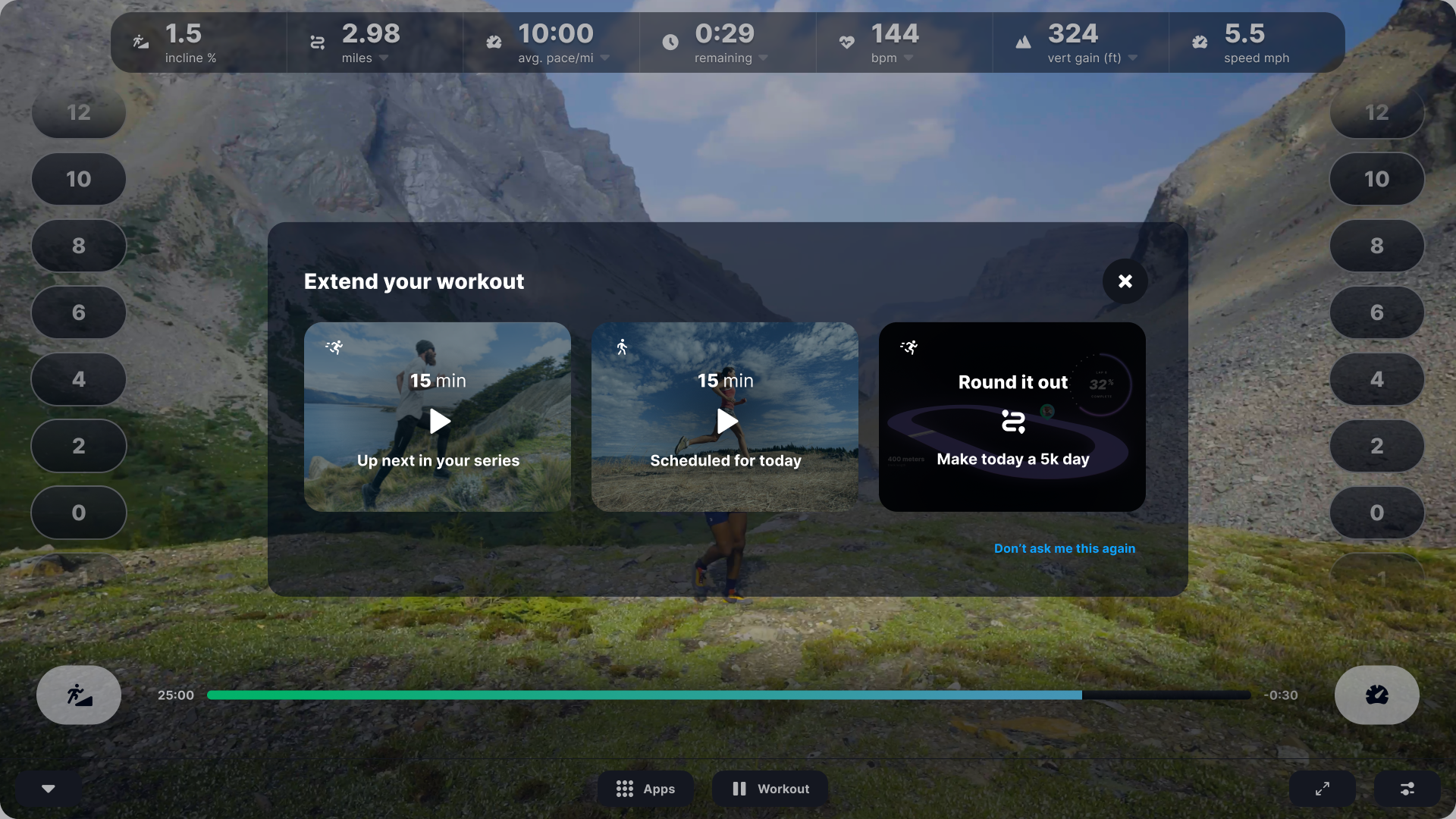
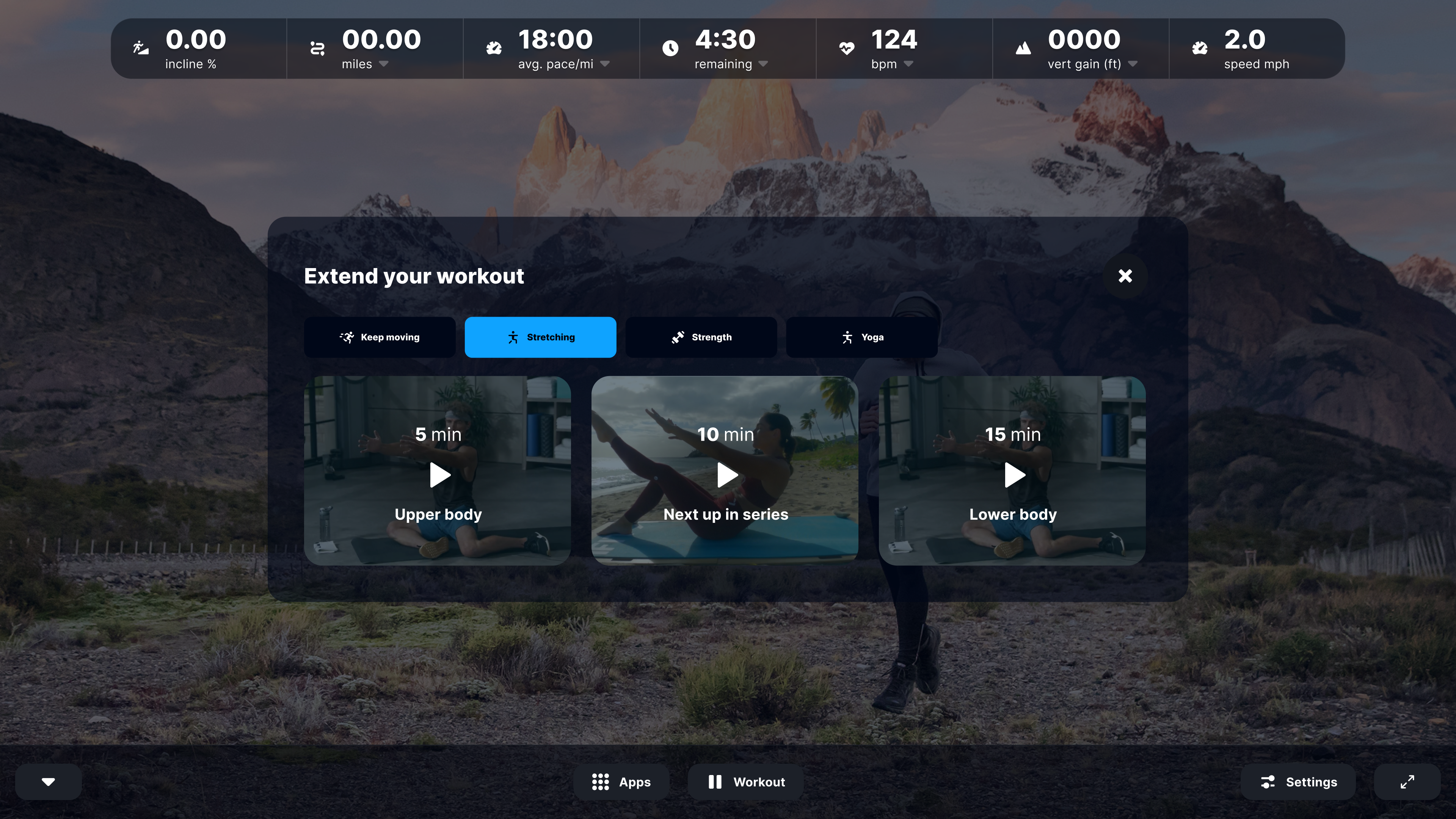
When your session ends, iFIT surfaces what comes next, right there before you step off the machine. Up next in your series. Something scheduled for today. Or a "Round it out" suggestion that reads where you are and nudges you toward a milestone: finish the 5K, hit 30 minutes, tack on a stretch. You don't have to decide in advance. You just have to be willing to keep going.
One tap. No dashboard. No interruption. Just more.
Stacked Workouts is available to Pro and Grandfathered members on eligible consoles.
SmartAdjust now knows where to start
SmartAdjust has always adapted your workout as it goes. The problem was the beginning. Every session started at the same default, regardless of what you'd been doing all week. The personalization kicked in eventually. You still had to get there first.
Not anymore.
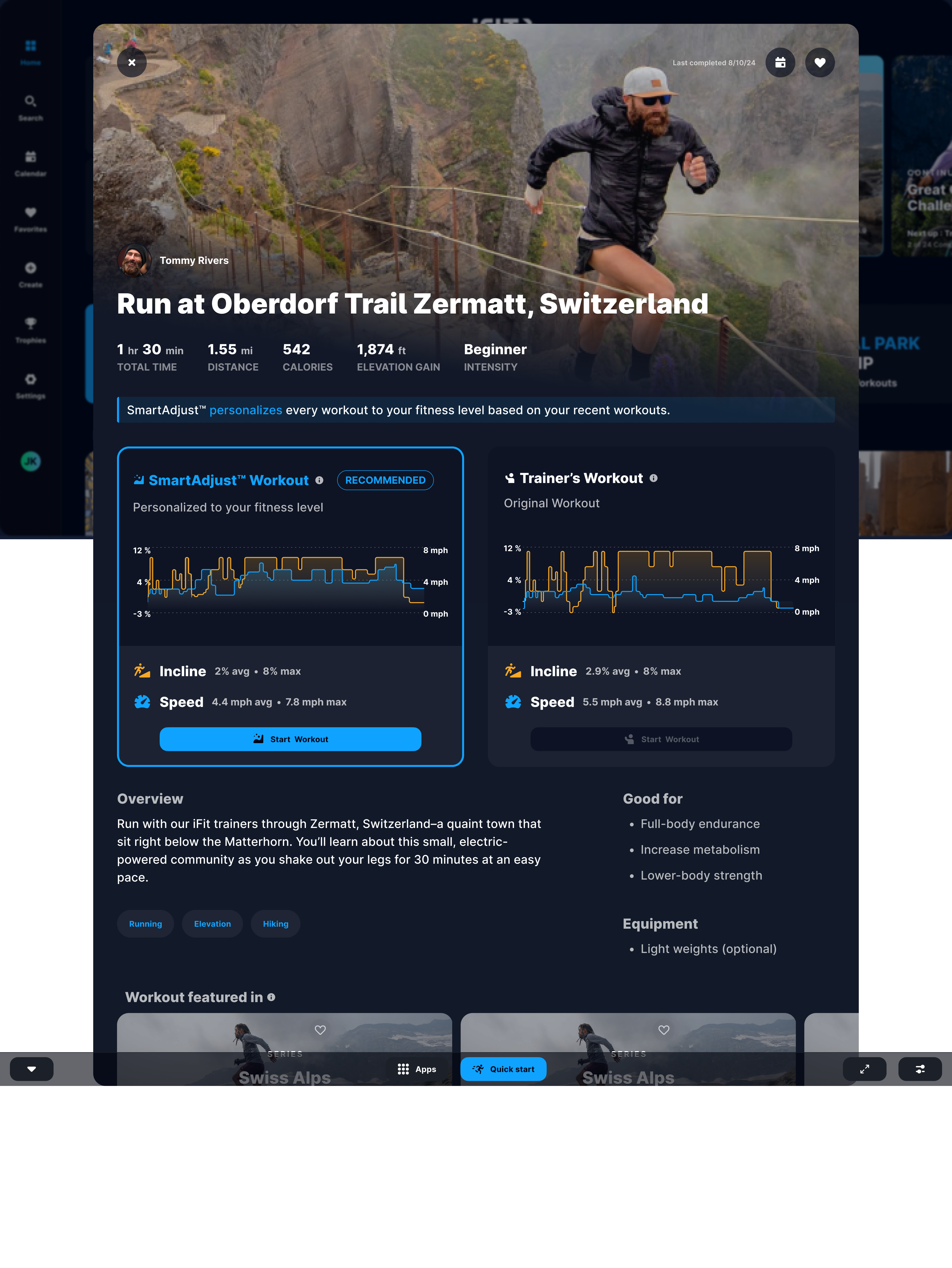
iFIT now pulls from your recent workout history before the session even begins, so SmartAdjust opens the workout at a level that reflects your actual fitness, not a generic starting point. The incline and speed you see when you hit Start Workout have already been adjusted for you.
Before you start, you can see exactly what changed. Your personalized settings sit side by side with the trainer's original programming. Your pace, your incline, against what the session was built to be. That's what personalization actually looks like: not something that happens to you, but something you can see.
One more thing. SmartAdjust now consistently honors your Max Speed setting. Automatic adjustments will no longer push past the limit you've set. Your boundaries, respected.
SmartAdjust is available on retail treadmills for Pro and Grandfathered members. Read more about how SmartAdjust works here.
The metrics bar is yours now
You've stared at the same stats through every workout since you got the machine. Someone else decided which numbers matter. That changes now.
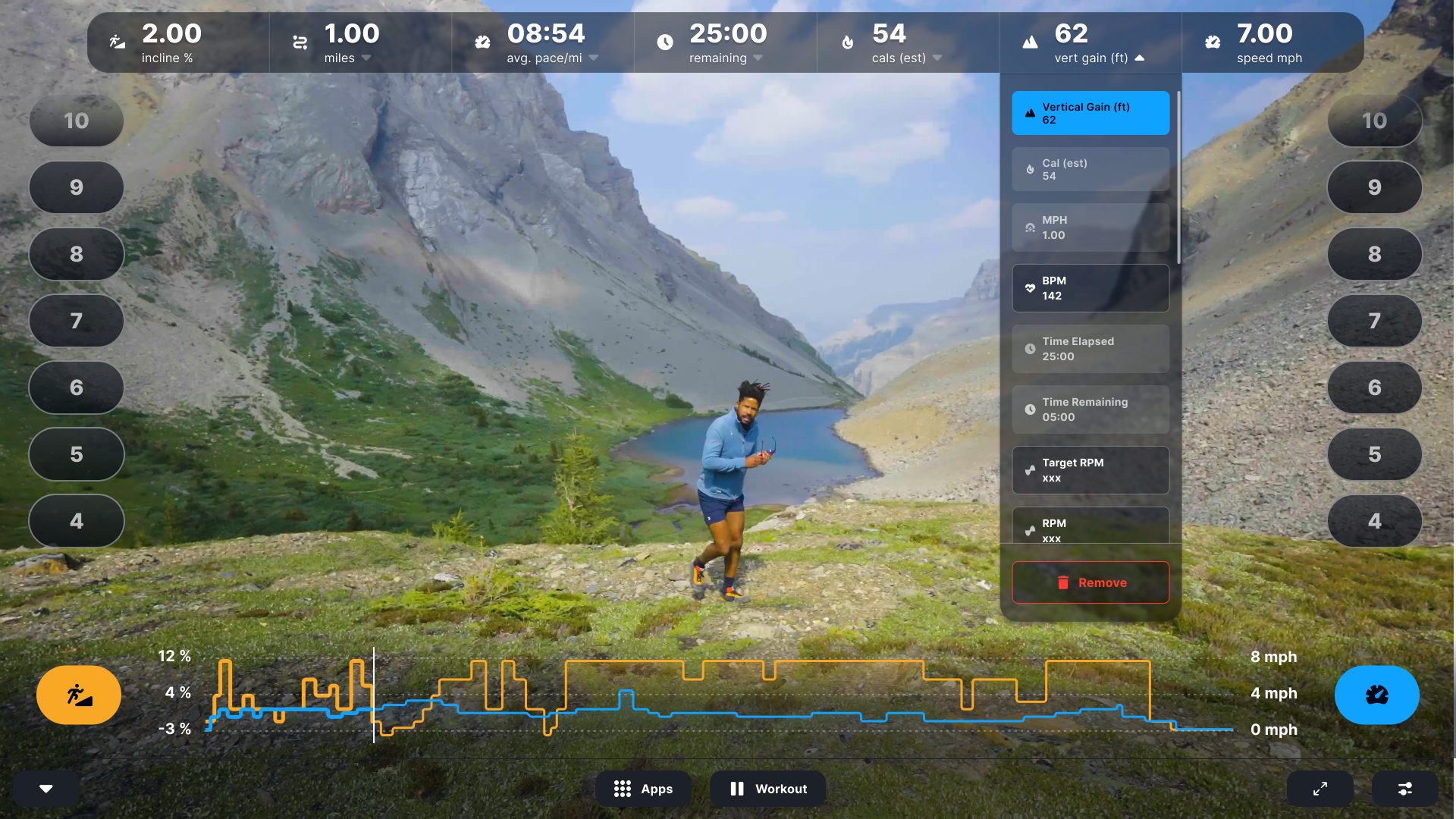
iFIT Pro members can choose which metrics appear in the top bar and arrange them in whatever order makes sense for how they train. Heart rate and pace front and center? Done. Vertical gain and time remaining? Put them first. The bar reflects how you actually think about your effort, not a universal default that was never built for you
Works across treadmill, bike, elliptical, and rower on eligible consoles.
What these updates mean for your training
Each of these changes solves a different moment.
Stacked Workouts solves the moment you would have stopped. SmartAdjust solves the moment the workout hadn't figured you out yet. The metrics bar solves the moment you were looking at numbers that didn't mean anything to you.
None of them are loud. They don't announce themselves. But you'll notice. The experience will start to feel like it already knows what you need before you have to ask.
That's the direction iFIT is moving.
A note for Free members
If you're on a Free membership, you'll start seeing a new in-app prompt that surfaces what an iFIT Pro membership includes and what it costs. It's there when you're ready, and easy to dismiss if you're not.
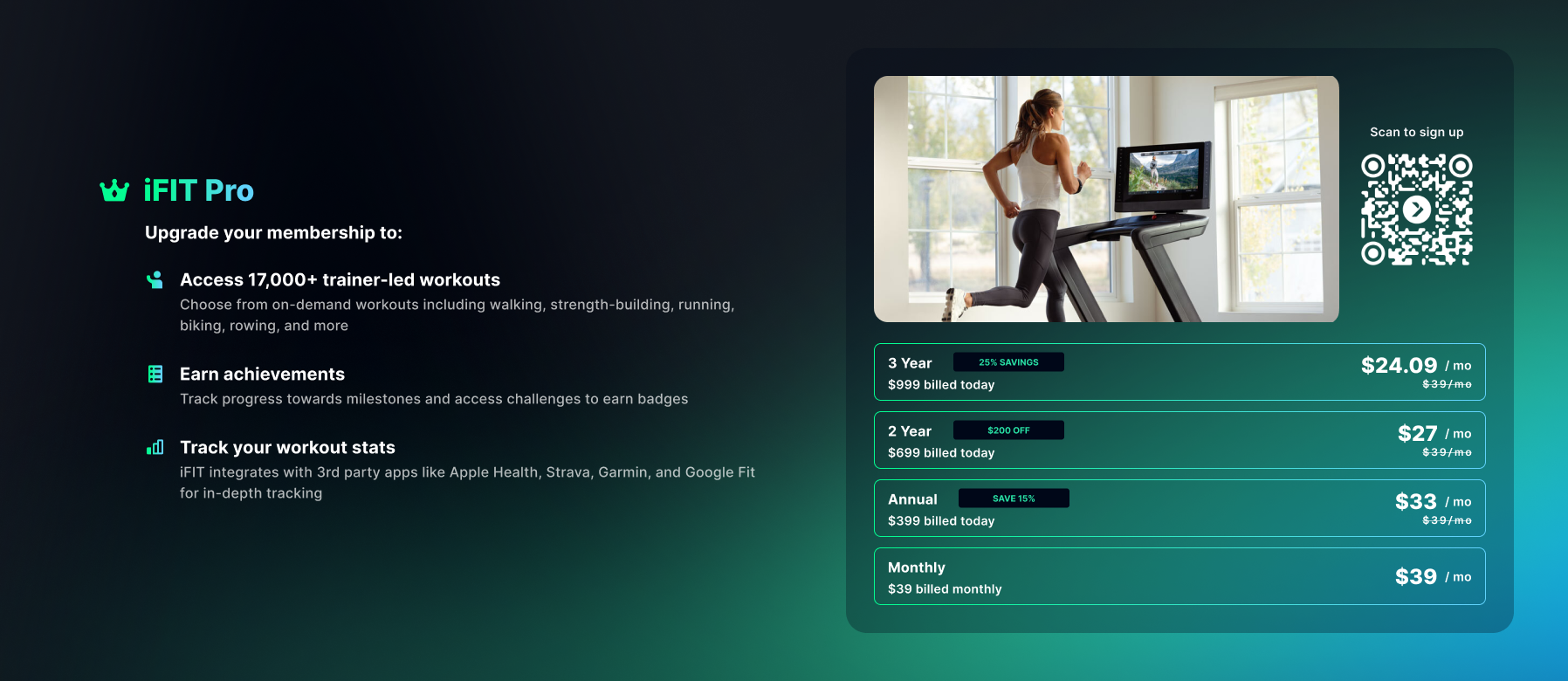
Live now
The August update is rolling out to all iFIT 2.0 members beginning August 17, 2026, with full availability expected shortly after.
If you're not seeing the new features yet, check that your machine is running the latest software version.
The primary purpose of this blog post is to inform and entertain. Nothing on the post constitutes or is intended to be a substitute for professional medical advice, prevention, diagnosis, or treatment. Reliance on any information provided on the blog is solely at your own risk. Always seek the advice of your physician or other qualified health provider with any questions you may have regarding a medical condition, and please consult your doctor or other health care provider before making any changes to your diet, sleep methods, daily activity, or fitness routine. Do not disregard professional medical advice or delay seeking it because of information available on this blog. iFIT assumes no responsibility for any personal injury or damage sustained by any recommendations, opinions, or advice given in this article. Always follow the safety precautions included in the owner's manual of your fitness equipment.
You might also like

Why working out alongside others helps you stick with it
Working out alongside others, whether in a Facebook group, a Challenge, or a structured competition, can be one of the most effective ways to stay consistent long term.
September 25, 2026
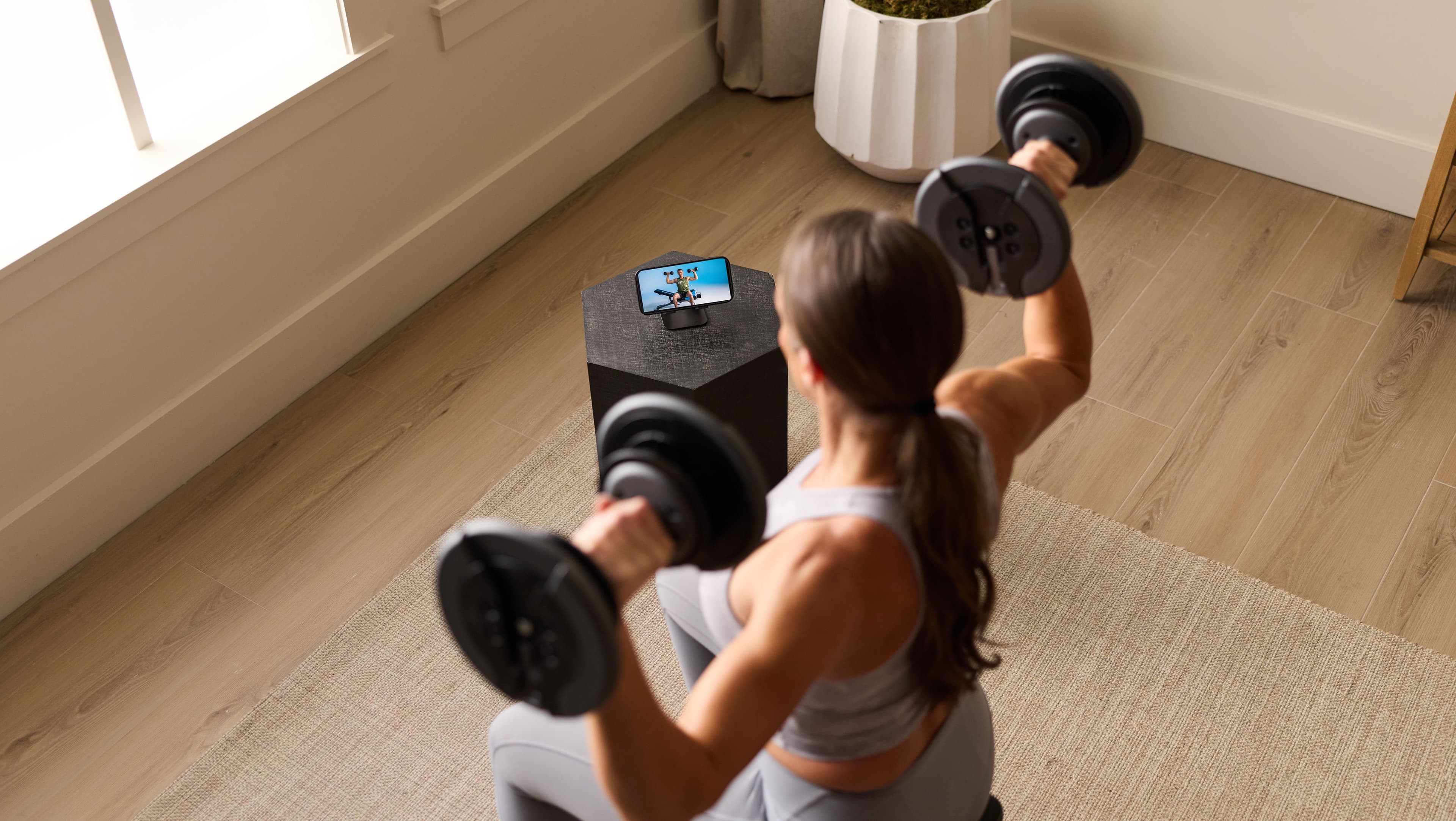
What is the iFIT Personal Trainer app, and how does it work
Meet Tailor, the AI coach inside the iFIT Personal Trainer app. See how it builds and adjusts your workout plan around your goals and schedule.
September 25, 2026

Support on your schedule: what 24/7 personal trainer access actually means
Tailor, the AI coach in the iFIT Personal Trainer app, builds and adjusts your workout plan whenever you have time. Here's what "24/7 access" really means.
September 25, 2026