Protein is the foundation of building and increasing muscle tone. That being said, here are a few tasty ways to get in some additional grams throughout the day.
Of all the macronutrients (carbohydrates, protein, and fat), protein is the one that’s been in the limelight recently. It’s getting the well-deserved attention for being such an essential element of a well-rounded diet. While there is such thing as getting too much protein, many people still struggle to get enough. If you have a hard time getting that protein in, or are just looking for some new snack ideas, here’s a few.
Peanut Butter (2 tbsp): 188 calories, 8 grams protein
Try to pair a natural peanut butter with a piece of produce like ½ an apple, or a stalk of celery.
String Cheese (1): 80 calories, 6 grams protein
If you’re restricting your calories, opt for a light string cheese. Many light string cheeses cost you no more than 50 calories.
Hummus (4 tbsp): 100 calories, 5 grams protein
Dip a nutrient-dense food in hummus, or a high-protein food. My favorites are bell peppers, carrots, or chicken.
Protein Bar (1): 170 calories, 20 grams protein
When looking for a protein bar, try to find one with high fiber and a low amount of added sugars. I like Quest Bars because they’re high in fiber and taste great.
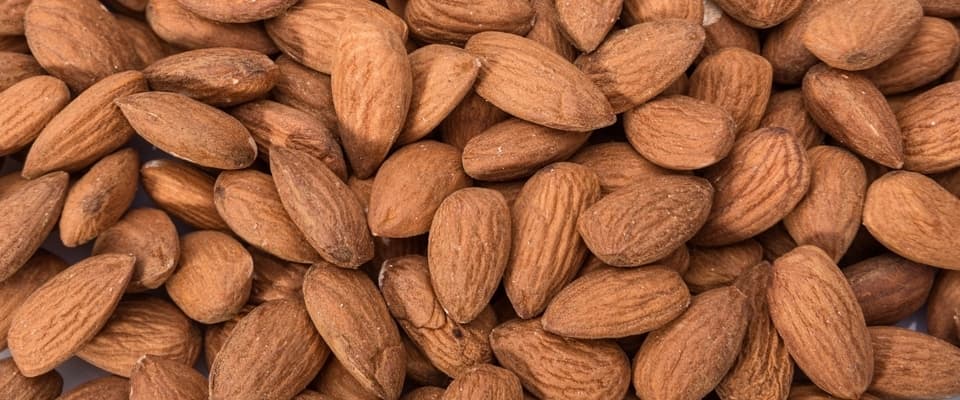
Almonds (1 oz): 160 calories, 6 grams protein
While nuts will always have a high-fat content, and therefore a higher calorie count, they do provide a great source of healthy fat along with protein. This means they keep you feeling full throughout the day.
Greek Yogurt (6 oz): 100 calories, 17 grams protein
A new and popular food, greek yogurt is a great option for a snack, or even part of your breakfast. Many protein products can’t even compete with its natural goodness.
Cottage Cheese (¼ cup): 120 calories, 15 grams protein
Mix some fruit into your cottage cheese for a real high-protein treat. Raspberries are my favorite way to spice up this protein-packed dairy product.
Cashews (1 oz): 160 calories, 5 grams protein
For a quick and easy snack that doesn’t need to be refrigerated, cashews are a great option. They’re very nutrient dense so you don’t need a lot to feel satisfied.
Tuna Fish (3 oz): 160 calories, 25 grams protein
Add protein from a real meat source by grabbing some tuna fish for a quick snack. Eat it plain or with celery, whatever sounds good to you.
Edamame (½ cup): 95 calories, 9 grams protein
Steamed and salted is the most classic way to eat this Asian soybean. It’s a great snack for those winter months when you’re craving something warm.
Turkey Jerky (½ oz): 50 calories, 9 grams protein
Even more lean than its beef counterpart, turkey jerky is a great, protein packed snack that takes no prep for those busy days.
Hard Boiled Egg (1): 80 calories, 6 grams protein
The protein in eggs is some of the most readily available protein for the body to use. What that means is that you are not wasting your calories on protein your body can’t use.
Now all you have to do is pick!
Becca Capell
iFit Head Trainer
WARNING: This post is not intended to replace the advice of a medical professional. The above information should not be used to diagnose, treat, or prevent any disease or medical condition. Please consult your doctor before making any changes to your diet, sleep methods, daily activity, or fitness routine. iFit assumes no responsibility for any personal injury or damage sustained by any recommendations, opinions, or advice given in this article.
You might also like

Introducing SmartAdjust™ for Your Treadmill: iFIT’s New Personalized Workout Experience
SmartAdjust personalizes your treadmill workout before it even starts, adapting speed and incline to your fitness level in real time.
March 16, 2021

Strength Training While on GLP-1: A 6-Week Plan
When your body weight changes, you aren’t just losing fat—research shows you risk losing lean muscle mass, too. Protecting that muscle is the key to maintaining your metabolism and everyday strength. This practical 6-week guide breaks down exactly how to structure a simple, 20-to-30 minute full-body strength routine 2–3 times a week. Built around foundational compound movements like squats and rows, this plan shows you how to safely implement progressive overload without burning out your energy. Give your body a clear signal to keep its muscle and build a routine that sticks.
May 26, 2026

Find Your Stride with Tommy Rivs in the Joy of Running Part 2: Redwoods, Workouts 1-10
There’s just something magical about taking your next step forward, especially when it means you’re surrounded by the towering redwoods and rugged beauty of California’s northern coast. iFIT Trainer Tommy Rivs’ newest series will help you experience the magic of this region with the Joy of Running Part 2: Redwoods, Workouts 1-10. This beginner-friendly program is designed to help you progress from walking to running at your own pace.Explore California’s Scenic CoastSet along breathtaking coastal trails and through scenic redwood groves, this series brings the natural beauty of Northern California to your treadmill. From the peaceful paths of Laguna Point to the rolling meadows of Mendocino Headlands, each workout is an opportunity to breathe, move, and connect with the pure joy of movement.Make Progress with Tommy RivsKnown for his thoughtful coaching and love of movement, Tommy Rivs will guide you through a mix of walking and running intervals to gradually build your endurance and confidence. Each workout keeps the speed steady while changing your movement so you can focus on how your body feels and adapts as you move.Whether you’re returning to fitness or taking your first steps toward running, this series is all about moving forward with purpose. Tommy will help you to:Develop endurance and build strength with progressive intervalsImprove your form and consistency with his expert guidanceReconnect with the joy of movement in an inspiring settingBuild confidence to take on your next running challengeThis is only the beginning; there’s so much more to come with Rivs. For now, lace up those shoes and join him for an incredible journey amongst the redwoods.Join Tommy Rivs in the Redwoods
November 3, 2025