iFIT OS Update - Release Notes
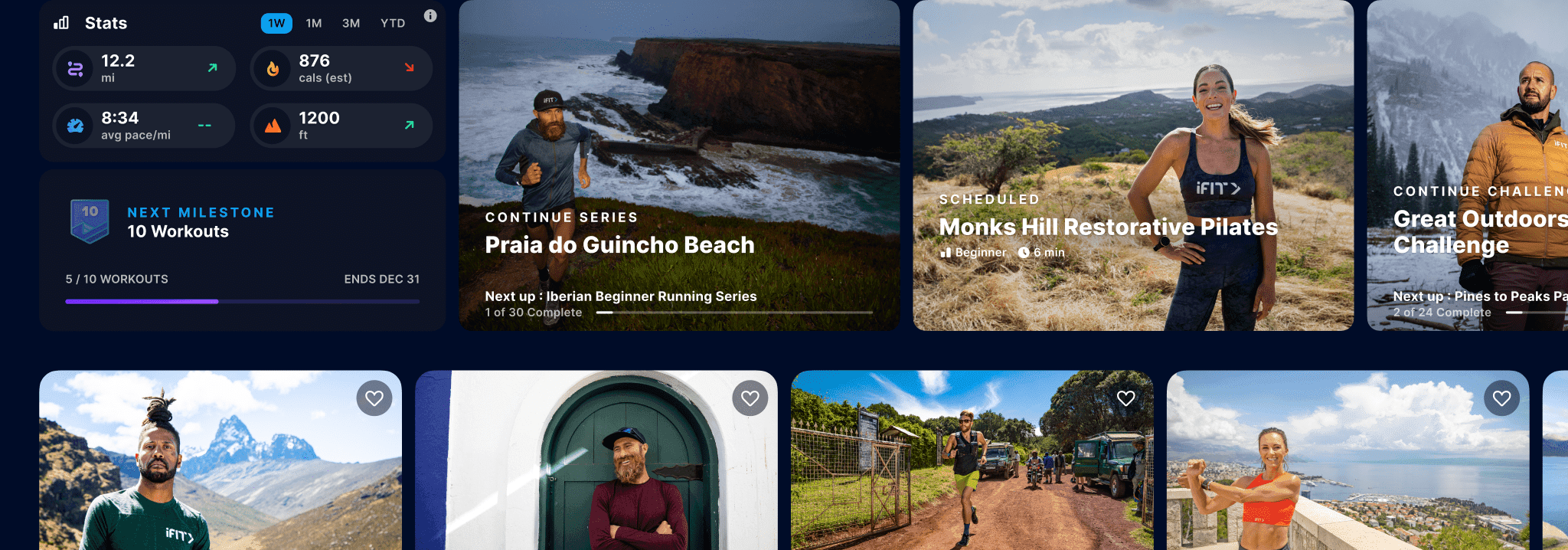
Home fitness will never be the same after this update! We’re excited to release iFIT 2.0, which will include a new look and feel that is more responsive with faster load times. It also includes new features like Workout Creator, iFIT AI Coach (beta, US only for now), access to popular streaming services, and more. This is fitness personalized to you. Let’s get into the details.
Available for:
Select NordicTrack and ProForm treadmills, incline trainers, bikes, ellipticals, freestriders, and rowers with a touchscreen 10" or larger. To determine if your equipment is compatible with the new iFIT updates, contact iFIT Member Care: 1-833-680-4348.
What's New
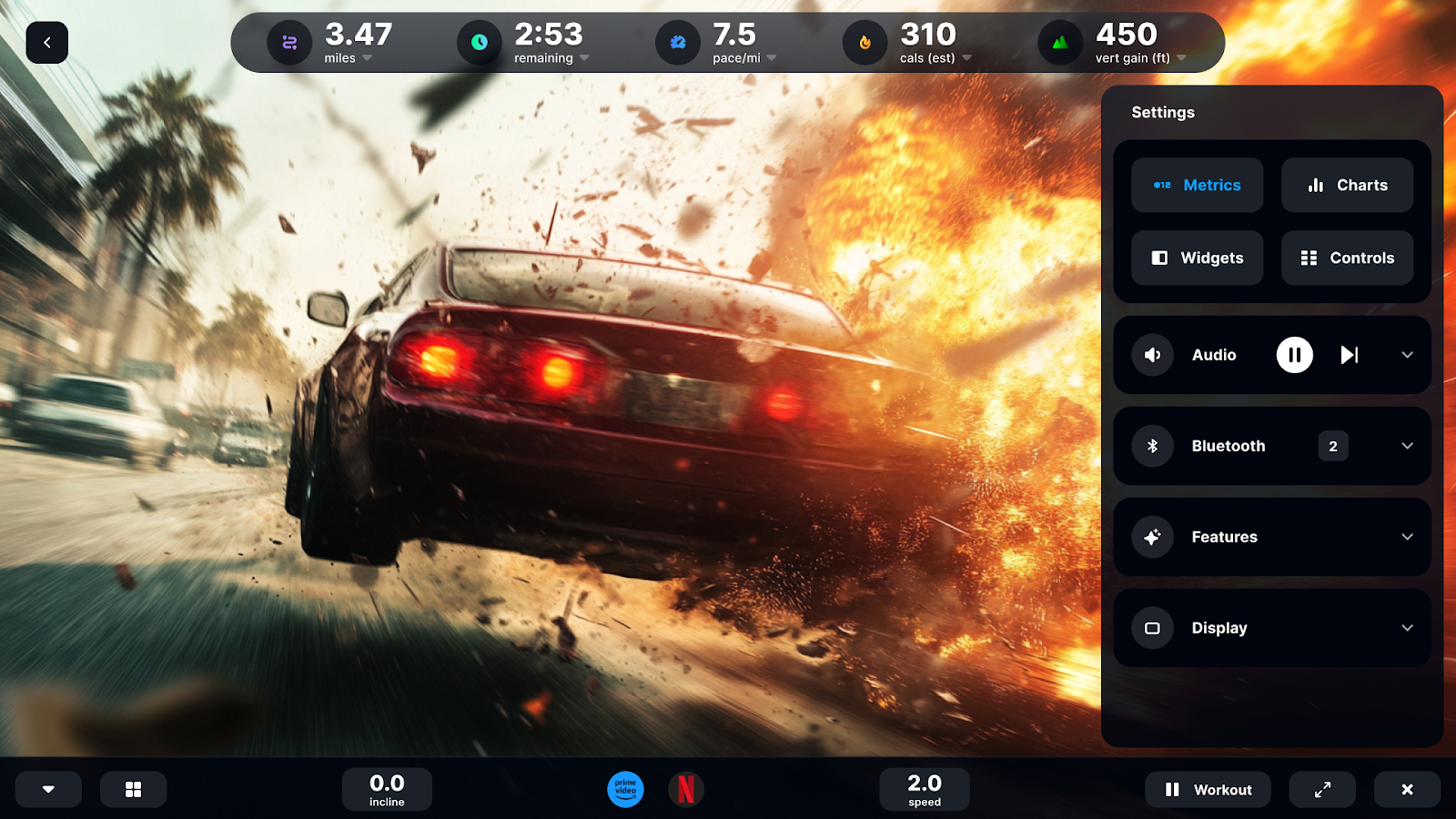
Sweat while you stream1: Sometimes distracting your brain is all you need for a better workout. That’s why we’ve added in additional streaming services you can watch or listen to while working out. Binge and burn, baby!
Feature: Streaming services1 (video and audio)
- Watch your favorite show or movie while doing an iFIT workout.
- Listen to what you want while working out via streaming services. Easily access controls like skipping forward, back, and pausing without having to navigate away from your workout.
Feature: Skip Feed.fm songs
- Not enjoying the song you’re listening to from Feed.fm? Skip up to 6 songs per hour.
Feature: New UI - to make it even easier to get a great workout
Basic: It doesn’t matter if you’re watching a movie, show, or iFIT workout, you’ll always have easy access to workout settings using the new bottom bar at the bottom of the screen.
Advanced: Easily adjust your workout settings regardless of the app you’re in
- Customize which workout metrics you see while working out, both in and outside of the workout
- Navigate across apps using the bottom bar on the screen
Workout Creator: Build the exact workout you want
Only available for iFIT Pro memberships on iFIT-enabled treadmills at this time. Other equipment types coming later this fall.
Feature: Custom Workouts
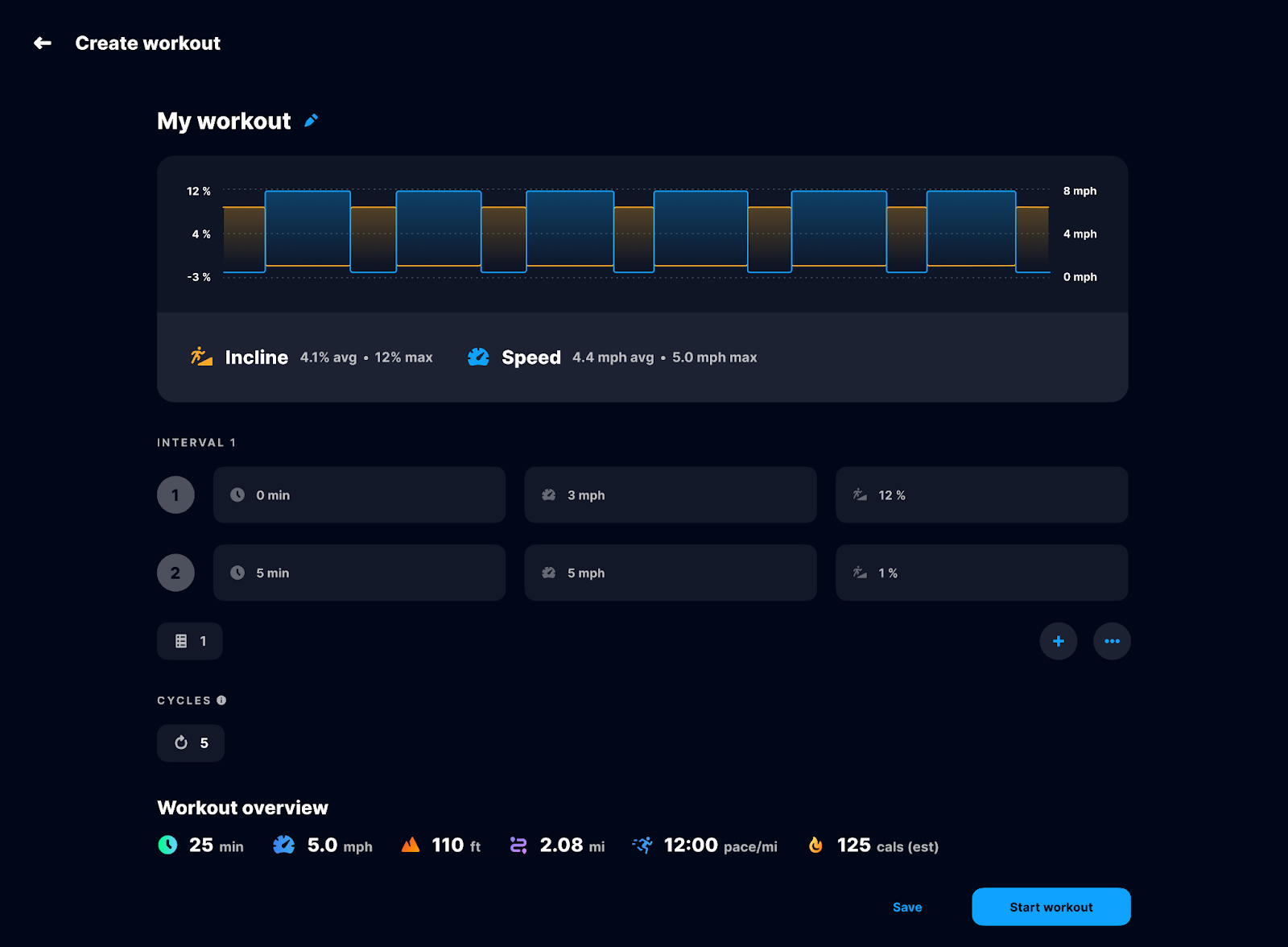
- Create your own workout from scratch, where you establish the intervals, sets, and cycles.
- Once built, your workout will follow the program you built with no adjustments required on your end.
- Name your workout so that you can easily identify it later.
Feature: Goal-based workouts
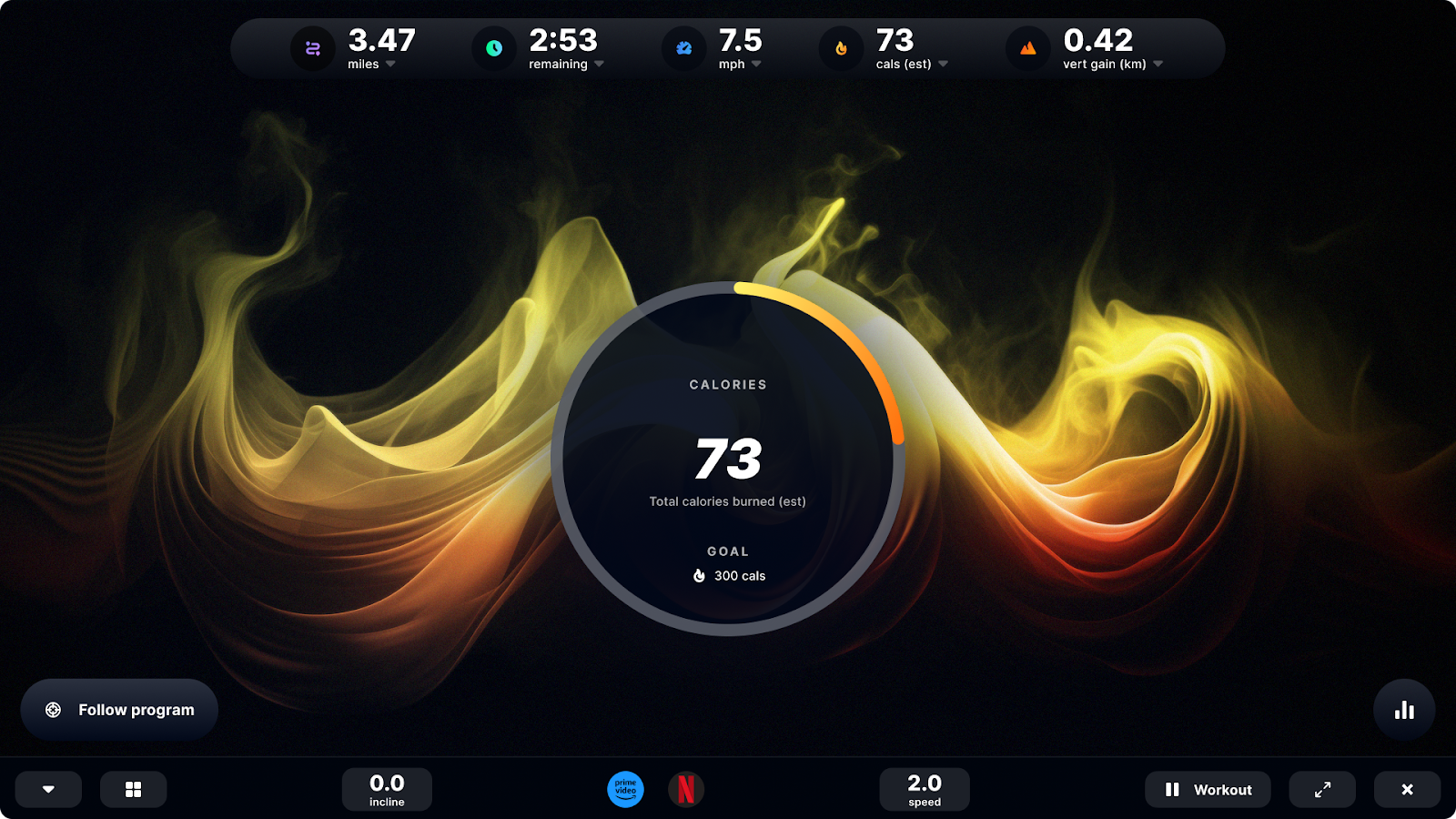
- Create goal-based workouts for time, calories, or distance.
- See what is required to hit that goal as you create your workout.
- The workout follows the workout program you created.
- Easily track your progress with unique visuals for the goal you set
Feature: Workout Creator basics
- Find all workouts you’ve created in the Workout Creator.
- Easily repeat workouts you’ve created.
- Duplicate or delete workouts when needed.
iFIT AI Coach (beta): Your workouts just got a lot more personal.
iFIT AI Coach (beta)2 works with you to help build fitness habits and keep you accountable, all via text message. It leverages our library of 10,000+ outdoor workouts to recommend training specific to you. Once you set your goal, iFIT AI Coach will schedule workouts for you, and you’ll see them automatically on your iFIT-enabled machine. For those who participated in our beta program, strength workouts are now available!
Current iFIT members can sign up for iFIT AI Coach at https://www.ifit.com/aicoach.
Other features and performance improvements:
Feature: Series stats summary
- When you complete a challenge or series, see an overview and complete breakdown of the work you’ve accomplished.
Feature: What’s new notifications
- Get notifications on the latest updates, new content, etc.
Feature: QR code login
- Log in via the fields available or scan the QR code.
- The QR code enables members to login via Apple or Google.
Performance improvements
- Overall improved load times: Performance optimizations and improvements made to get you into your workout faster.
Feature: Feedback button
- Share product feedback via the blue button displayed on your dashboard.
Feature: AI Audio Translations
Hear your favorite iFIT Trainers and workouts in your native language. Select workouts are now translated into:
- Dutch
- French
- German
- Italian
- Mandarin
- Spanish
- Arabic and Japanese coming soon
We have the following number of workouts translated:
- Treadmill - 500 workouts
- Bike - 200 workouts
- Rower - 100 workouts
- Strength/Yoga - 100 workouts
To access: Set language in settings to your preferred language. When searching, use the language filter to find content in that language.
Pro tip: All workouts are supported with subtitles in all 10 languages.
Features in the works
There are a few features currently under construction. Updates to these will be coming soon, but until then, these features are not available:
- Map workouts
- Extensive workout history
- Ratings and comments
- Workout Creator for bike, rower, and elliptical
- Daily stats
Disclaimers
1. Paid iFIT Pro membership required to access full content and features on equipment.
2. Currently only available in the United States. Message and data rates may apply.
You might also like

iFIT & Ergatta Fall Cup Official Rules 2026
Review the complete official rules for the 2026 iFIT & Ergatta Fall Cup, including eligibility requirements, race schedule, bracket structure, and prize details.
September 24, 2026
Races, Powered by Ergatta: An Interactive New Way to Work Out on Your Rower, Bike, and Treadmill with iFIT
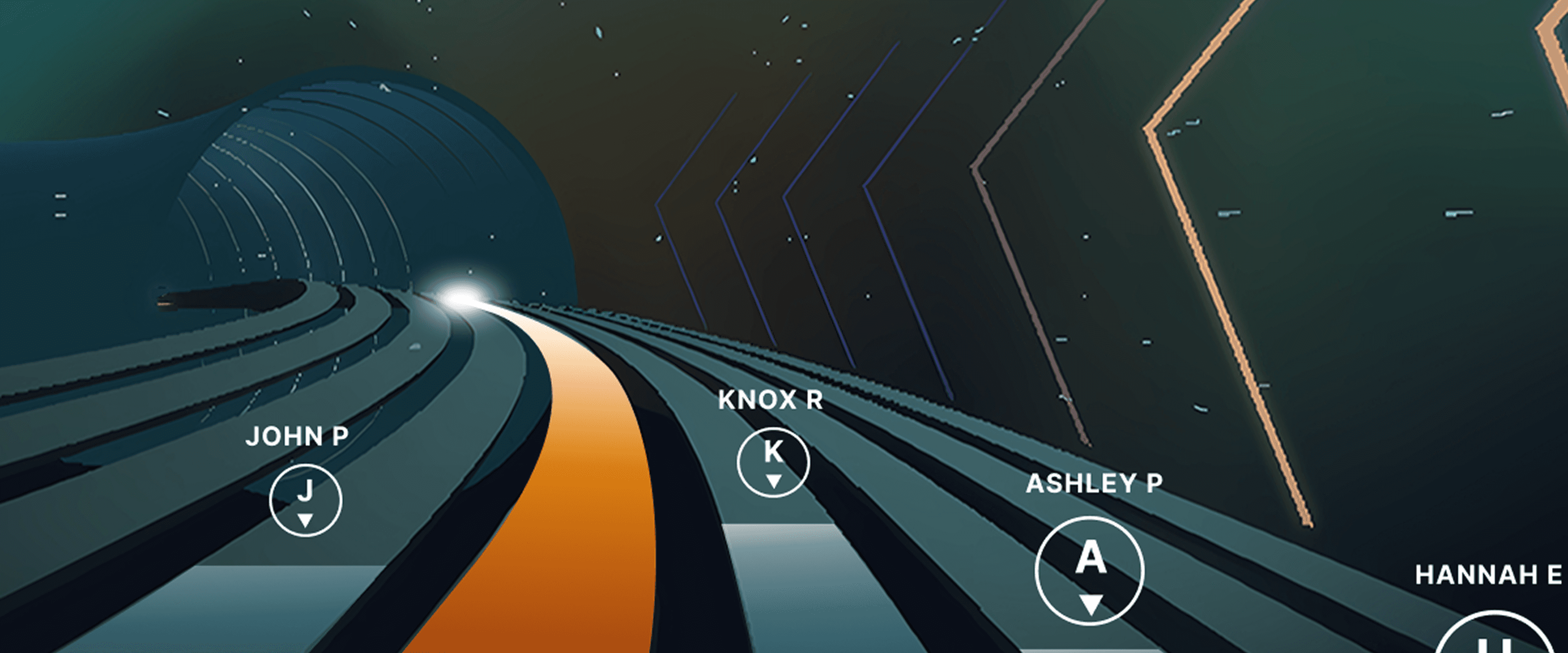
Ready to explore your competitive side? iFIT has partnered with Ergatta to bring Races to iFIT-enabled rowers, bikes, and treadmills. These new interactive game-based workouts offer a fun new way to challenge yourself and stay motivated. Races: now on rowers, bikes, and treadmills Originally launched for treadmills, Races Powered by Ergatta is now available on iFIT-connected bikes and rowers, giving you even more ways to compete and level up your workouts. Whether you prefer to row, ride, or run, you can tap into the same immersive, competitive experience across all three equipment types. Choose from dozens of race workouts ranging from quick sprints to multi-stage endurance competitions and race against: Other iFIT members in friendly competitionYour favorite iFIT Trainers for extra motivation (can you beat Ashley?)Pacer bots to benchmark your performance and chase your goalsYourself in repeat races to push your limitsWith Races, you can push your limits with rewarding gameplay, chase your personal goals, and mix up your routine. Best of all, you have options: you can race against the clock, compete with the iFIT Community, or race against your past performances. This month's racesSeptember brings five new races themed around the energy of a fresh start. From a quick back-to-school sprint to a long endurance ride, there's something for every pace and every machine.Bell Ringer0.5 miles | Tread, Bike, RowerThe bell rings and there's no easing in. Go out hard, stay sharp, and be done before you've even settled in. Fast, focused, first-period energy.Homeroom Hustle0.75 miles | Tread, Bike, RowerStart with purpose, build through the middle, and finish like you've done this a hundred times before. Confident, quick, and ready for whatever's next.Extra Credit1.5 miles | Tread, BikeEvery fall term needs one race that asks a little more. Hold a pace that challenges without breaking you, keep climbing through the middle, and bank the effort like it counts toward something bigger.Back in Session2.5 miles | Tread, Bike, RowerSummer's winding down and the pace of life is picking back up. Settle into a steady rhythm, breathe through the middle miles, and close strong as the season shifts into gear.Long Division6.2 miles | BikeFall's syllabus starts today and this one's a long one. Settle into a sustainable cadence, break the distance into manageable stretches, and let patience do the work mile after mile. New for Rowers: Meteor Dive into an exclusive game-based experience for your iFIT-enabled rower with Meteor, a thrilling single-player workout that blends fitness with arcade-style gameplay. You’ll fly through space, collecting tokens and dodging obstacles while hitting personalized targets to score points. Your rowing speed controls your vertical movement, so you can row faster to fly higher. It’s structured, it’s motivating, and it’s a lot of fun. How to install Ergatta Need a little more support? Here's a step-by-step tutorial for installing Ergatta on your machine. Ready to race? Whether you're looking to challenge yourself or compete against others, Ergatta Races brings an entirely new dimension to your workouts. New races drop every month to keep things fresh. Let's race! Install the Ergatta app to get started. Then, you can explore all the Races available in Ergatta.1 1. Paid iFIT Pro membership required to access Races by Ergatta. Must have the latest iFIT OS installed on an iFIT-enabled treadmill with a touch screen that supports third-party apps.Disclaimer: The primary purpose of this blog post is to inform and entertain. Nothing on the post constitutes or is intended to be a substitute for professional medical advice, prevention, diagnosis, or treatment. Reliance on any information provided on the blog is solely at your own risk. Always seek the advice of your physician or other qualified health provider with any questions you may have regarding a medical condition, and please consult your doctor or other health care provider before making any changes to your diet, sleep methods, daily activity, or fitness routine. Do not disregard professional medical advice or delay seeking it because of information available on this blog. iFIT assumes no responsibility for any personal injury or damage sustained by any recommendations, opinions, or advice given in this article. Always follow the safety precautions included in the owner’s manual of your fitness equipment.
July 28, 2025
iFIT Makes Fast Company’s Eighth Annual List of the Best Workplaces for Innovators in Emerging Enterprise
Fast Company announced its eighth annual Best Workplaces for Innovators list, recognizing businesses that are creating cultures where innovation can thrive at every level. iFIT Inc., a global leader in interactive fitness technology and connected content, earned a spot as a winner in the Emerging Enterprise: 201-999 Employees Category for its recent expansion into connected Pilates.
September 15, 2026