
At iFit, we’re always making changes and improvements to our software and firmware to give you the best experience possible. From upgrades, bug fixes, and updates, we want to make sure you have the latest and greatest features.
So why should you update your iFit-enabled machine? You’ll enjoy complete, uninterrupted access to the entire iFit Library and ensure that your machine is working at peak performance. Typically, you will be prompted to update your machine after a workout, but it’s always a good idea to check for updates periodically.
Here’s how to update the software or firmware on your machine:
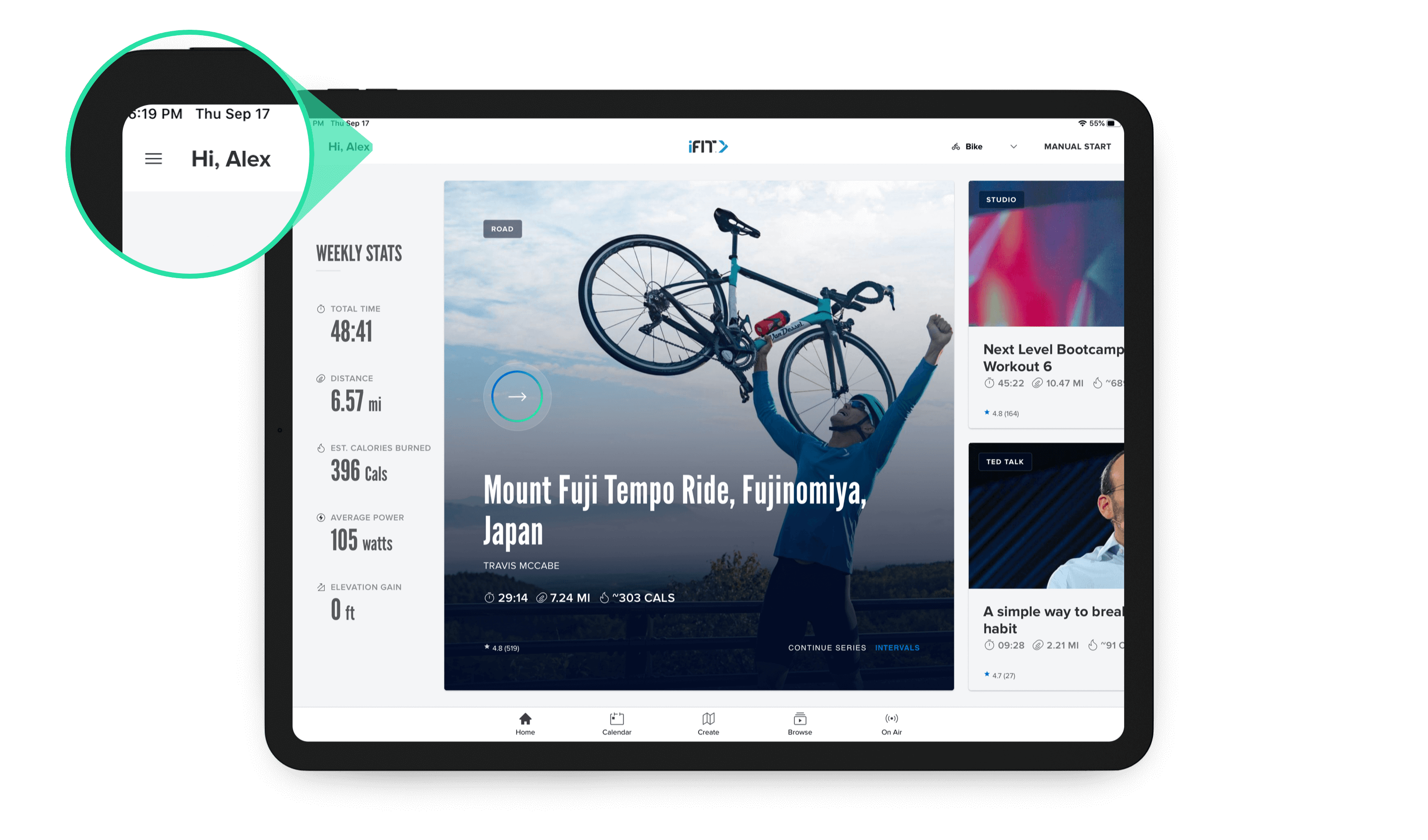
Tap the menu in the top, left corner of your screen.
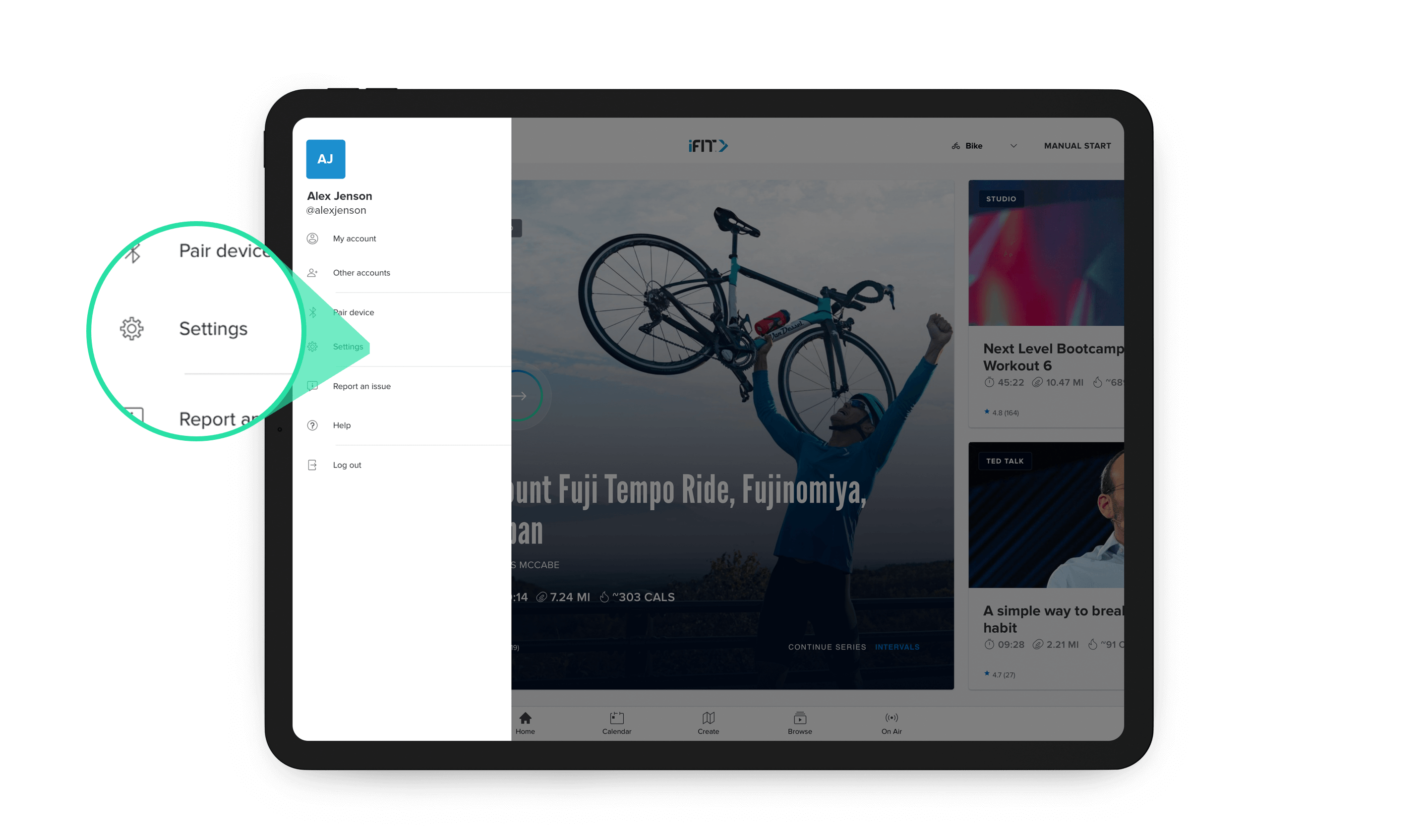
In the window that opens, tap on “Settings.”
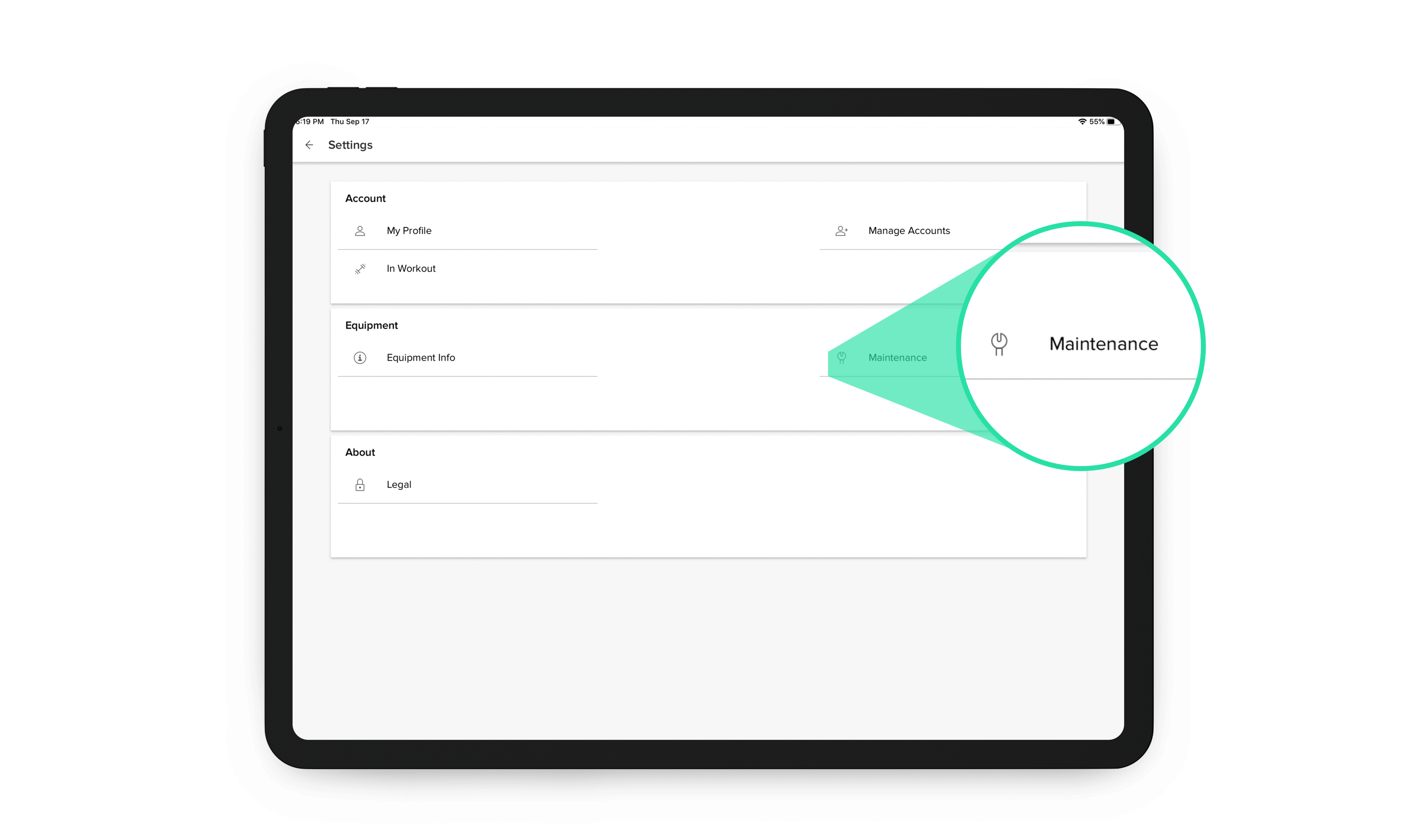
In the next window, tap “Maintenance.”
Then, tap “Update” to update your machine.
If your machine is running the latest version, it will read “Up to Date.”
If updates are available, it will read “Update Available.”

If updates are ready, follow the on screen instructions to update your machine.
Then, hop on your machine to enjoy access to your favorite iFit workouts!
For more information on keeping your software updated, you can visit iFit Support.
You might also like

Introducing SmartAdjust™ for Your Treadmill: iFIT’s New Personalized Workout Experience
SmartAdjust personalizes your treadmill workout before it even starts, adapting speed and incline to your fitness level in real time.
March 16, 2021
.jpg&w=3840&q=75)
NordicTrack’s Most Ambitious Pilates Machine Yet: Introducing the Ultra 1 Reformer
NordicTrack introduces the Ultra 1 Reformer, bringing studio-quality Pilates into the home. Featuring the innovative Smart Spine™ enclosed spring system, push-button resistance, and a 24-inch pivoting HD touchscreen powered by iFIT, it delivers an immersive, personalized workout experience without the complexity.
May 19, 2026

Explore Heart Rate Training with the ActivePulse™ Training Series
When it comes to a customized, interactive workout experience, it doesn’t get better than heart rate training. Our new, groundbreaking feature called ActivePulse uses your heart rate to personalize your workout. It’s the newest way to experience an interactive, personalized experience with iFIT. What is ActivePulse? ActivePulse is iFIT’s first heart rate training feature, designed for users who want to get the most out of their workouts. With ActivePulse turned on and a Bluetooth®-enabled heart rate monitor connected to your treadmill, the intensity of your workout will be automatically adjusted, based on your target heart rate zone. You will automatically be sped up or slowed down in order to maintain the ideal heart rate zone for your workout. This includes recovery, speed, or strength runs! Ready to explore ActivePulse? Try the ActivePulse Training Series! If you’re ready to try this new feature and put heart rate training to work for you, join the ActivePulse Training Series that covers all the basics of ActivePulse and heart rate training as you explore beautiful San Diego. Filmed in 2019, this six-part program is led by iFIT Trainer Tommy Rivs Puzey. Together, you’ll run through San Diego as you learn how to use the ActivePulse feature. You’ll also learn about the five heart rate zones, cardiac drift, and how your heart responds to stress. As you explore different zones, Tommy will continue to adjust your workout in order to set the perfect intensity for your fitness level. Disclaimer: This blog post is not intended to replace the advice of a medical professional. The above information should not be used to diagnose, treat, or prevent any disease or medical condition. Please consult your doctor before making any changes to your diet, sleep methods, daily activity, or fitness routine. iFIT assumes no responsibility for any personal injury or damage sustained by any recommendations, opinions, or advice given in this article. Always follow the safety precautions included in the owner’s manual of your fitness equipment.
March 30, 2021