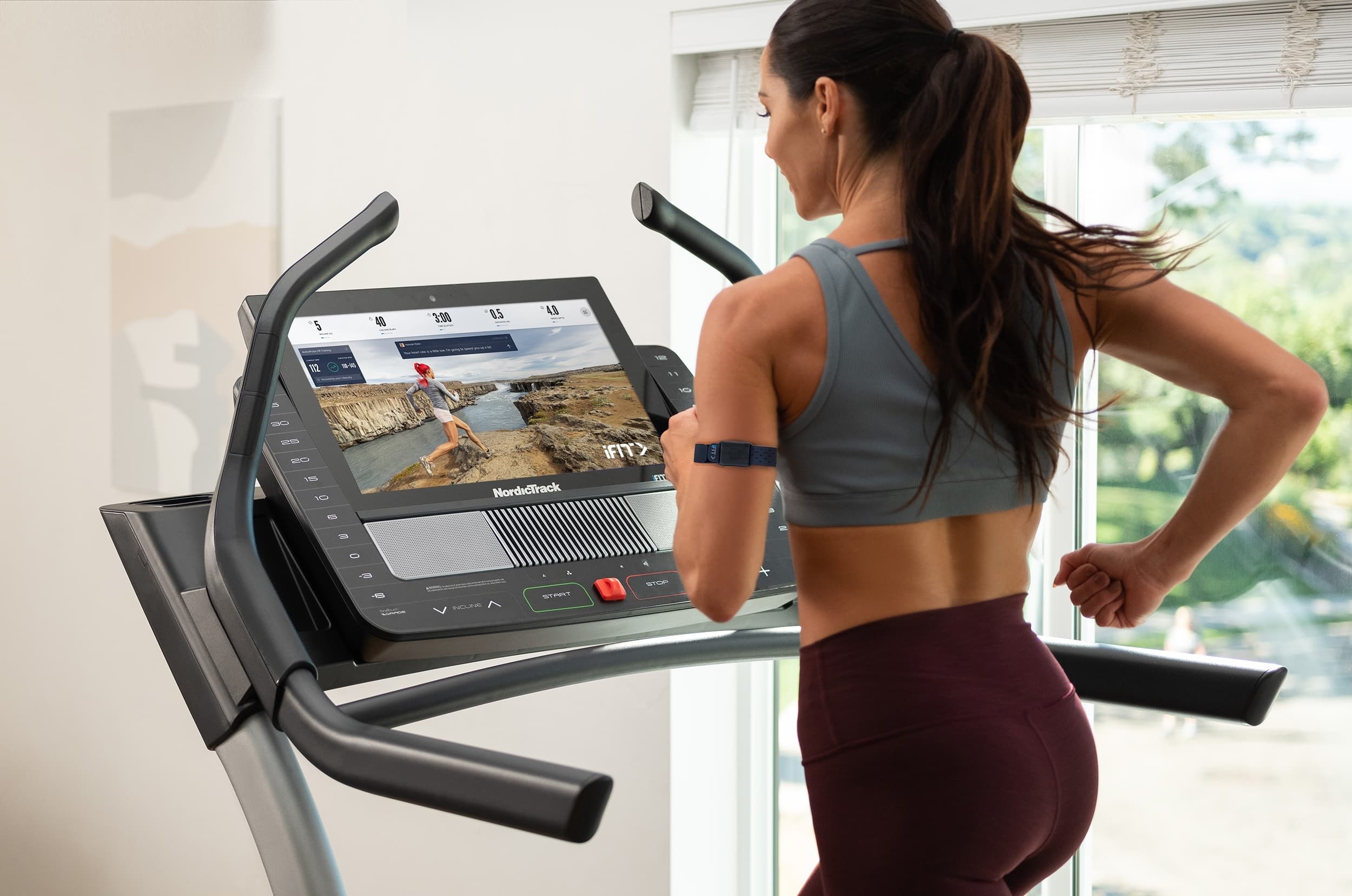
Get to Know ActivePulse™, iFIT’s Heart Rate Training Feature!

At iFIT, our goal is to give you a truly interactive workout experience. That’s why iFIT-enabled equipment automatically adjusts your incline, decline, and resistance during workouts. That experience isn’t just about climbing hills or challenging yourself, however. We’ve extended it to a groundbreaking feature called ActivePulse™, our latest technology that uses your heart rate to personalize your workout!
We’ve also introduced another interactive feature for iFIT-enabled treadmills called SmartAdjust™ that automatically scales your workout as you make adjustments to either the speed or incline so you can follow your iFIT Trainer at your own pace.
What is ActivePulse?
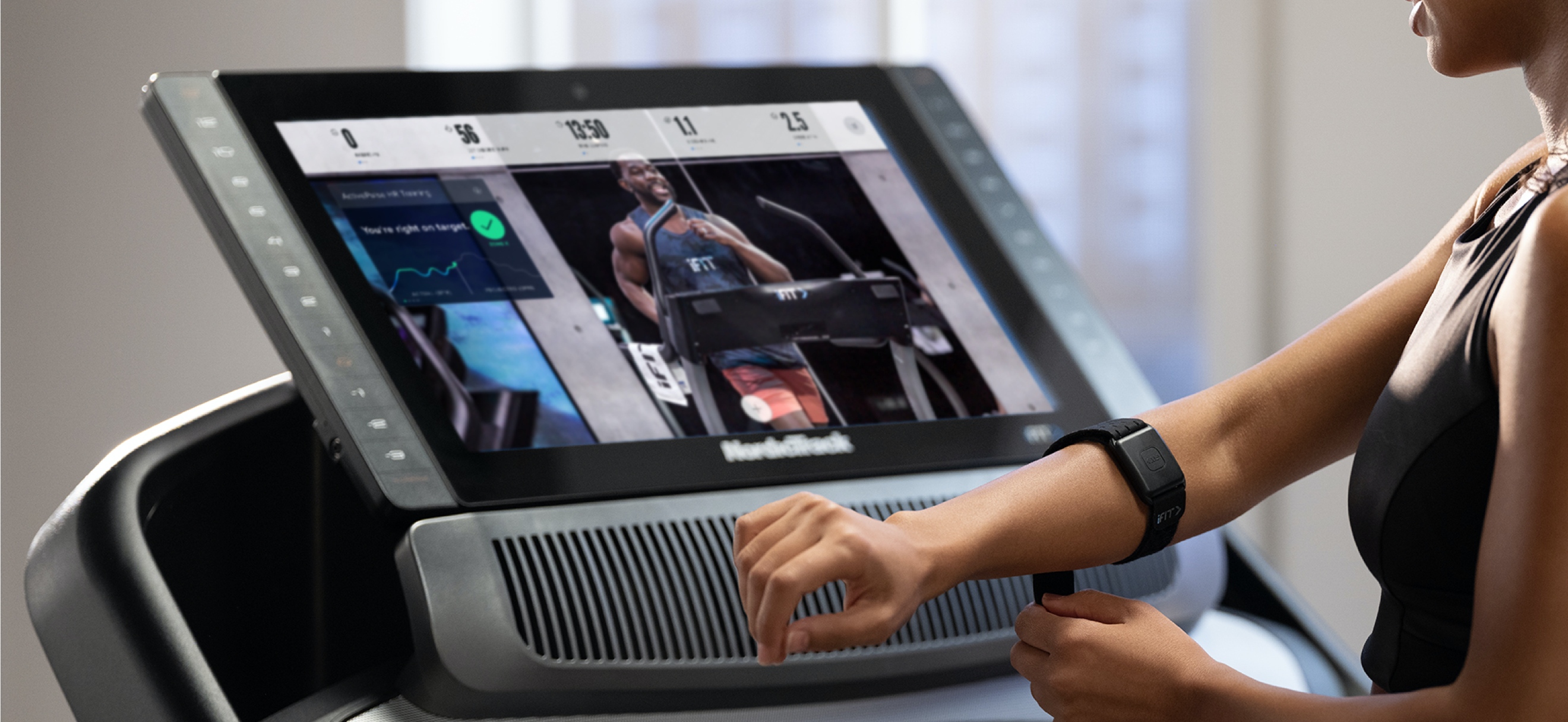
ActivePulse™ is iFIT’s first heart rate training feature, designed for users who want to get the most out of their workouts. With ActivePulse turned on, SmartAdjust enabled, and a Bluetooth®-enabled heart rate monitor connected to your machine, the intensity of your workout will be automatically adjusted, based on your target heart rate zone. You will automatically be sped up or slowed down to maintain the optimal heart rate zone for your workout, including recovery, speed, or strength runs. Please note that ActivePulse is not currently available for manual workouts.
An initial number for your max heart rate will automatically be calculated for you according to your profile information. In your settings, you can adjust your max heart rate and resting heart rate, or you can take a max heart rate test.
Ready to try ActivePulse? Join iFIT Trainer Gideon Akande for an introduction to this feature in the Intro to ActivePulse Workout.
Which workouts are compatible with ActivePulse?
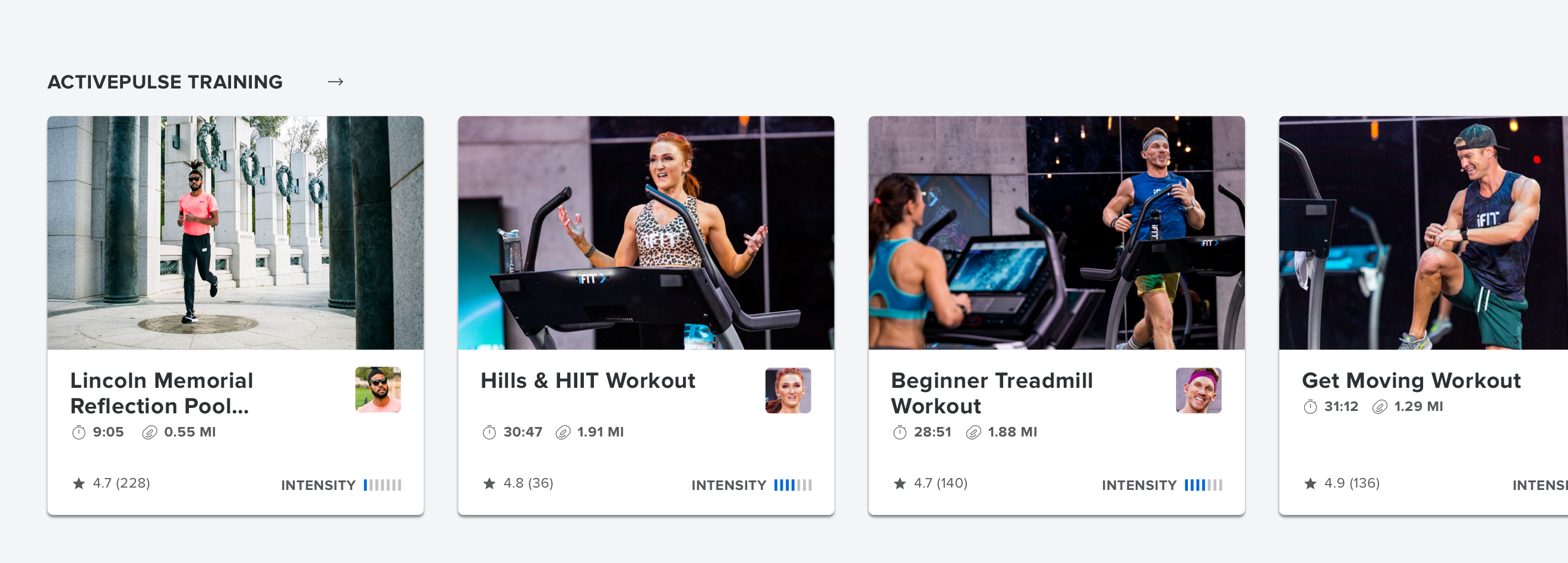
For your convenience, we have added a new section in the Library called “ActivePulse Training,” where you can find workouts optimized for ActivePulse.
Equipment required for ActivePulse:
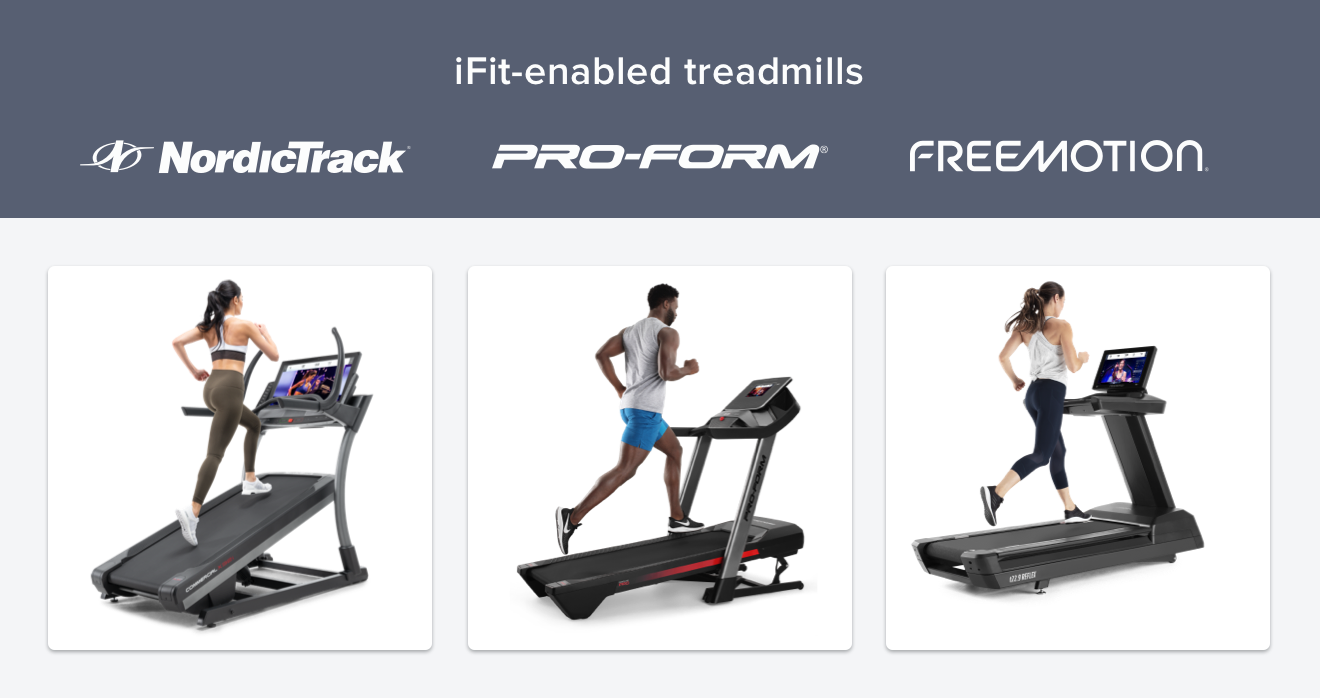
Treadmill (using an iFIT-enabled treadmill or your machine that connects to a tablet via the iFIT app). Please note this feature is not available on smartphones.
You’ll need a Bluetooth-capable heart rate strap or armband that can publicly broadcast your heart rate data. If your current heart rate monitor connects to your machine, it will work with ActivePulse.
Please be aware that SmartAdjust will be automatically enabled on your treadmill when you use ActivePulse. Learn more about SmartAdjust here.
How do I try out the new features?
First, verify that you are on the latest version of the iFIT app. For details on how to check your current app version and steps to update your machine to the latest version, please follow these instructions.
ActivePulse instructions
Before trying out ActivePulse, please make sure your Bluetooth-enabled heart rate monitor is powered on, reading your pulse, and is discoverable. If you have an iFIT heart rate monitor, simply put the monitor on before starting your workout, then tap the center button to put it in discovery mode.
Tap “Browse” in the iFIT app to navigate to the workout Library and scroll down to the “ActivePulse Training” section. You can also use ActivePulse with other workouts in the Library.
Select your desired workout, then tap the play button.

After dismissing the warm-up by tapping the “End Warmup” button, your workout will start, and we will automatically scan to connect to your Bluetooth-enabled heart rate monitor. The scan can take up to 30 seconds.

After your heart rate monitor has been connected, tap the “Enable” button to activate ActivePulse.
Adjusting your ActivePulse settings
In the Personalized Training section of the "In Workout Settings," you can modify your heart rate zones, set a max speed, and set the starting state for ActivePulse and SmartAdjust. Here are instructions on how to make those modifications.
We’re always working to improve your workouts by raising the bar to give you a truly personalized experience. We hope you enjoy this incredible feature as you work to achieve your fitness goals with iFIT!
Disclaimer: This blog post is not intended to replace the advice of a medical professional. The above information should not be used to diagnose, treat, or prevent any disease or medical condition. Please consult your doctor before making any changes to your diet, sleep methods, daily activity, or fitness routine. iFIT assumes no responsibility for any personal injury or damage sustained by any recommendations, opinions, or advice given in this article. Always follow the safety precautions included in the owner’s manual of your fitness equipment.
You might also like

Explore Heart Rate Training with the ActivePulse™ Training Series
When it comes to a customized, interactive workout experience, it doesn’t get better than heart rate training. Our new, groundbreaking feature called ActivePulse uses your heart rate to personalize your workout. It’s the newest way to experience an interactive, personalized experience with iFIT. What is ActivePulse? ActivePulse is iFIT’s first heart rate training feature, designed for users who want to get the most out of their workouts. With ActivePulse turned on and a Bluetooth®-enabled heart rate monitor connected to your treadmill, the intensity of your workout will be automatically adjusted, based on your target heart rate zone. You will automatically be sped up or slowed down in order to maintain the ideal heart rate zone for your workout. This includes recovery, speed, or strength runs! Ready to explore ActivePulse? Try the ActivePulse Training Series! If you’re ready to try this new feature and put heart rate training to work for you, join the ActivePulse Training Series that covers all the basics of ActivePulse and heart rate training as you explore beautiful San Diego. Filmed in 2019, this six-part program is led by iFIT Trainer Tommy Rivs Puzey. Together, you’ll run through San Diego as you learn how to use the ActivePulse feature. You’ll also learn about the five heart rate zones, cardiac drift, and how your heart responds to stress. As you explore different zones, Tommy will continue to adjust your workout in order to set the perfect intensity for your fitness level. Disclaimer: This blog post is not intended to replace the advice of a medical professional. The above information should not be used to diagnose, treat, or prevent any disease or medical condition. Please consult your doctor before making any changes to your diet, sleep methods, daily activity, or fitness routine. iFIT assumes no responsibility for any personal injury or damage sustained by any recommendations, opinions, or advice given in this article. Always follow the safety precautions included in the owner’s manual of your fitness equipment.
March 30, 2021
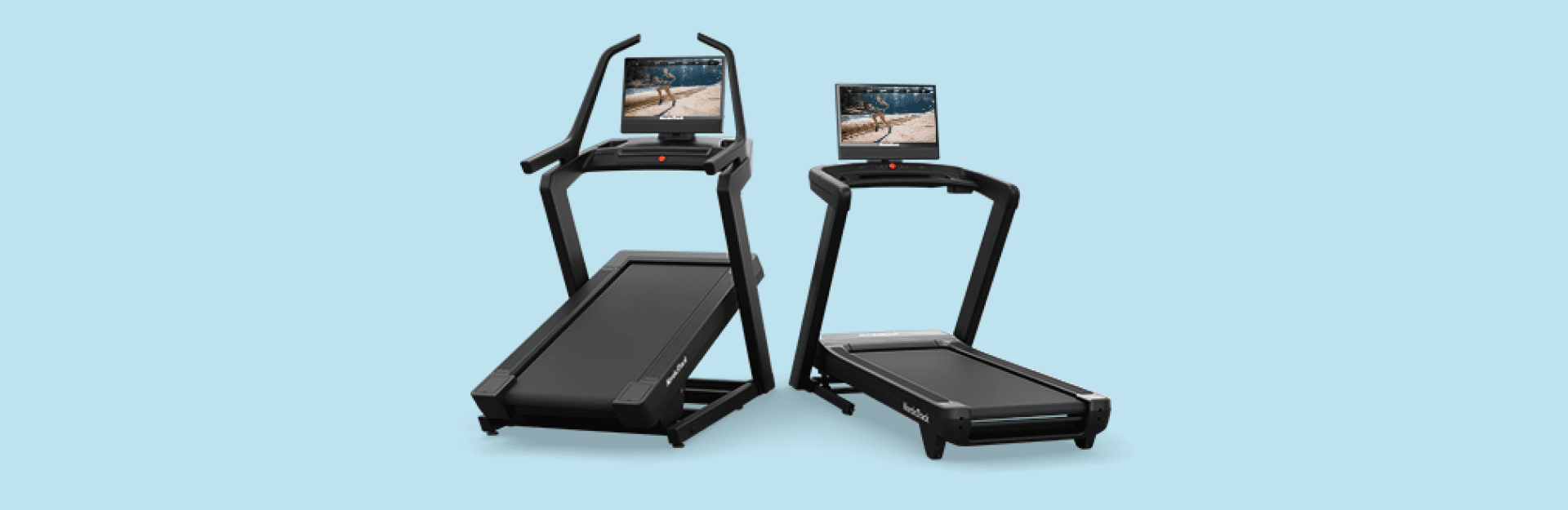
Keep Your NordicTrack Treadmill in Top Shape: A Guide to Belt Maintenance
Like your vehicle, kitchen appliances, and most everything else, maintenance is key to keeping them running smoothly and getting the most value out of them. Your NordicTrack treadmill is no different, requiring annual care to extend its lifespan, run safely, and enhance your workout experience. Outside of keeping your treadmill area tidy, one of the best things you can do for your machine is belt maintenance. Here’s how to keep your treadmill running smoothly and safely. Lubrication: Keep your treadmill running smoothly Making sure your treadmill’s belt is lubricated is surprisingly easy. The Treadmill Lubrication FAQ has all the answers you need, including how to check if it's time to lubricate the belt and the step-by-step process. Even if you don’t use your treadmill daily, annual lubrication is recommended. Look for signs of wear and tear Make it a point to check your treadmill’s belt monthly for signs of wear before they become bigger problems. Here's what to look for: Fraying edges: Any loose or frayed edges could indicate wear.Tearing: Check thoroughly for tears along the edges or across the belt surface.Seam separation: Inspect the seam joining the belt ends for signs of puckering or visual separation.Belt alignment: Ensure that the belt gap on both sides is even. Misalignment can cause damage and reduce performance.Motor hood inspection: Look under the motor hood for any black residue. This residue can occur when an improperly aligned belt rubs against the deck rail. If your belt shows signs of these issues, it might need replacement to maintain proper function and safety. Belt looking misaligned? Click here for detailed alignment instructions, or refer to your owner’s manual. Adjusting belt tension for workout safety Is your belt skipping during workouts? It may be the belt tension, which you can adjust yourself. Detailed instructions on belt tension adjustments can be found in your owner’s manual and online: Aligning and Tensioning Your Treadmill BeltTroubleshooting a Slipping Treadmill Belt Get your own treadmill maintenance kit Not sure which lubricant to use? We’ve got you covered! Treadmill maintenance kits are available here. Need help? If you have any questions or need assistance with your treadmill maintenance, reach out to the iFIT Member Care team by using our Live Chat or calling 1-833-680-4348. They’ll help ensure your treadmill keeps running as efficiently as possible, providing safe workouts for years to come. Disclaimer: The primary purpose of this blog post is to inform and entertain. Nothing on the post constitutes or is intended to be a substitute for professional medical advice, prevention, diagnosis, or treatment. Reliance on any information provided on the blog is solely at your own risk. Always seek the advice of your physician or other qualified health provider with any questions you may have regarding a medical condition, and please consult your doctor or other health care provider before making any changes to your diet, sleep methods, daily activity, or fitness routine. Do not disregard professional medical advice or delay seeking it because of information available on this blog. NordicTrack assumes no responsibility for any personal injury or damage sustained by any recommendations, opinions, or advice given in this article. Always follow the safety precautions included in the owner’s manual of your fitness equipment.
May 28, 2025
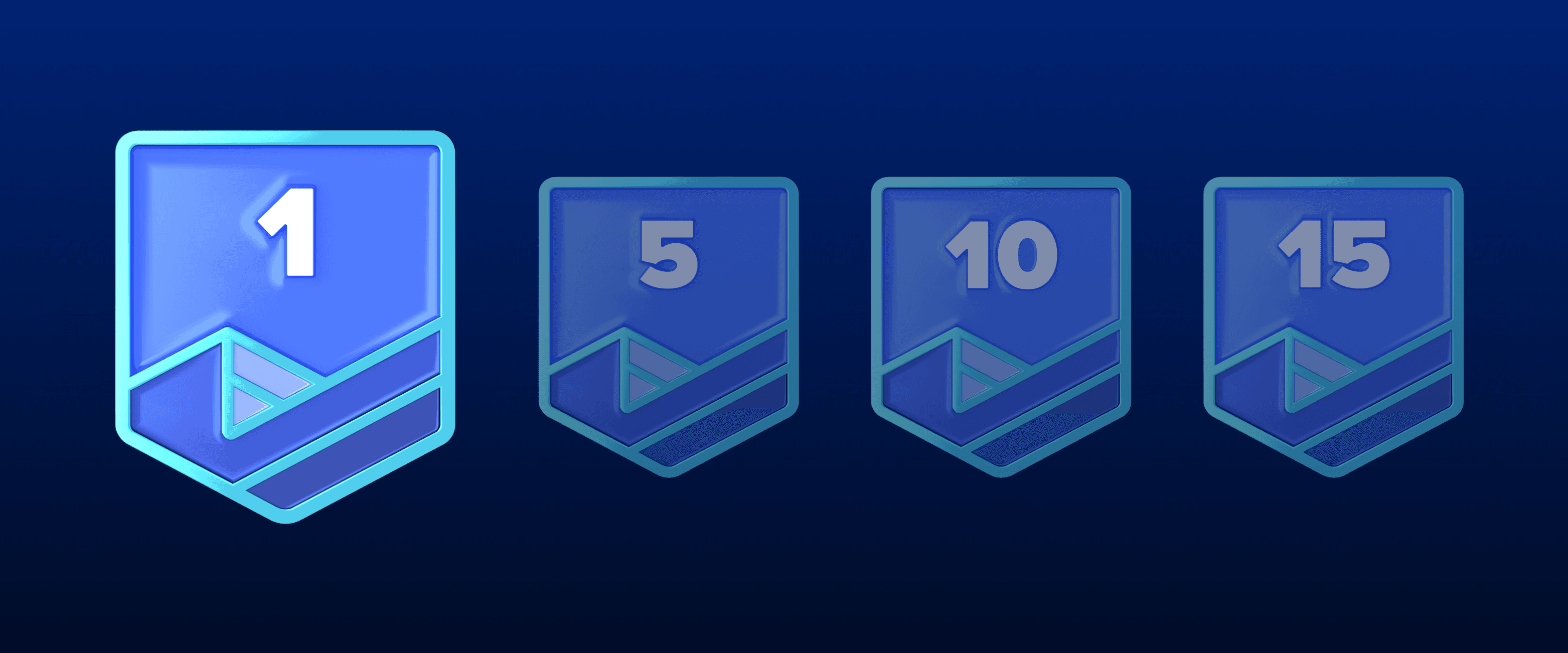
2024 iFIT Milestones: Everything You Need to Know
Welcome to 2024, a new year of more ambitious fitness goals and an exciting journey of health and fitness with iFIT! As we continue to evolve, we’re thrilled to introduce new features and experiences to enhance your iFIT adventure with intelligent fitness. More trainer messages: As you hit new milestones, look forward to special messages from our iFIT Trainers, adding a personal touch to your achievements.iFIT Family membership entry: Achieve your 200th milestone and gain an entry for an iFIT Family membership.More iFIT Backstage Pass entries: Earn more entries to win when you reach your 300th, 400th, 500th and 1,000th milestones.New physical rewards: When you reach your 100th, 500th, and 1,000th milestone, you can purchase exclusive physical rewards from our Milestones Collection. As you dive into the rest of this blog, discover how they all add up to a more fulfilling fitness journey with iFIT this year - and beyond. Frequently asked questions about iFIT Milestones What are iFIT Milestones? iFIT Milestones in 2024 are more than just numbers; they’re your personal fitness victories. Running (no pun intended) from January 1 to December 31, these achievements now come with extra recognition. When you hit certain milestones, expect not just an email or a push notification but also more personalized communication and new, exclusive rewards to celebrate your progress. To view your Milestones in the iFIT app: Tap on the Trophy Case icon in the iFIT app at the bottom of the screen.At the top of the Trophy Case screen, scroll to the right and tap “Milestones.”You can view your milestones by year, how many workouts you’ve completed, and your next milestone to reach for the current year. What’s new in 2024? We’ve listened to your feedback and are excited to re-introduce physical rewards for certain milestones reached. Now, at 100, 500, and 1,000 workouts completed, you can purchase an exclusive item from our Milestones Collection, like a shirt, sweatshirt, or jacket. These rewards are a way to showcase your dedication and hard work. Plus, with a chance to win an iFIT Family membership after completing 200 workouts, you’ll want to stay active together. And be sure to explore our Passport newsletter, inspiring you to keep racking up more milestones with a monthly treasure trove of exclusive glimpses into the iFIT world. Physical milestone rewards are back? We’re excited (and hope you are, too) to reintroduce physical milestone rewards in a new way. As you hit the 100, 500, and 1,000 workout milestones, you'll have the opportunity to purchase celebratory items from our Milestones Collection, like a shirt, sweatshirt, or jacket. This exciting addition aligns with our commitment to both sustainable practices and meaningful member recognition. Celebrate your fitness achievements in style! Please note: Physical rewards are only available to iFIT members in the U.S. All items will be on a monthly pre-order basis. Visit the Milestones Collection page for more information. What is the iFIT Backstage Pass? The iFIT Backstage Pass* is our new and improved iFIT 500 Workout Giveaway from previous years. Five (5) grand prizes will be awarded. Each grand prize winner will receive a 3-day/2-night trip for the winner to Logan, UT to tour the iFIT studio and meet an iFIT Trainer. Prize includes roundtrip air transportation (coach) for up from a major U.S. gateway airport nearest the winner’s home to Salt Lake City or other airport determined by Sponsor in its sole discretion, hotel accommodations (one (1) standard room, for two (2) nights). Full grand prize description with limitations and restrictions below. Approximate retail value of each grand prize is $2,000. Each prize winner will be able to nominate one or more iFIT Trainers they would like to meet but the iFIT Trainer(s) that will be present for the meet up will be determined based on availability and the Sponsor’s sole determination. Each prize winner will also receive $200.00 in spending money to cover incidental costs. Please note: The iFIT Backstage Pass is available to customers who are U.S. residents. How do I enter to win the iFIT Backstage Pass? To enter you must complete a minimum of 300 iFIT workouts from 1/1/2024 – 12/31/2024. Global, Studio, Live, and on app workouts count. Manual workouts do not count. Sponsor reserves the right to reject or disqualify any counted workout which Sponsor, at its sole discretion, determines to be inconsistent with the letter or spirit of the Official Rules. Limit one (1) entry per iFIT account for 300 workouts; (3) additional entries for 400 workouts; Five (5) additional entries for 500 workouts; 10 (Ten) additional entries for 1,000 workouts. Secondary users can qualify. Click here for more information. How are milestones related to the Trophy Case? Your milestones, including those reached in previous years, can be found in your Trophy Case, as well as digital rewards from Challenges. Rewards from Challenges and milestones will be automatically added to your iFIT account as you earn them. You can check your milestones anytime in the iFIT app or your iFIT-enabled machine. In 2024, what new workouts can I expect? We’re bringing you a host of new workouts, series and categories in 2024 to keep you engaged and challenged. Here’s a glimpse: Pedal with Chris Davenport in his Dolomite Cycling Series.Ride with Ashley Paulson in Canada’s National Parks.Explore with Alex Gregory in his Walk the World Martinique and UK Lakes Series.Run with Knox Robinson in his Ireland Running Series.Train with Richard Biglia in his Superior Strength and Rowing Series.Accelerate with Casey Gilbert in his Performance Zone Bootcamp Series.Row with Susan Francia in her Rowing the Rockies Series.Transform with Gerell Webb in his Fitness Revamp Weight Loss Series.Build with Jorry Francis in her HIIT and Muscle Group Isolations Series.Sculpt with Shannon Cooper in her Barre Basics Series. And that’s just the tip of the iceberg — be on the lookout for more series, Shorts, Collections, and Challenges in 2024! How do I track milestones? Tracking your iFIT Milestones is simple. Just tap the Trophy Case icon at the bottom of the iFIT app screen, then select Milestones at the top of the Trophy Case screen. Here, you can view your milestones by year, see how many workouts you’ve completed, and plan your next milestone. This feature makes it easier to stay informed and motivated throughout your fitness journey. Which workouts count toward my milestones? Any programmed workout in the iFIT Library, including Google Maps™ workouts, counts towards your milestones. Unfortunately, manual workouts do not count. Remember, you must have a paid and active iFIT membership to be eligible for milestone rewards. Secondary users on an active account are also eligible for milestone rewards. Will I receive a reward for every workout completed? While not every workout comes with a reward, we have specific milestones where you will earn digital rewards and more. These milestones are designed to celebrate significant numbers of workouts completed, starting from your very first workout and including key milestones like your 50th, 100th, 200th, and up to your 1,000th workout, where you’ll receive special digital rewards and messages from iFIT Trainers, have the chance to purchase exclusive iFIT Milestone gear, and entries to win an iFIT Family membership and iFIT Backstage Pass. Milestones eligible for rewards: Digital rewards only: Milestones #1 - #10Milestones #15, #20, #25Milestones #30, #35, #40Milestones #50, #70, #80Milestones #80, #90, #125Milestones #150, #175, #225Milestones #250,# 275, #325Milestones #375, #425, #475Milestones #550, #600, #650Milestones #700, #750, #800Milestones #850, #900, #950 Digital reward + physical rewards (available for purchase): Milestone #100Milestone #500Milestone #1,000 Digital reward + iFIT Pro Membership entry: Milestone #200 Digital reward + iFIT Backstage Pass entry: Milestone #300 (one entry)Milestone #400 (three additional entries)Milestone #500 (five additional entries)Milestone #1,000 (10 additional entries) What if I don't see my milestones in the Trophy Case? If you believe you've reached a milestone but don’t see it reflected in your Trophy Case, please contact our Member Care Team at support@ifit.com. We’re here to help make sure your achievements are recognized and celebrated. What are milestone emails? We’ll send you an email when you reach the following milestones: Emails: Milestone #1, Milestone #25, Milestone #50, Milestone #100, Milestone #200, Milestone #300Milestone #400, Milestone #500Milestone #1,000 What are milestone push notifications? We’ll send a push notification to your mobile device when you reach the following milestones: Push notifications: Milestones #1 - #10Milestones #15, #20, #25Milestones #30, #35, #40Milestones #50, #60, #70, #80Milestones #80, #90, #125Milestones #150, #175, #225Milestones #250,# 275, #325Milestones #375, #425, #475Milestones #550, #600, #650Milestones #700, #750, #800Milestones #850, #900, #950 When will I receive an email or push notification? You’ll receive an email or push notification immediately after reaching a milestone. You can view milestones right away in your Trophy Case. How can I make sure I receive milestone emails and notifications? To receive milestone emails and push notifications, please check your account settings on the iFIT desktop. Tap Emails under Preferences.Check which emails you would like to receive.Your updates will automatically save. To ensure that you receive these emails in your inbox and not your spam or junk folder, please add iFIT to your safe sender list. To ensure you receive push notifications from iFIT, please read more about how to turn them on. The more communications you receive, the more you will stay updated and never miss important information — and we have much to share. What’s the eligibility criteria for milestone rewards? To be eligible for milestone rewards, your iFIT account must be active and in current standing. Users with free, paused, or inactive accounts will not receive milestone rewards. However, if you renew your membership or decide to join, your past qualifying workouts will still count toward your overall workout total, but you will not receive past rewards. If you have an iFIT membership that was included with the purchase of iFIT-enabled equipment, you qualify for milestones during the duration of that membership. If you meet all of the above requirements and still have yet to receive any communications after completing workouts saved this year, please visit iFIT Member Care or email support@ifit.com for further assistance. Embrace every workout, every moment, and every milestone — your journey to peak fitness starts with iFIT in 2024! Disclaimer: This blog post is not intended to replace the advice of a medical professional. The above information should not be used to diagnose, treat, or prevent any disease or medical condition. Please consult your doctor before making any changes to your diet, sleep methods, daily activity, or fitness routine. iFIT assumes no responsibility for any personal injury or damage sustained by any recommendations, opinions, or advice given in this article. Always follow the safety precautions included in the owner’s manual of your fitness equipment.
January 1, 2024


