NEW ROUTES : EVEREST
Add another check to your bucket list without spending a dime.
Khumbu Region
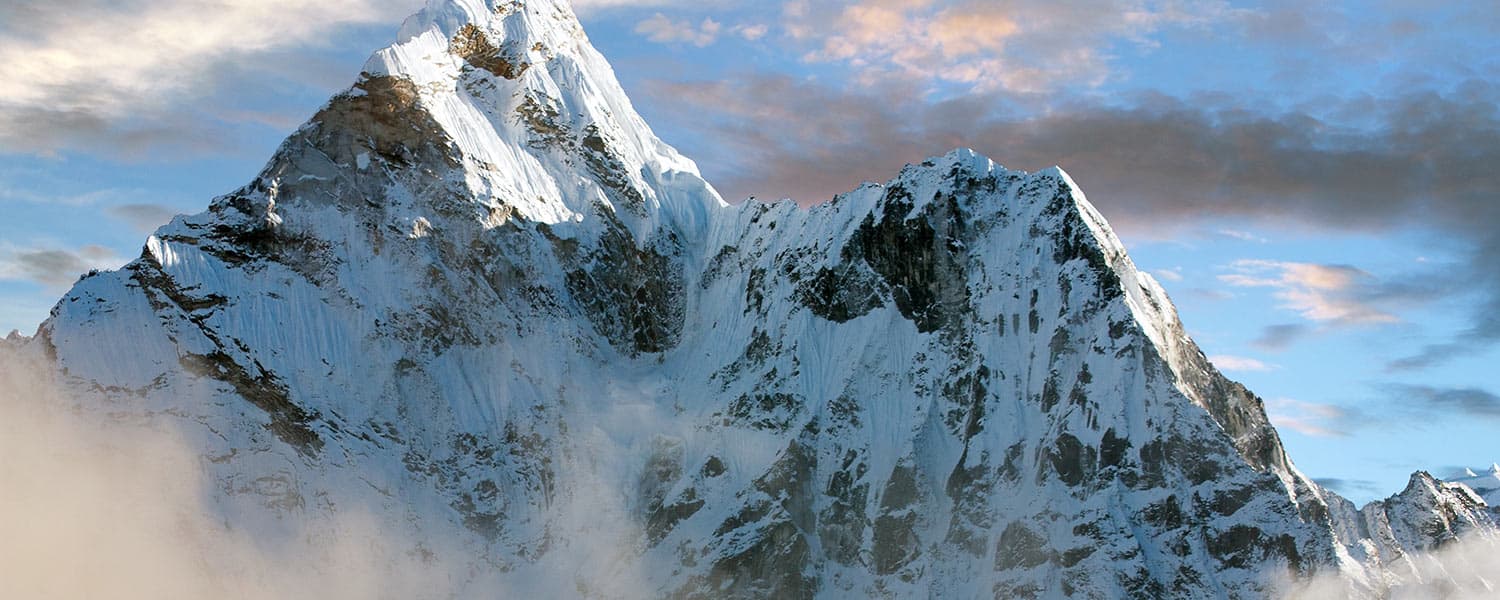
Google just released the first-ever Street View images for Mount Everest, located in the Mahalangur section of the Himalayas on the border of Tibet. And while you may not be able to climb to the summit of this amazing peak, you can explore the Khumbu region of Nepal in the mountain’s shadow and Mount Everest's base camp.
The Program
Our Mount Everest workout program will push you past your limits. If you’re ready to take on a new challenge, then get ready to hike over 71 miles and climb more than 19,000 vertical feet in just 20 workouts. This grueling program is not for the faint of heart, because you will be required to ask more from yourself. But let me tell you, the views are absolutely worth the work. And just remember, when the going gets tough, at least you aren’t carrying a pack on your back.
To join us, add the program on iFit, jump on your iFit-enabled equipment and enjoy the workout as your machine will show Google Street View ™ all along the way, while automatically adjusting the incline/decline to match the outdoor terrain.
 Yak Parking Lot in Namche Bazaar, Nepal
 Descent from South Base Camp
 Everest South Base Camp
 Everest Base Camp - Climber's Memorial
Your Journey
Through the misty air and lush terrain, you’ll start your journey at the Tenzing-Hillary Airport, located in Lukia, Nepal. And with the program being all trail, you’ll wander through small towns, seeing a way of life completely different from your own.
As you follow other fellow backpackers, don’t be surprised to pass some pack mules along the way that you’ll wish were carrying you. Continuing on your journey, you’ll trek through multiple cities as you head towards the mountain. From Phakding to Benkar, Khumjung to Panboche, and all the way to Thame, you’ll wind past monasteries, lodges, and schools, gaining an appreciation for the lifestyle in this beautiful region. You’ll see more than just the drizzling weather you begin in, as sunshine and desert-like landscapes cover much of the landscape with snow-capped mountains in view. Your expedition ends in Gorak Shep, a frozen lake bed covered with sand in Nepal.
Now all that’s left to do is join the program, stretch your legs, and get ready for inclines and views that will take your breath away!
iFit Trainer
Emily Wiley
Suggested Workout
Climb over 19 thousand feet to Everest Base Camp.
WARNING: This post is not intended to replace the advice of a medical professional. The above information should not be used to diagnose, treat, or prevent any disease or medical condition. Please consult your doctor before making any changes to your diet, sleep methods, daily activity, or fitness routine. iFit assumes no responsibility for any personal injury or damage sustained by any recommendations, opinions, or advice given in this article.
You might also like

Introducing SmartAdjust™ for Your Treadmill: iFIT’s New Personalized Workout Experience
SmartAdjust personalizes your treadmill workout before it even starts, adapting speed and incline to your fitness level in real time.
March 16, 2021

Strength Training While on GLP-1: A 6-Week Plan
When your body weight changes, you aren’t just losing fat—research shows you risk losing lean muscle mass, too. Protecting that muscle is the key to maintaining your metabolism and everyday strength. This practical 6-week guide breaks down exactly how to structure a simple, 20-to-30 minute full-body strength routine 2–3 times a week. Built around foundational compound movements like squats and rows, this plan shows you how to safely implement progressive overload without burning out your energy. Give your body a clear signal to keep its muscle and build a routine that sticks.
May 26, 2026

Find Your Stride with Tommy Rivs in the Joy of Running Part 2: Redwoods, Workouts 1-10
There’s just something magical about taking your next step forward, especially when it means you’re surrounded by the towering redwoods and rugged beauty of California’s northern coast. iFIT Trainer Tommy Rivs’ newest series will help you experience the magic of this region with the Joy of Running Part 2: Redwoods, Workouts 1-10. This beginner-friendly program is designed to help you progress from walking to running at your own pace.Explore California’s Scenic CoastSet along breathtaking coastal trails and through scenic redwood groves, this series brings the natural beauty of Northern California to your treadmill. From the peaceful paths of Laguna Point to the rolling meadows of Mendocino Headlands, each workout is an opportunity to breathe, move, and connect with the pure joy of movement.Make Progress with Tommy RivsKnown for his thoughtful coaching and love of movement, Tommy Rivs will guide you through a mix of walking and running intervals to gradually build your endurance and confidence. Each workout keeps the speed steady while changing your movement so you can focus on how your body feels and adapts as you move.Whether you’re returning to fitness or taking your first steps toward running, this series is all about moving forward with purpose. Tommy will help you to:Develop endurance and build strength with progressive intervalsImprove your form and consistency with his expert guidanceReconnect with the joy of movement in an inspiring settingBuild confidence to take on your next running challengeThis is only the beginning; there’s so much more to come with Rivs. For now, lace up those shoes and join him for an incredible journey amongst the redwoods.Join Tommy Rivs in the Redwoods
November 3, 2025