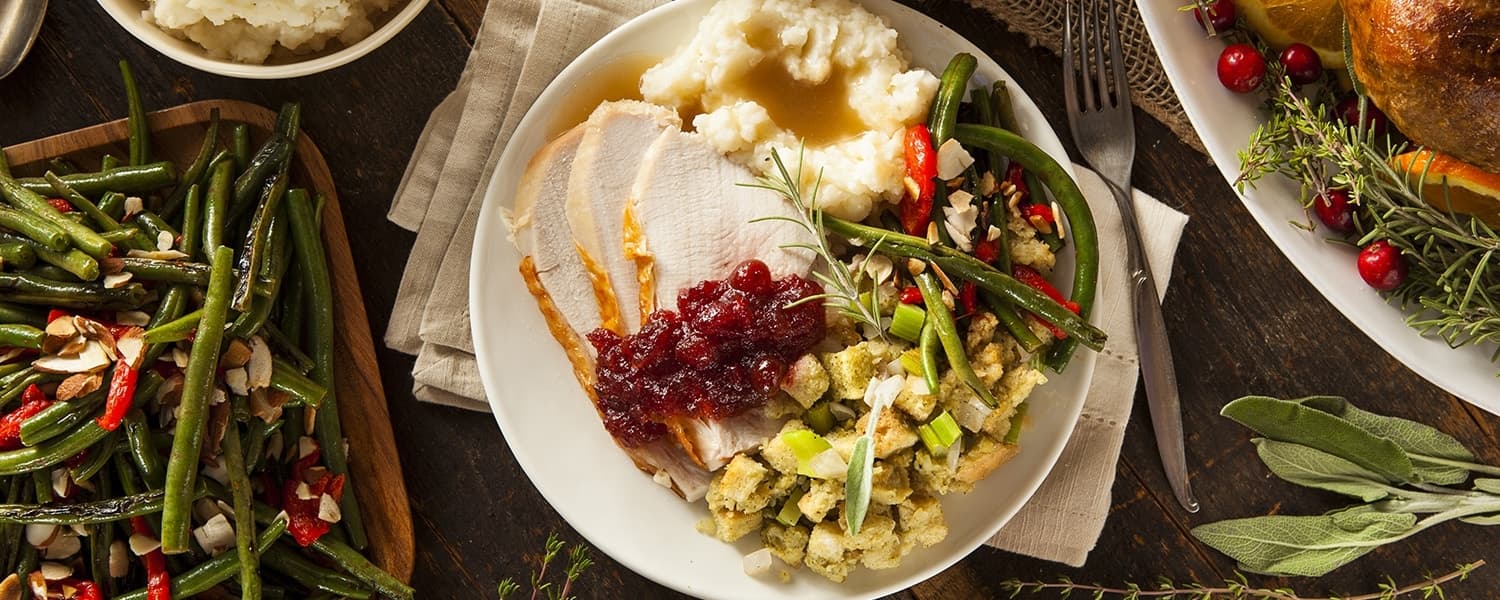
I love to eat, but I also want to feel good about what I eat. Thanksgiving is a huge struggle for me. I am surrounded by so many wonderful and tasty foods, and if I pig out for the day, I feel like I have a free pass. After all, Thanksgiving Day has become an acceptable excuse to gorge yourself and then fall into a food coma. The problem is, I don’t want to ever feel like a stuffed turkey. I want to be able to enjoy this holiday without having to unbutton the top button of my pants. So here are some Turkey Day trades that will help you (and me) make it through Thanksgiving, well fed, but still on the right track for our health.
If you’re in charge of cooking your Thanksgiving Day feast, there are some healthy food substitutes that are full of flavor, but that have fewer calories.
- In baking, switching out ½ cup of vegetable oil out for ½ cup of applesauce. That omits over 900 calories in any recipe. Applesauce as a substitute goes great in cakes or in any sweet bread.
- Butter can be traded for garbanzo beans. You can’t even taste them when they’re baked into cookies. Put the beans in a food processor and blend well. My trick is to put the eggs in with the beans so they get really creamy. In a recipe that calls for 1 cup of butter, use 1 cup of drained garbanzo beans, plus 1 tablespoon of butter. Blend until it’s creamy. This will save you over 1,200 calories in a recipe, and will give you some extra protein and other healthy nutrients.
- Making yogurt ranch dip instead of buying normal vegetable dip saves about 500 calories per cup, and adds protein and other nutrients.
- A slice of pumpkin pie instead of pecan pie will save you 300 calories!
- Serve steamed green beans instead of your family’s calorie-laden green bean casserole recipe. It’ll save you anywhere between 50-100 calories per cup.
- Make cauliflower mashed potatoes instead of regular mashed potatoes to save up to 180 calories per cup.
- Rethink your drink. Water will always be your best low calorie option. If you drink a glass of water before you sit down to eat, it can prevent you from eating too much. If you want to enjoy a beverage other than water, stick to just one serving of a drink. For beer lovers, 12 ounces of dark beer will be 153 calories, while lite is only 103. For 8 ounces of apple cider, 5 ounces of red wine, or 2.25 ounces of a martini, you’re consuming about 125 calories per drink. 4 ounces of champagne is one of the lower alcoholic beverages at 84 calories. Just be aware that any drink besides water doesn’t come calorie-free, so try and limit yourself.
- Make single serving items. Put that stuffing into muffin tins so everyone easily grabs a single serving.
If you’re attending your Thanksgiving day feast as a guest, follow these tips to make sure that you don’t overindulge.
- Don’t be afraid to turn down appetizers. We often forget that we consume hundreds of calories before we even sit down for our Thanksgiving Feast. Those appetizers are loaded with calories and are often consumed more out of boredom than enjoyment.
- Remove yourself from temptation. If hanging around all of the cookie trays and chips is too much for you (like it is for me), get your family and friends and start a game. Suggest football, basketball, or a board game—anything to remove you from the line of fire. Plus, you’ll be the life of the party!
- Stick to just that one plate. Now, I’m not talking about a heaping, pile-as-much-as-you-can-without-it-breaking sort of plate. Just a reasonable size that’s close to your normal, recommended serving. Try and fill ½ of your plate with fruits and vegetables, ¼ of your plate with protein, and ¼ of your plate with grains.
- Don’t fast beforehand. While “saving up calories” may seem like a good idea, the reality is that most people will feel overly hungry and eat way more. You didn’t have breakfast, so you justify an extra helping of this and that, but before you know it, you’ve eaten way more than you would have at breakfast. Instead, have a lighter breakfast and a low-calorie snack beforehand (like some carrots or snap peas). The fiber in the vegetables will help keep you full without adding a bunch of calories to your day.
- Talk it up! Talk to everyone around the table. Take the time to catch up. That way, you’ll be doing more with your mouth than just eating. This will also slow your eating down, so your brain will be able to catch up with your stomach and let you know when you’re full. It takes twenty minutes for your stomach to convey that info to your brain.
- Wear fitted clothing. When most people get dressed for Thanksgiving, they pick out an ensemble that will make room for that food baby they’re planning to have at the end of the day. Try to wear fitted clothing, so you’ll always have a little reminder to not overeat.
So just follow these Turkey Day Trades, and you’ll make it through the holiday feast without giving up any of your health goals!
WARNING: This post is not intended to replace the advice of a medical professional. The above information should not be used to diagnose, treat, or prevent any disease or medical condition. Please consult your doctor before making any changes to your diet, sleep methods, daily activity, or fitness routine. iFit assumes no responsibility for any personal injury or damage sustained by any recommendations, opinions, or advice given in this article.
You might also like

Introducing SmartAdjust™ for Your Treadmill: iFIT’s New Personalized Workout Experience
SmartAdjust personalizes your treadmill workout before it even starts, adapting speed and incline to your fitness level in real time.
March 16, 2021

Strength Training While on GLP-1: A 6-Week Plan
When your body weight changes, you aren’t just losing fat—research shows you risk losing lean muscle mass, too. Protecting that muscle is the key to maintaining your metabolism and everyday strength. This practical 6-week guide breaks down exactly how to structure a simple, 20-to-30 minute full-body strength routine 2–3 times a week. Built around foundational compound movements like squats and rows, this plan shows you how to safely implement progressive overload without burning out your energy. Give your body a clear signal to keep its muscle and build a routine that sticks.
May 26, 2026

Find Your Stride with Tommy Rivs in the Joy of Running Part 2: Redwoods, Workouts 1-10
There’s just something magical about taking your next step forward, especially when it means you’re surrounded by the towering redwoods and rugged beauty of California’s northern coast. iFIT Trainer Tommy Rivs’ newest series will help you experience the magic of this region with the Joy of Running Part 2: Redwoods, Workouts 1-10. This beginner-friendly program is designed to help you progress from walking to running at your own pace.Explore California’s Scenic CoastSet along breathtaking coastal trails and through scenic redwood groves, this series brings the natural beauty of Northern California to your treadmill. From the peaceful paths of Laguna Point to the rolling meadows of Mendocino Headlands, each workout is an opportunity to breathe, move, and connect with the pure joy of movement.Make Progress with Tommy RivsKnown for his thoughtful coaching and love of movement, Tommy Rivs will guide you through a mix of walking and running intervals to gradually build your endurance and confidence. Each workout keeps the speed steady while changing your movement so you can focus on how your body feels and adapts as you move.Whether you’re returning to fitness or taking your first steps toward running, this series is all about moving forward with purpose. Tommy will help you to:Develop endurance and build strength with progressive intervalsImprove your form and consistency with his expert guidanceReconnect with the joy of movement in an inspiring settingBuild confidence to take on your next running challengeThis is only the beginning; there’s so much more to come with Rivs. For now, lace up those shoes and join him for an incredible journey amongst the redwoods.Join Tommy Rivs in the Redwoods
November 3, 2025