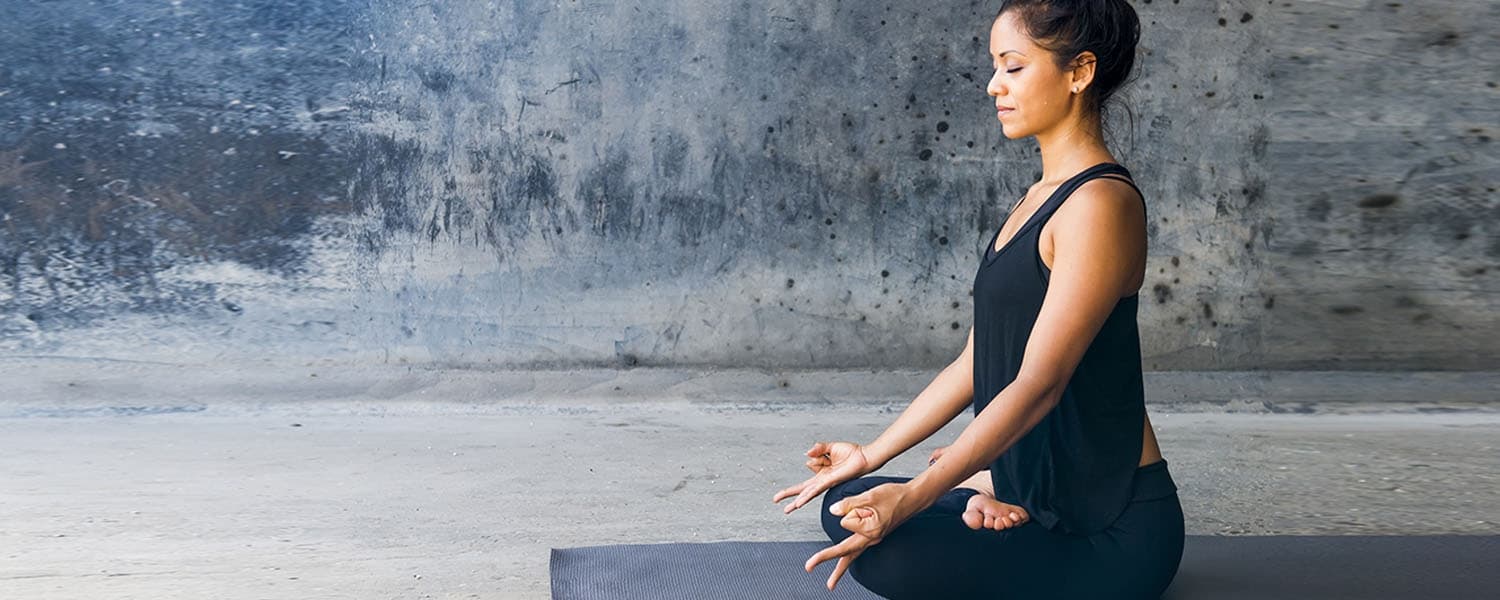
Yoga for Core Strength
Yoga has many benefits for your body, and increasing core strength is one of them. The key to core strength is remembering that your core encompasses much more than just your rectus abdominus (your six-pack muscles). You also have internal and external obliques, transversus abdominis, erector spinae, glutes (gluteus maximus, minimus, and medius), and many more. Let’s work on every last one of those muscles to build and strengthen a stronger core.
Here are 13 yoga poses you need to incorporate into your practice:
To strengthen:
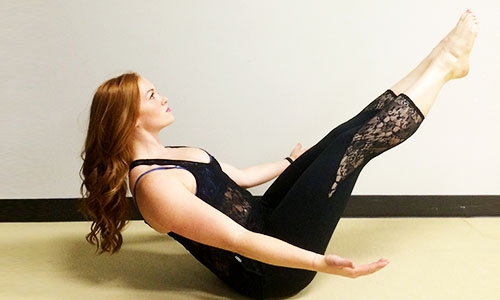
1. Boat Pose—Navasana
Boat Pose is a great exercise since it uses many core muscles. Start by holding Navasana for 3 breath cycles and build from there. As you hold this pose, focus on keeping your back flat.
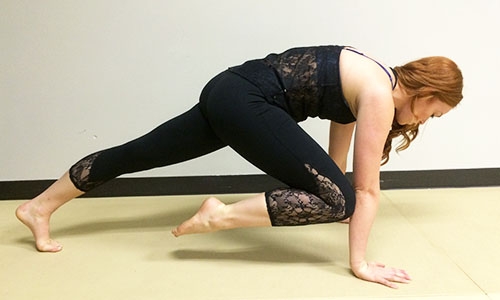
2. Knee to Elbow—Plank Pose Variation
To increase the intensity of this pose, try to maintain contact with your knee and elbow, or even take your knee all the way to your chin if flexibility allows.
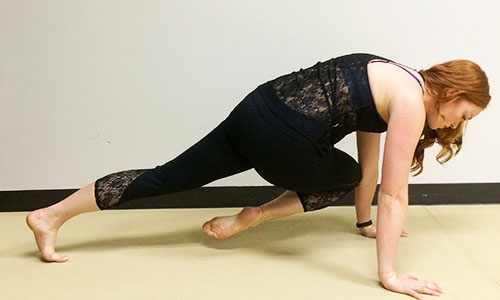
3. Knee to Cross Elbow—Plank Pose Variation
This pose is similar to knee to elbow, but now you’re going to focus on the obliques a little more. Try this pose back to back in a sequence with knee to elbow.
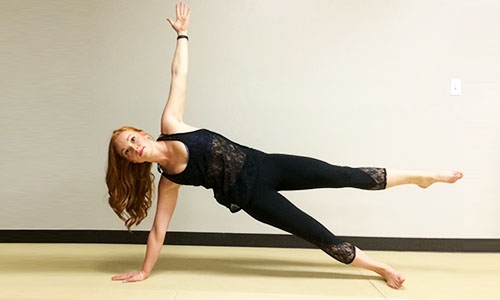
4. Side Plank—Vasisthasana
As you take side plank pose, be sure to lift through your hips. To increase the level of difficulty in this pose, lift both your top hand and leg up and away from your body.
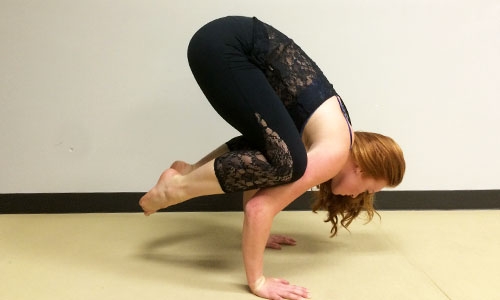
5. Crow Pose—Bakasana
Arm balances require a lot more than just balance and arm strength. They actually work your core more than anything else. Find that balance point and hold for 3–5 breath cycles.
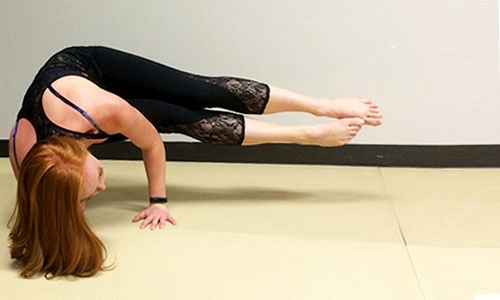
6. Side Crow Pose—Parsva Bakasana
An easier modification of this pose is to keep your knees bent but find the position that works best for you. Take deep breaths and keep your fingers spread to assist with your balance.
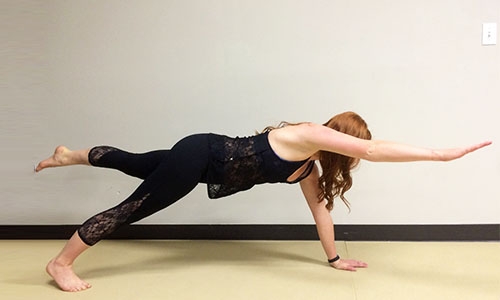
7. Bird Dog Plank—Plank Pose Variation
Take your plank pose to a new level with a variation that’s a challenge to even the most balanced individuals. Keep your hips level and reach your fingertips as far from your toes as possible.
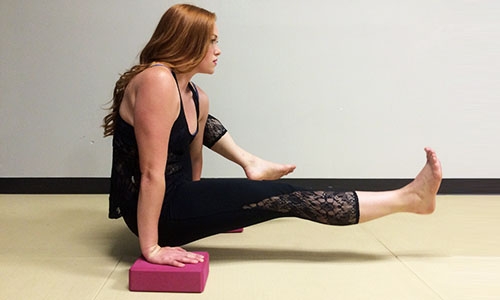
8. Elephant Trunk Pose—Eka Hasta Bhujasana
Try this pose first with blocks under each hand and then graduate to hands on the floor. This works not only your lower abs but your hip flexors as well for a great strengthening routine.
To stabilize:
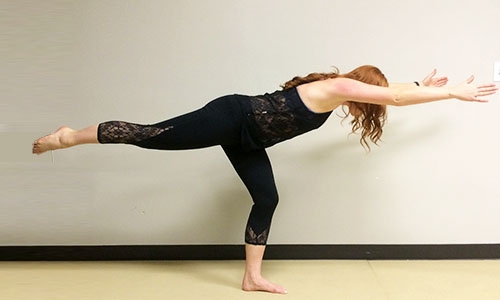
9. Warrior 3—Virabhadrasana III
Try to keep your hips square to the floor, and keep your knee soft on your stabilizing leg as you lengthen your body. Focus on your breathing as you hold this pose.
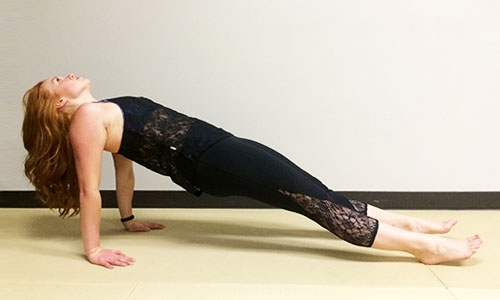
10. Reverse Plank—Purvottanasana
Stabilize your spine and protect your lower back as you work on this pose in your practice. In a reverse plank position, keep your gaze looking up at the ceiling, and lift your hips high.
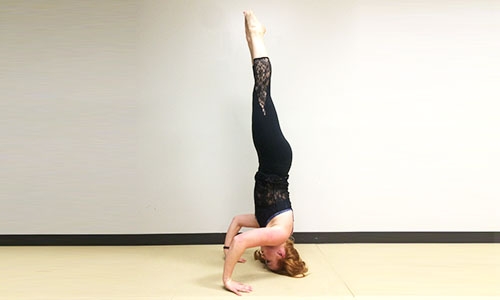
11. Headstand—Sirsasana
Lift slowly from tripod to a headstand and engage your core to straighten your legs in a controlled manner.
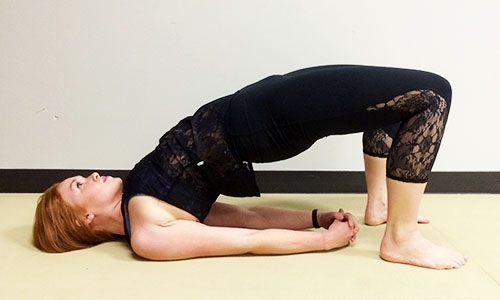
12. Bridge Pose—Setu Bandha Sarvangasana
This is another great lower back strengthener to help stabilize your whole core and spine. Work on lifting your hips high and rolling up onto your shoulder blades.
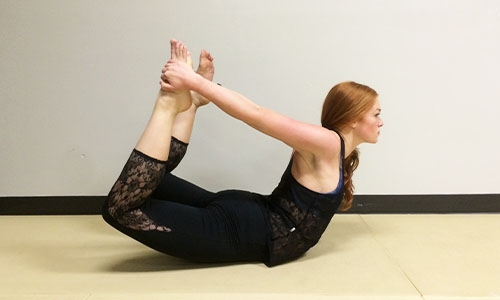
13. Bow Pose—Dhanurasana
Bow pose is another pose that works your back. Not only does it strengthen the small muscles that surround your spine (erector spinae), but it also improves your lower back mobility.
Enjoy your practice!
WARNING: This post is not intended to replace the advice of a medical professional. The above information should not be used to diagnose, treat, or prevent any disease or medical condition. Please consult your doctor before making any changes to your diet, sleep methods, daily activity, or fitness routine. iFit assumes no responsibility for any personal injury or damage sustained by any recommendations, opinions, or advice given in this article.
You might also like

Introducing SmartAdjust™ for Your Treadmill: iFIT’s New Personalized Workout Experience
SmartAdjust personalizes your treadmill workout before it even starts, adapting speed and incline to your fitness level in real time.
March 16, 2021

Strength Training While on GLP-1: A 6-Week Plan
When your body weight changes, you aren’t just losing fat—research shows you risk losing lean muscle mass, too. Protecting that muscle is the key to maintaining your metabolism and everyday strength. This practical 6-week guide breaks down exactly how to structure a simple, 20-to-30 minute full-body strength routine 2–3 times a week. Built around foundational compound movements like squats and rows, this plan shows you how to safely implement progressive overload without burning out your energy. Give your body a clear signal to keep its muscle and build a routine that sticks.
May 26, 2026

Find Your Stride with Tommy Rivs in the Joy of Running Part 2: Redwoods, Workouts 1-10
There’s just something magical about taking your next step forward, especially when it means you’re surrounded by the towering redwoods and rugged beauty of California’s northern coast. iFIT Trainer Tommy Rivs’ newest series will help you experience the magic of this region with the Joy of Running Part 2: Redwoods, Workouts 1-10. This beginner-friendly program is designed to help you progress from walking to running at your own pace.Explore California’s Scenic CoastSet along breathtaking coastal trails and through scenic redwood groves, this series brings the natural beauty of Northern California to your treadmill. From the peaceful paths of Laguna Point to the rolling meadows of Mendocino Headlands, each workout is an opportunity to breathe, move, and connect with the pure joy of movement.Make Progress with Tommy RivsKnown for his thoughtful coaching and love of movement, Tommy Rivs will guide you through a mix of walking and running intervals to gradually build your endurance and confidence. Each workout keeps the speed steady while changing your movement so you can focus on how your body feels and adapts as you move.Whether you’re returning to fitness or taking your first steps toward running, this series is all about moving forward with purpose. Tommy will help you to:Develop endurance and build strength with progressive intervalsImprove your form and consistency with his expert guidanceReconnect with the joy of movement in an inspiring settingBuild confidence to take on your next running challengeThis is only the beginning; there’s so much more to come with Rivs. For now, lace up those shoes and join him for an incredible journey amongst the redwoods.Join Tommy Rivs in the Redwoods
November 3, 2025