What Do Your Stats Mean?
You can find your stats in two places—your online dashboard and the Coach app. First, let’s talk about the dashboard, then we’ll dive into Coach.
Stats on Your Dashboard
When you log in to your iFit account online, the first thing you’ll see is your dashboard. It highlights a few key aspects, including your Fit Score and daily stats. Whether you’re logging stats manually or tracking them through iFit (like a wearable or piece of fitness equipment), the dashboard is a quick-’n-easy way to see how you’re doing overall. It shows you total numbers for just about everything.What’s the Fit Score?
Your Fit Score is based on 5 stats: workout frequency, calories burned, net calories, workout time, and goals. For each stat, you’re rewarded a certain amount of points, based on the last seven days of activity. Each one counts toward your Fit Score, thus giving you a total score out of 100. Here’s how the scoring breaks down:- Earn all 25 points by completing at least 3 workouts every 7 days.
- Earn all 25 points by burning at least 600 calories every 7 days.
- Earn all 25 points by keeping your total net calories at -1000 every 7 days.
- Earn all 15 points by working out for at least 90 minutes every 7 days.
- Earn all 10 points by setting a goal and staying on track to reach it. For example, let’s say you set a goal to run 3 times per week for 7 weeks. If it’s week 1 and you’ve ran 3 times, then that would be considered “on track” and you’d receive all 10 points.
If Your Fit Score Doesn’t Change
Your Fit Score can stay stagnant for two reasons:- You’re not setting goals.
- You’re not factoring in one or more of the other categories that determine your score.
View Your Stats
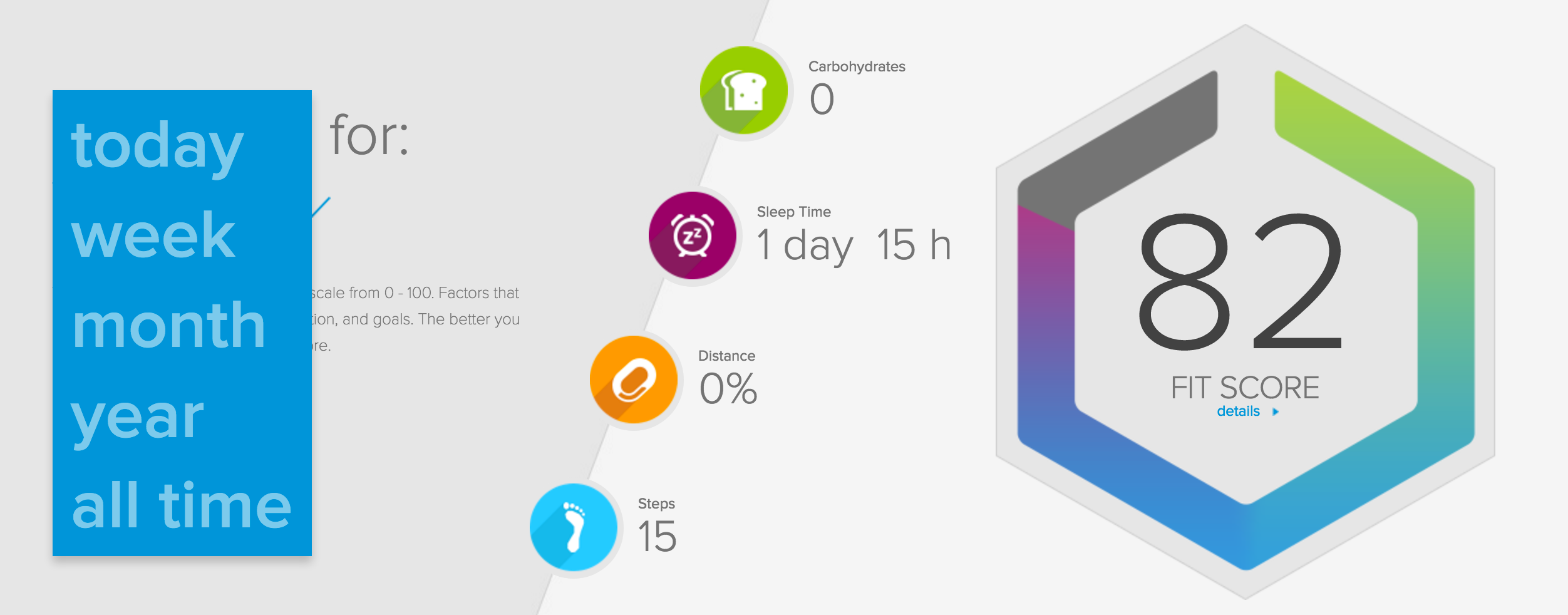
We’ve organized your stats into four categories: Nutrition, Sleep, Goals, and Activity. To view all of your stats within a category, just click the category icon.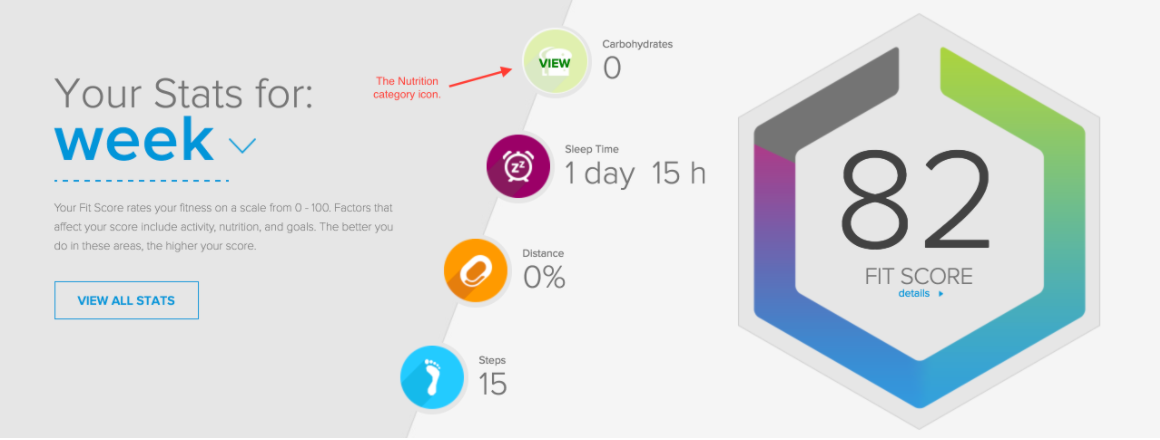 Based on the time frame you’ve selected on the left (either today, week, month, year, or all time), your stats will show accordingly.
Change Which Stat Displays on Your Dashboard
You’ll notice that there’s only one stat displayed from each category. To change this: 1. Click a category icon. (The highlighted stat is what’s currently being displayed.) 2. Then click the new stat that you want displayed on your dashboard.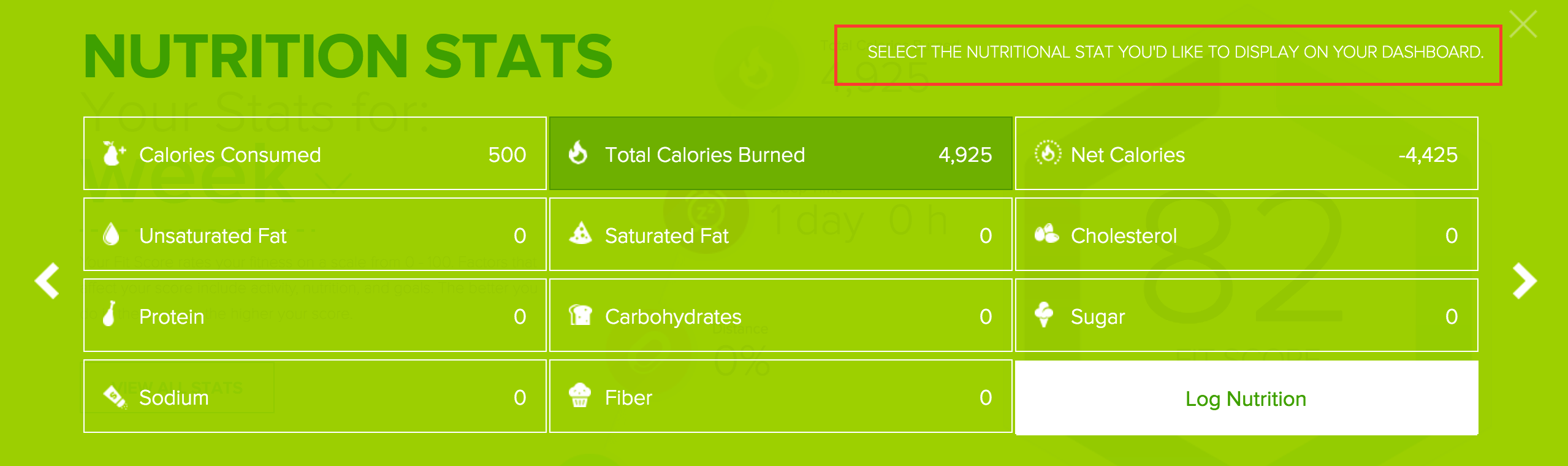
Stats on the Coach App
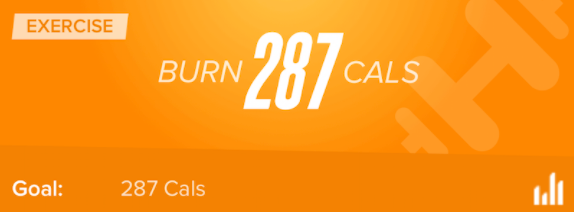
From your Home screen on the app, you’ll notice it’s divided into Today’s Plan and Dashboard. Today’s Plan shows you the plan for the day. At a quick glance, it tells you where you’re at and what you need to do in order to reach your daily goal. You’ll see 5 sections: Activity (blue), Exercise (orange), Nutrition (green), Sleep (purple), and Weight (gray). We’ll use my stats below as an example. (Once I complete a goal, the section will say COMPLETED. If I do more than my goal, it’ll say EXCEEDED.) For Activity, my goal is to take 10,000 steps every day. So far, I still need to take 6,537 steps in order to reach my daily goal.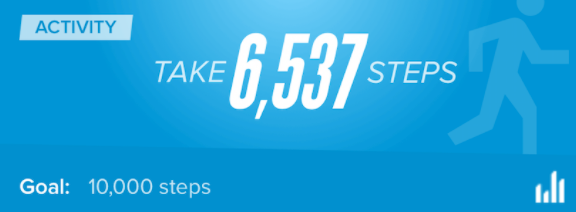 For Exercise, my goal is to burn 287 calories during my workout. I haven’t done my workout yet, so I still need to burn 287 calories.
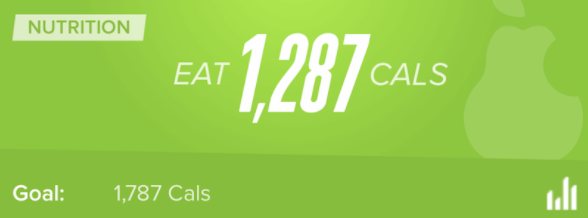
 For Nutrition, my goal is to consume 1,787 calories. I’ve already eaten 500, so that means I have 1,287 left to eat in order to reach my goal.
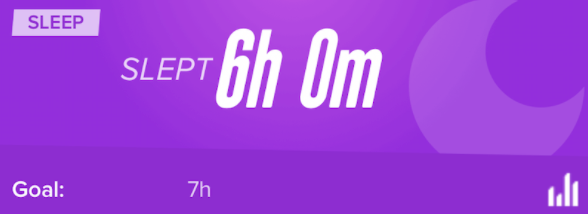
 For Sleep, my goal is to sleep at least 7 hours a night. But it shows that I only got six hours of sleep the night before, so I didn’t reach my goal.
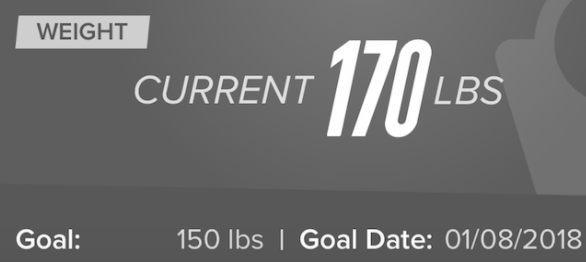
 For weight, my goal is to weigh 150 pounds by January 8, 2018. Right now, I’m at 170. If I never log my weight, this section will never change. My current weight and goal date will adjust accordingly after I log a new weight.
 To see a more in-depth overview of your stats, just tap on the bar graph icon in the bottom, right corner of each section.
If you click on Dashboard, you’ll see more detailed stat cards, showing you your goal and how much you have left to do to reach your goal.
Well, that's it! If you have any questions, please post them in the comments!
To see a more in-depth overview of your stats, just tap on the bar graph icon in the bottom, right corner of each section.
If you click on Dashboard, you’ll see more detailed stat cards, showing you your goal and how much you have left to do to reach your goal.
Well, that's it! If you have any questions, please post them in the comments!