
New Feature: 10 Languages Available for the iFIT App
Ready to change the language on your iFIT app? Now, you can select from multiple languages to customize your app experience with our new translations beta. This includes closed captions, navigation, browsing, and settings. We are also continuing to work through translating our expansive library of workouts with new translations coming every day.
From Spanish to Russian, there are now a total of 10 languages available on your iFIT app. You can update your language settings to see information in the following languages:
- English
- Spanish
- Portuguese
- French
- German
- Norwegian
- Chinese
- Dutch
- Italian
- Russian
To change your language on the iFIT app or on your iFIT-enabled equipment, follow these steps:
- Tap the three lines in the top left corner of your screen to open your side menu.
- From there, tap Settings.
- Next, tap Languages
- Select your preferred language. This will update the language that appears on your iFIT app.
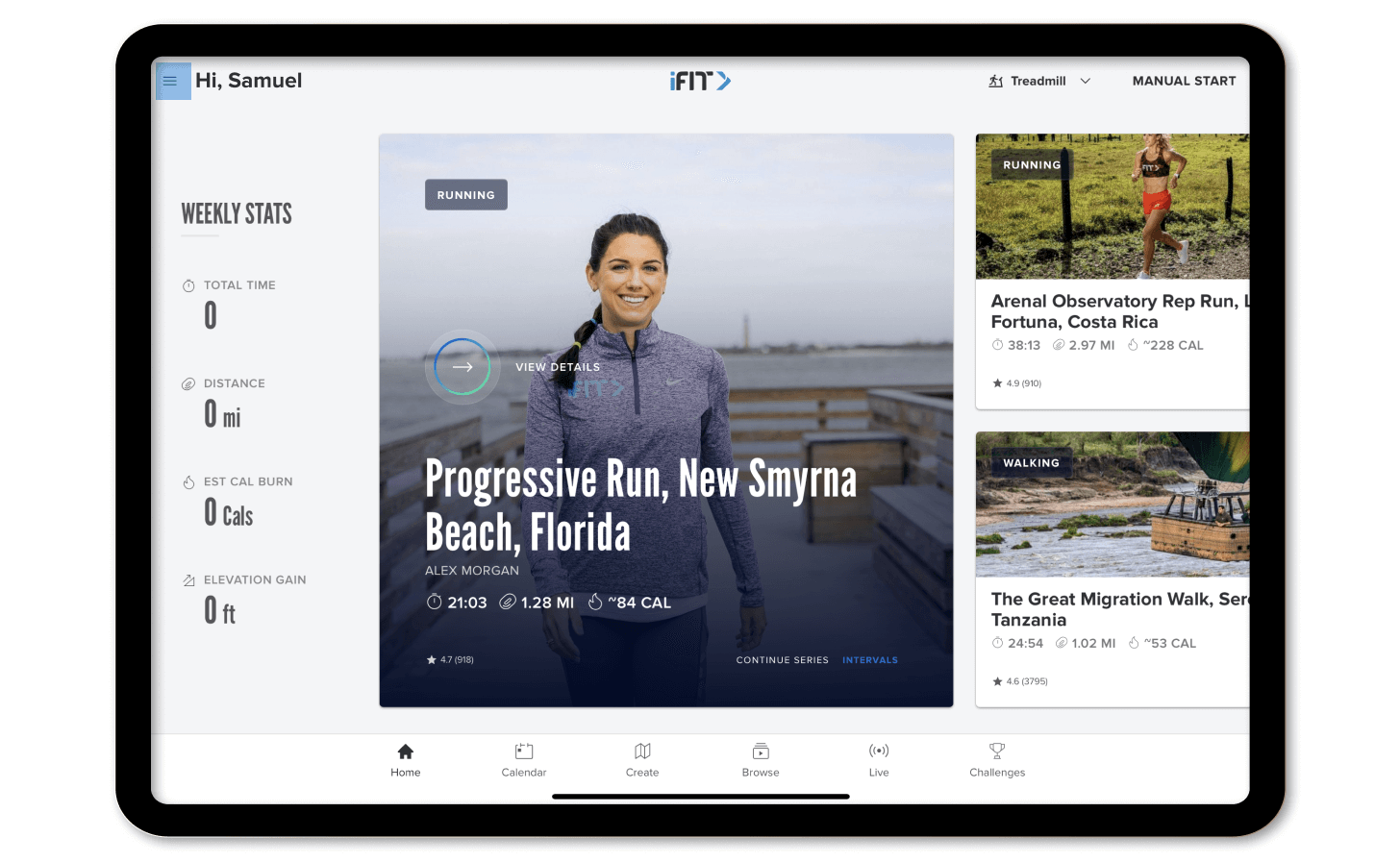
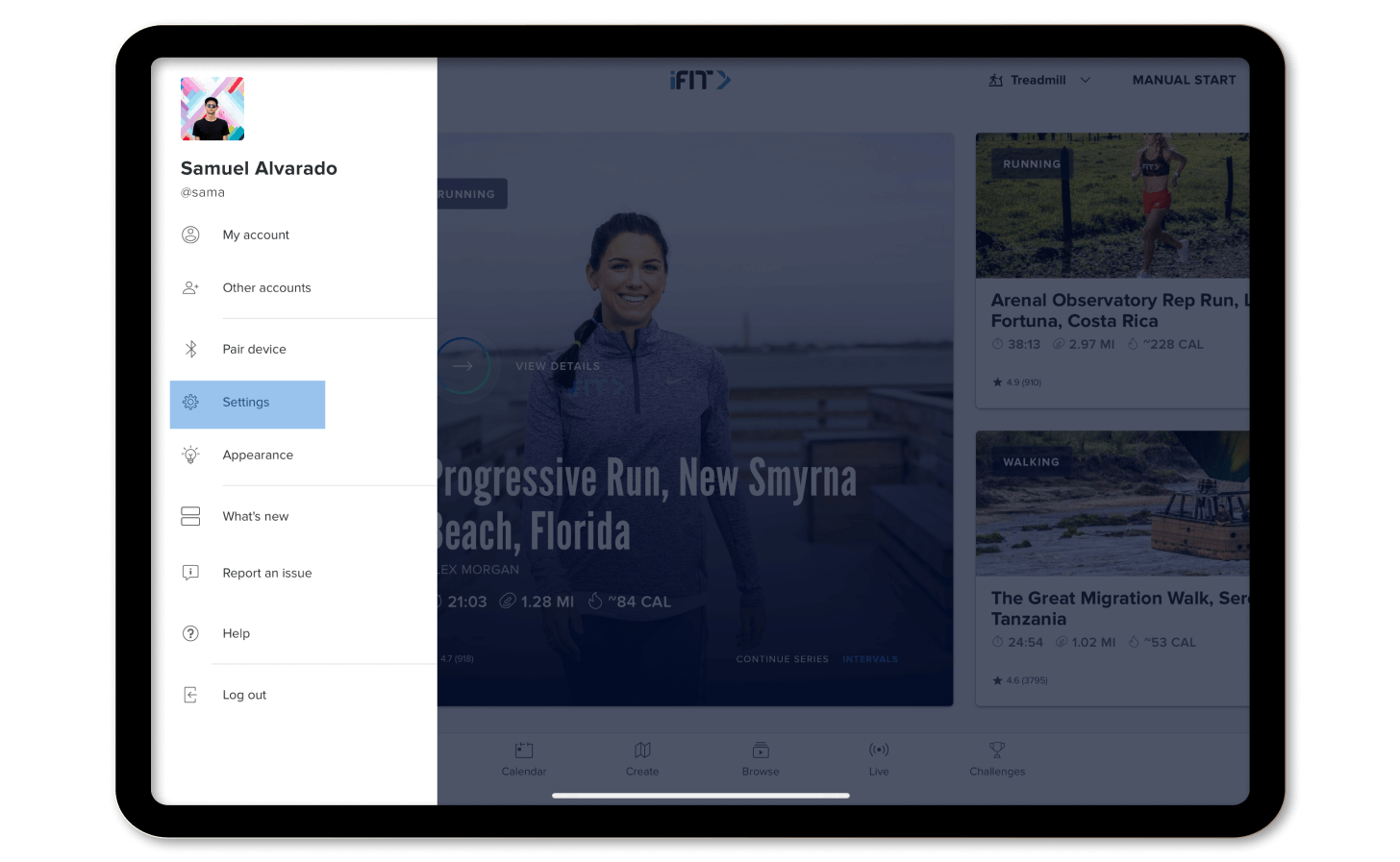
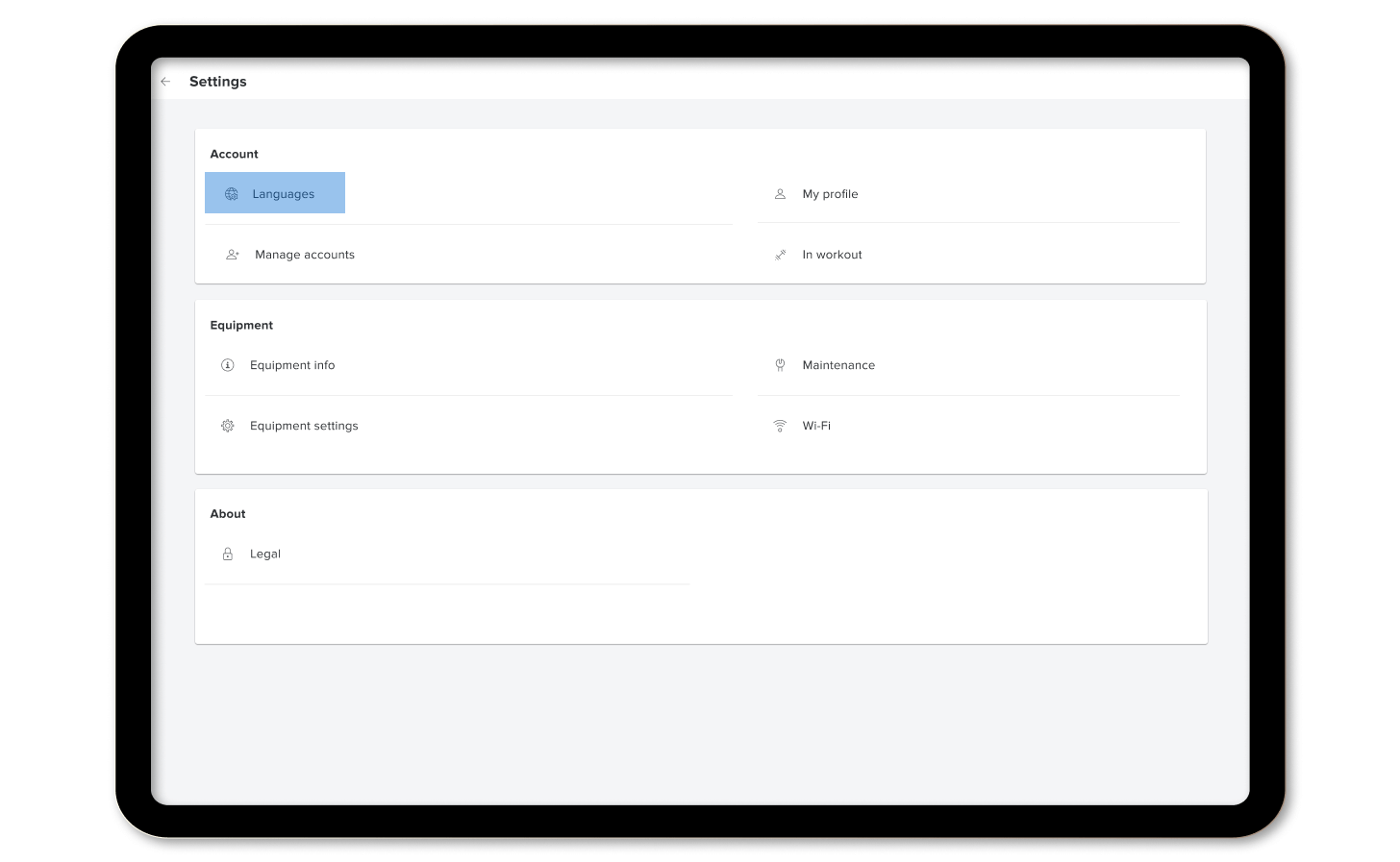
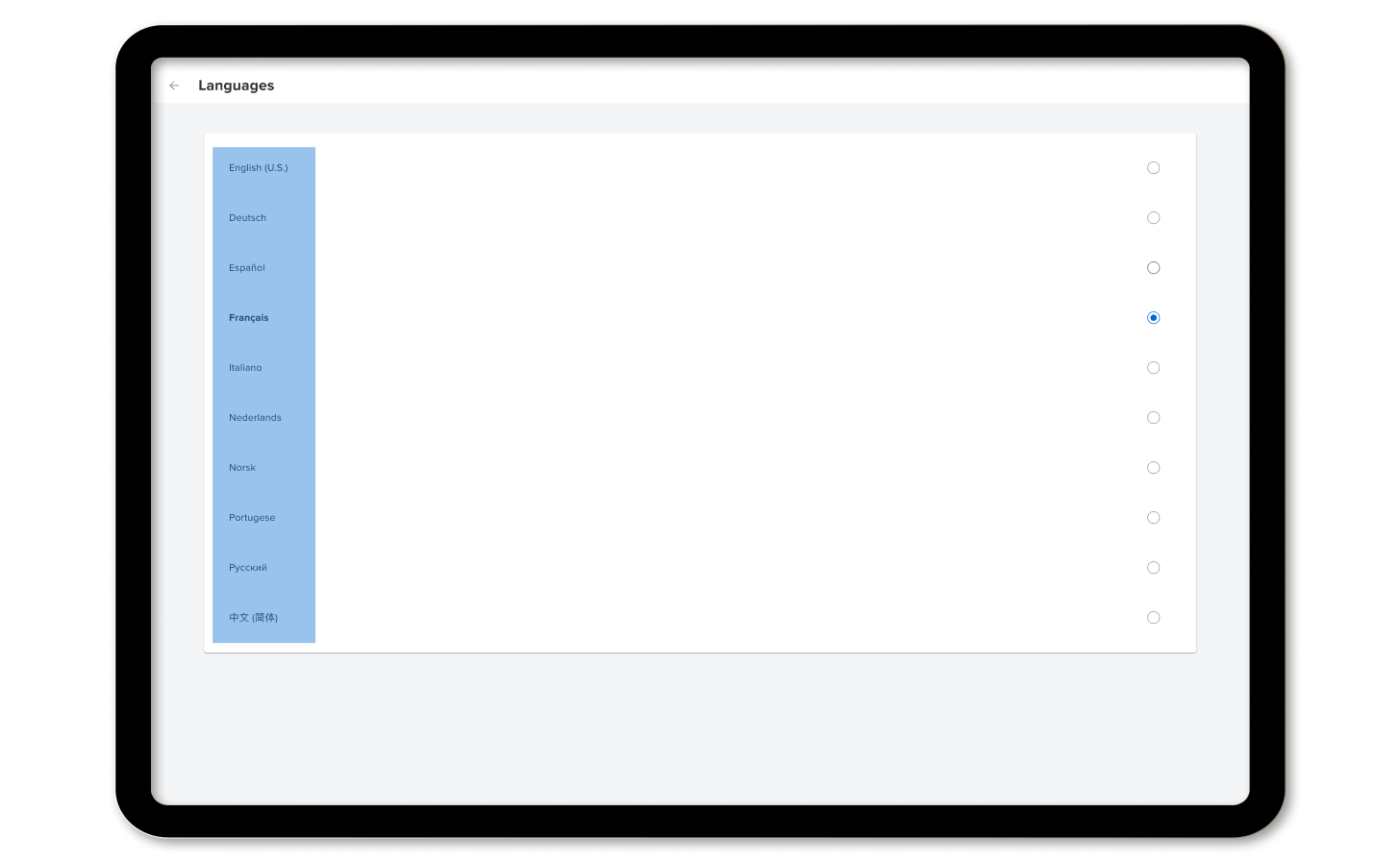
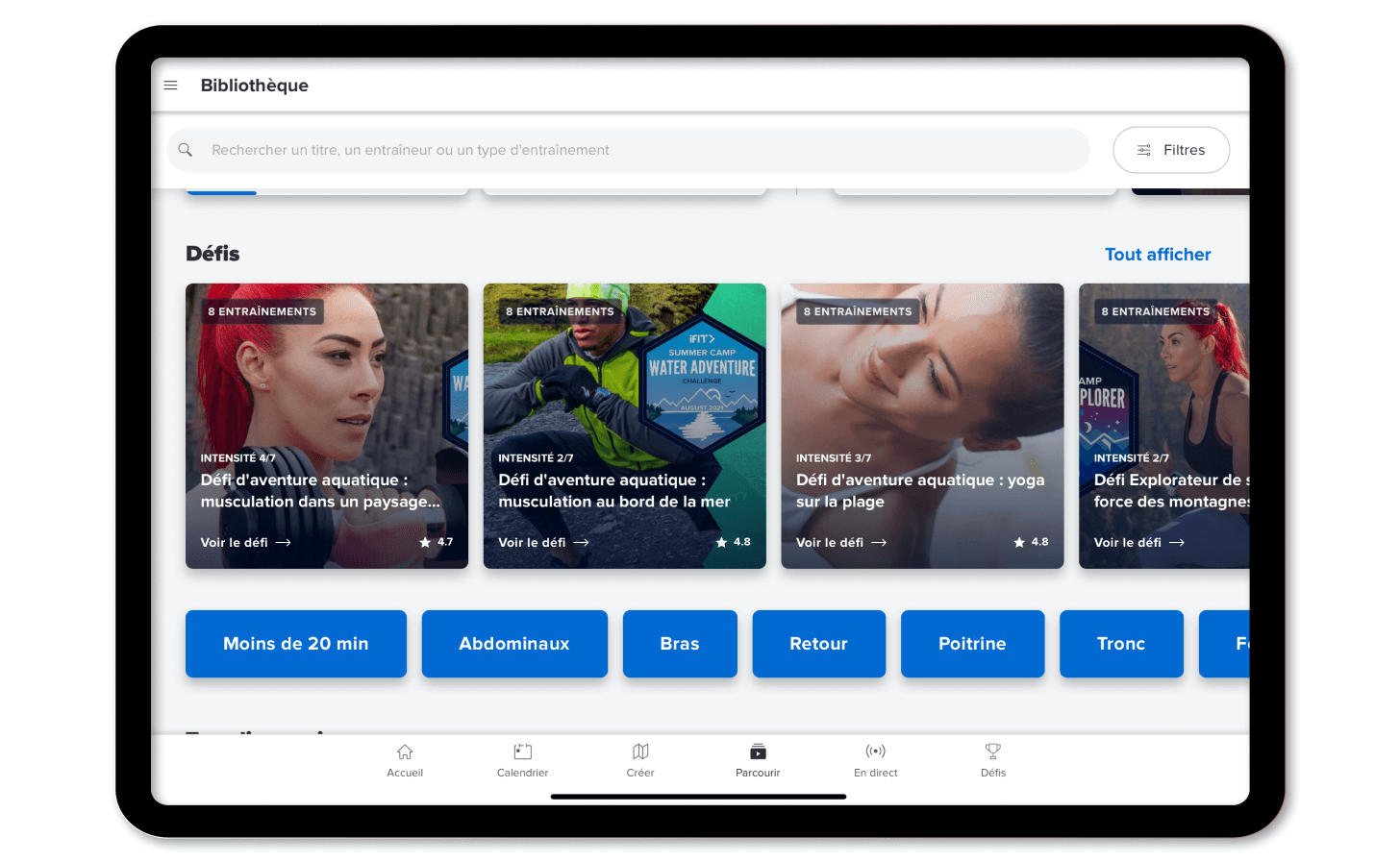
Closed captioning has also been extended to support 10 languages. Here’s how to update your language setting for captions during your workout.
Disclaimer: This blog post is not intended to replace the advice of a medical professional. The above information should not be used to diagnose, treat, or prevent any disease or medical condition. Please consult your doctor before making any changes to your diet, sleep methods, daily activity, or fitness routine. iFIT assumes no responsibility for any personal injury or damage sustained by any recommendations, opinions, or advice given in this article. Always follow the safety precautions included in the owner’s manual of your fitness equipment.
You might also like

Does my equipment support Tailor, iFIT’s AI personal fitness coach?
Find out whether your NordicTrack or ProForm equipment will support Tailor, iFIT’s AI personal fitness coach, with the eligible model list, supported regions, and steps to check your generation.
November 13, 2026

Introducing SmartAdjust™ for Your Treadmill: iFIT’s New Personalized Workout Experience
SmartAdjust personalizes your treadmill workout before it even starts, adapting speed and incline to your fitness level in real time.
March 16, 2021

NordicTrack’s Most Ambitious Pilates Machine Yet: Introducing the Ultra 1 Reformer
NordicTrack introduces the Ultra 1 Reformer, bringing studio-quality Pilates into the home. Featuring the innovative Smart Spine™ enclosed spring system, push-button resistance, and a 24-inch pivoting HD touchscreen powered by iFIT, it delivers an immersive, personalized workout experience without the complexity.
May 19, 2026