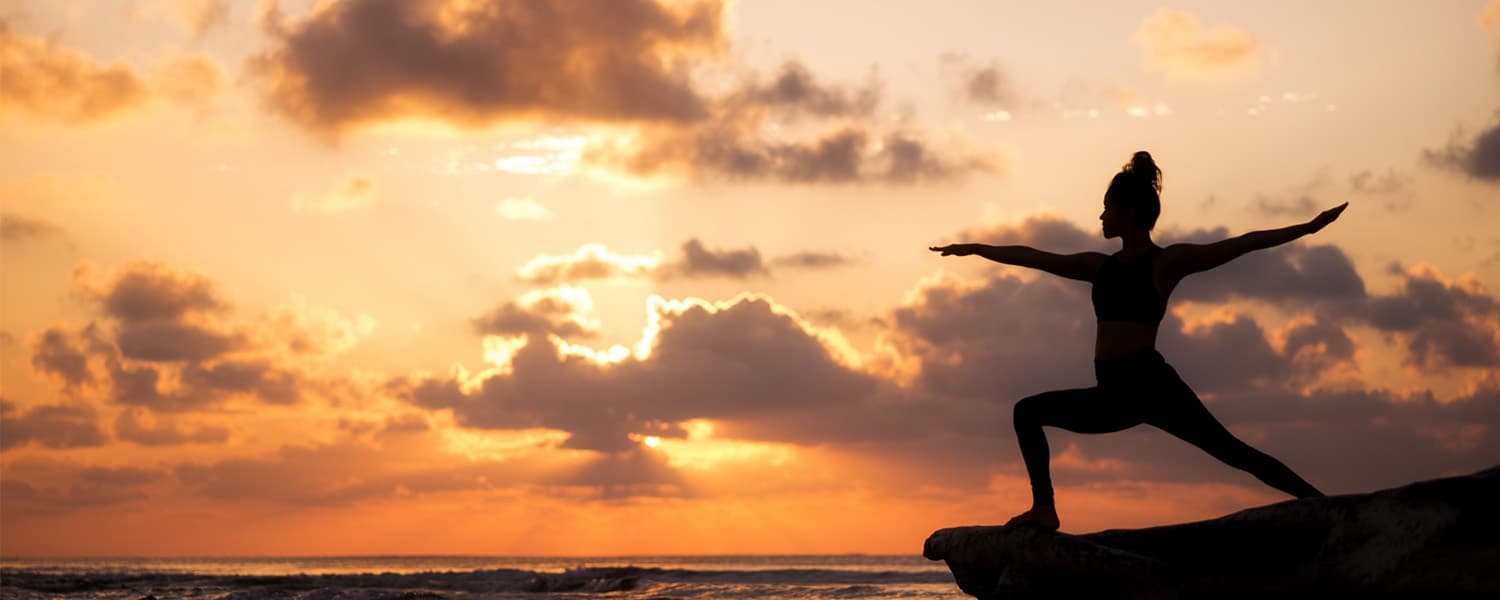
When people think of building leg strength, they tend to think of the basics: lunges and squats. But yoga takes those fundamental movement patterns, and adds an often very literal twist.
Poses play with what we commonly refer to as isometric movements, or movements where your joint angles remain stationary. The two most common examples in regular workouts are the plank and wall sit. These movements help build strength, not bulk, and will keep you feeling toned, confident, and masterful.
The beauty of these poses is that most of them don’t require insane amounts of flexibility or the ability to twist yourself into a human pretzel (except for eagle pose), so they are easily doable for most beginners. If you aren’t quite there, that’s okay. Just remember to only take the poses as deep as you can today, and work on slowly increasing your range of motion as time goes on.
Here are the 14 poses to incorporate into your yoga practice:
Chair
Utkatasana
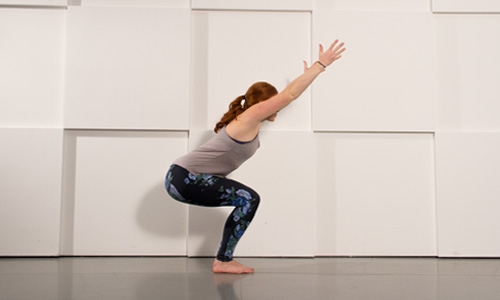
Chair pose is a great way to work your quads. Bring your big toes to touch, slightly separate your heels, and keep your knees behind your toes as you sit your hips back as far as you can. Hold for 3–5 breath cycles and gradually build up your time.
Revolved Chair
Parivrtta Utkatasana
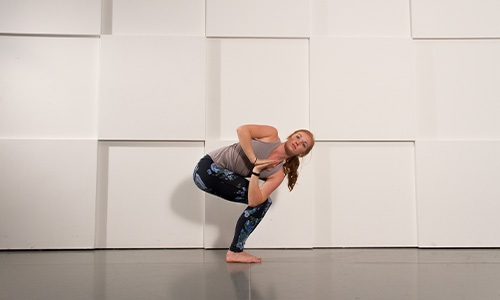
From chair pose, add in a twist. Be conscious of keeping your knees in the same line (don’t let one knee jut in front of the other). Press your palms together to deepen the rotation and keep your hands in the center of your chest.
Bear Pose
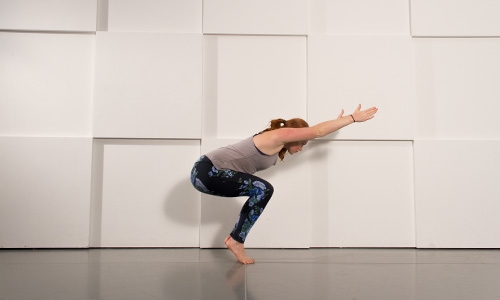
If you really want to work your calves, quads, and willpower all in one pose, then this one’s just for you. With elements of balance, stability, and strength, this is a pose that you’ll feel from head to toe.
Crescent Lunge
Anjaneyasana
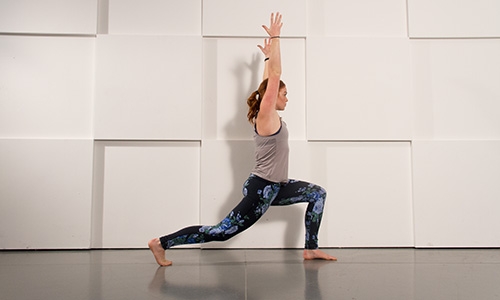
Lift your back heel, pull your gaze up, and drop low into this lunge variation. As your balance increases, shift your weight farther forward on your back foot, so just your toes have contact with the ground. You can even add a twist for another variation.
Bound Crescent Lunge
Baddha Anjaneyasana
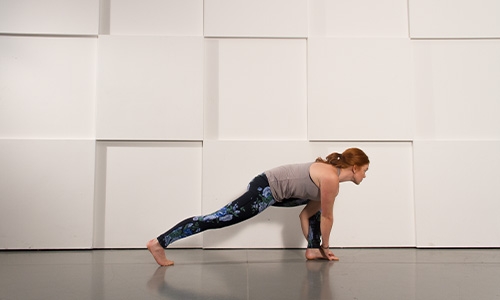
If you’re looking to mix up the classic crescent lunge by adding in a bind, then this is the pose to try. The bind forces this pose into a deeper position, which helps stretch and strengthen your muscles.
Bridge
Setu Bandha Sarvangasana
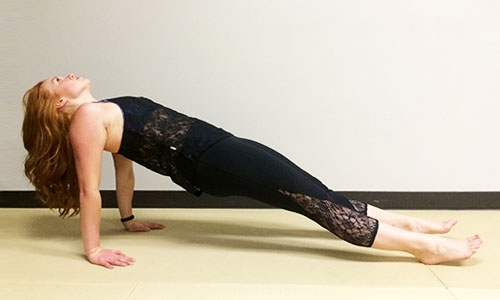
Bridge pose is the perfect pose to focus on your glutes and to incorporate a basic backbend into your practice. Try putting your feet together or place a block between your knees to work your inner thighs.
Extended Side Angle
Utthita Parsvakonasana
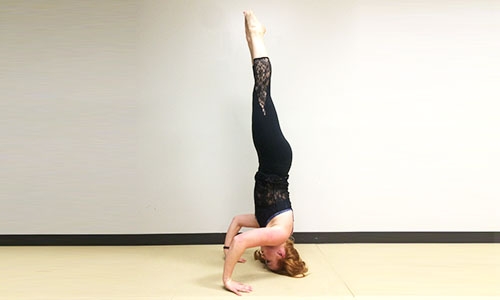
Work on strengthening your legs and flexibility at the same time. If your flexibility isn’t to the point where you can take your hand to the floor, start with taking your forearm to your thigh or taking your palm to a block.
Bound Extended Side Angle
Baddha Utthita Parsvakonasana
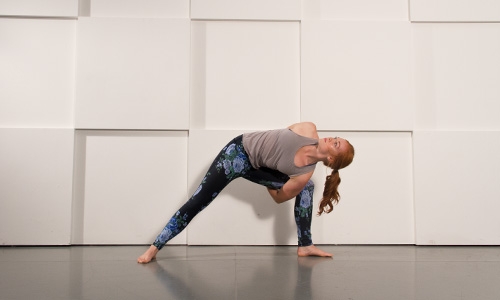
Clasp your hands together behind your back to allow yourself to gain extra traction for deepening this pose. Focus on keeping your back foot fully grounded and perpendicular to your front foot. This pose may be easier on one side than the other.
Warrior I
Virabhadrasana I
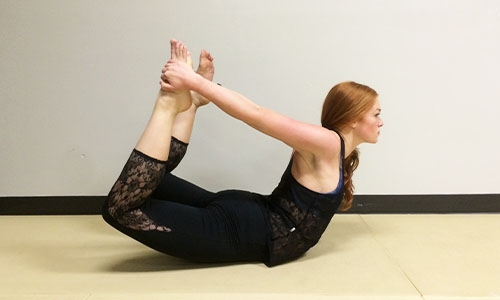
Take your back foot to a 45-degree angle and be sure to keep your heel grounded (don’t let it creep off the floor like in crescent lunge). Lift your hands high reaching toward the sky with your fingertips.
Warrior II
Virabhadrasana II
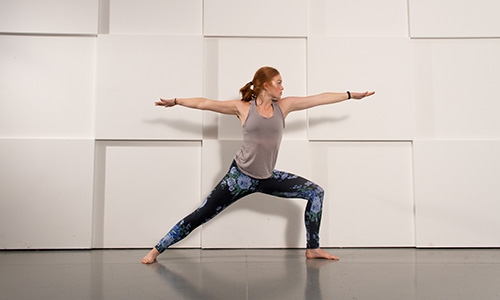
Turn your back foot to make a 90-degree angle with your front foot, and be sure to keep your stance wide. I try to take up my entire yoga mat from front to back with this pose. Lift your arms parallel to the floor and cast your gaze over your front hand.
Warrior III
Virabhadrasana III
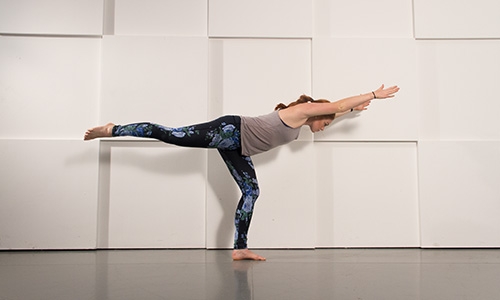
This warrior is all about balance. Be sure to keep your supporting leg soft through the knee so you aren’t locking it out. Reach your fingertips and your toes as far away from each other as possible to lengthen in this stabilizing balance.
Eagle
Garudasana
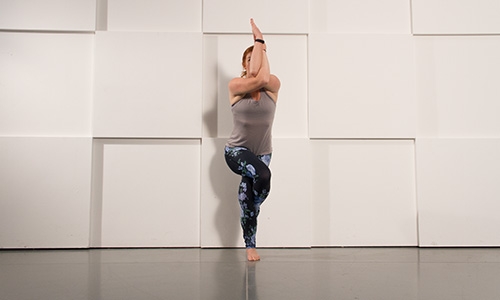
From chair pose, shift your weight onto one foot, and cross the other over the top wrapping your toes around the calf of your supporting leg. As you cross your arms, lift your hands and elbows up and away from your body.
Goddess
Utkata Konasana
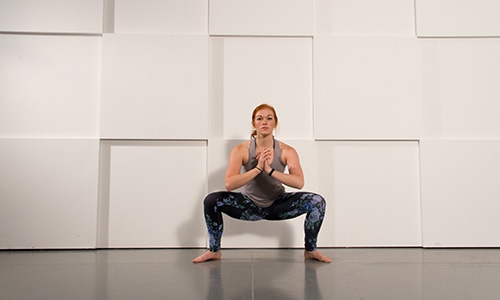
Turn your toes out and drop low into a squat position. Keep your knees out wide as you drop down to a 90-degree angle at the knee. Hold this pose for 3–5 breath cycles.
Balancing Butterfly
Eka Para Koundinyasana
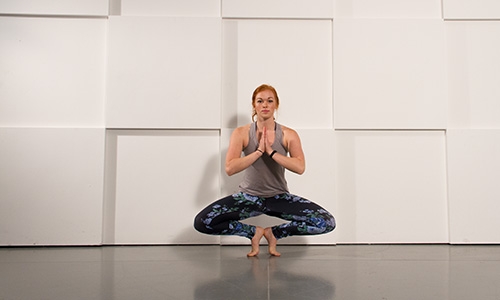
Work your legs, stretch your inner thighs, and increase your balance with this pose that focuses on making you feel like a beautiful butterfly as you master the art of multitasking. Concentrate on taking even breaths and focus on a still object if you need help balancing.
With everything from the basics to fun binds and variations, you can incorporate some very effective movements into your practice to help tone and strengthen your legs. While yoga is not your typical calorie burner, it’s exceptionally good for your body and soul.
Namaste.
You might also like

Introducing SmartAdjust™ for Your Treadmill: iFIT’s New Personalized Workout Experience
SmartAdjust personalizes your treadmill workout before it even starts, adapting speed and incline to your fitness level in real time.
March 16, 2021

Strength Training While on GLP-1: A 6-Week Plan
When your body weight changes, you aren’t just losing fat—research shows you risk losing lean muscle mass, too. Protecting that muscle is the key to maintaining your metabolism and everyday strength. This practical 6-week guide breaks down exactly how to structure a simple, 20-to-30 minute full-body strength routine 2–3 times a week. Built around foundational compound movements like squats and rows, this plan shows you how to safely implement progressive overload without burning out your energy. Give your body a clear signal to keep its muscle and build a routine that sticks.
May 26, 2026

Find Your Stride with Tommy Rivs in the Joy of Running Part 2: Redwoods, Workouts 1-10
There’s just something magical about taking your next step forward, especially when it means you’re surrounded by the towering redwoods and rugged beauty of California’s northern coast. iFIT Trainer Tommy Rivs’ newest series will help you experience the magic of this region with the Joy of Running Part 2: Redwoods, Workouts 1-10. This beginner-friendly program is designed to help you progress from walking to running at your own pace.Explore California’s Scenic CoastSet along breathtaking coastal trails and through scenic redwood groves, this series brings the natural beauty of Northern California to your treadmill. From the peaceful paths of Laguna Point to the rolling meadows of Mendocino Headlands, each workout is an opportunity to breathe, move, and connect with the pure joy of movement.Make Progress with Tommy RivsKnown for his thoughtful coaching and love of movement, Tommy Rivs will guide you through a mix of walking and running intervals to gradually build your endurance and confidence. Each workout keeps the speed steady while changing your movement so you can focus on how your body feels and adapts as you move.Whether you’re returning to fitness or taking your first steps toward running, this series is all about moving forward with purpose. Tommy will help you to:Develop endurance and build strength with progressive intervalsImprove your form and consistency with his expert guidanceReconnect with the joy of movement in an inspiring settingBuild confidence to take on your next running challengeThis is only the beginning; there’s so much more to come with Rivs. For now, lace up those shoes and join him for an incredible journey amongst the redwoods.Join Tommy Rivs in the Redwoods
November 3, 2025