
Everything’s more fun with friends...and that includes being active together! Now is the perfect time to rally your gang and take advantage of all the summertime activities. While it depends on where you live, I think most would agree that the weather can get a little hot and uncomfortable this time of year. I’ve rounded up 10 of my favorite activities you can do with a friend that are fun and will help you beat the heat!

1. Go swimming.
What is summer if you’re not in some form of water every day? Whether you’re swimming laps for cardio, playing in the pool, or going for a dip in the ocean, swimming is a great way to cool off and move your body. Plus, it’s easy on your joints! If you don’t have the luxury of owning a pool or living by a body of water, check out your city’s local pools or water parks near you.
2. Find a walking buddy.
Call up a friend, neighbor, or family member and go for a morning or evening stroll, even if it’s just around your neighborhood. This is such an easy way to socialize and get those limbs moving.
3. Tube the river.
This is a fun and affordable summer activity you can do with a few friends or a large group! To make it a little more active, use your tube as a makeshift kicking board and flutter your way down the river. Once you reach the ending point, opt to walk back to burn some extra calories!

4. Go for a bike ride.
Summer is the best time to ditch your car and ride your bike, whether it’s for leisure, to work, the park, grocery store, gym—wherever! Riding in the middle of the day might not be the most cooling experience, but a morning or evening ride when temps are lower is prime time to enjoy a little breeze on your face and wind through your hair. Grab a friend, spouse, or family member and go for a ride together!
5. Take a hike.
This is another really affordable activity that’s great for your health and enjoyable to do with friends. It’s likely there are so many beautiful hiking paths close to you that you don’t even know about, and there’s no better time to hit the trails than summertime! To beat the heat, go in the morning or at night.
6. Go ice skating.
While ice skating is a classic winter activity, indoor ice skating is an excellent way to cool off when temps are at their hottest. It can be so refreshing and is a great way to get your body moving. Organize a group and and hit the rink for a fun day on the ice!

7. Go paddle boarding.
Gather your friends for an afternoon on the water paddle boarding. Not only is this a great workout, but it’s fun and keeps you cool. If you get too hot, you can always take a quick dip and relax on your board until you’re ready to paddle again. For some extra fun, try a tandem paddle board with another person! It might take some practice to coordinate strokes, but it’s a guaranteed good time.
8. Have a dance party at home.
Dancing is always a fun way to burn calories without even knowing you’re burning calories. If it’s too hot to go out, invite some friends over, crank up the music, and dance it out!
9. Join an indoor rec team.
If you’re looking for some friendly competition, join an indoor rec team! There are so many sports to choose from, and it’s nice having a scheduled activity to look forward to each week. Get some friends to join with you and have a blast together!
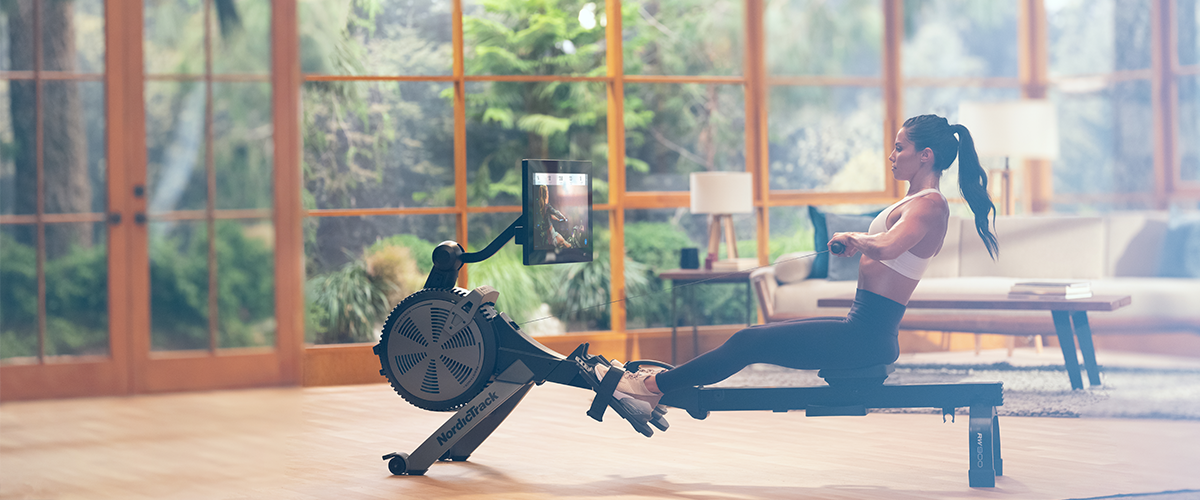
10. Work out inside.
That’s what iFit’s all about—the convenience of working out at home. If you need a break from your outdoor activities or workouts, try one of our global workouts or a studio class on your machine. You’ll always have an iFit trainer at your side, encouraging you and helping you improve.
Stay cool this summer, friends!
You might also like

Introducing SmartAdjust™ for Your Treadmill: iFIT’s New Personalized Workout Experience
SmartAdjust personalizes your treadmill workout before it even starts, adapting speed and incline to your fitness level in real time.
March 16, 2021

Strength Training While on GLP-1: A 6-Week Plan
When your body weight changes, you aren’t just losing fat—research shows you risk losing lean muscle mass, too. Protecting that muscle is the key to maintaining your metabolism and everyday strength. This practical 6-week guide breaks down exactly how to structure a simple, 20-to-30 minute full-body strength routine 2–3 times a week. Built around foundational compound movements like squats and rows, this plan shows you how to safely implement progressive overload without burning out your energy. Give your body a clear signal to keep its muscle and build a routine that sticks.
May 26, 2026

Find Your Stride with Tommy Rivs in the Joy of Running Part 2: Redwoods, Workouts 1-10
There’s just something magical about taking your next step forward, especially when it means you’re surrounded by the towering redwoods and rugged beauty of California’s northern coast. iFIT Trainer Tommy Rivs’ newest series will help you experience the magic of this region with the Joy of Running Part 2: Redwoods, Workouts 1-10. This beginner-friendly program is designed to help you progress from walking to running at your own pace.Explore California’s Scenic CoastSet along breathtaking coastal trails and through scenic redwood groves, this series brings the natural beauty of Northern California to your treadmill. From the peaceful paths of Laguna Point to the rolling meadows of Mendocino Headlands, each workout is an opportunity to breathe, move, and connect with the pure joy of movement.Make Progress with Tommy RivsKnown for his thoughtful coaching and love of movement, Tommy Rivs will guide you through a mix of walking and running intervals to gradually build your endurance and confidence. Each workout keeps the speed steady while changing your movement so you can focus on how your body feels and adapts as you move.Whether you’re returning to fitness or taking your first steps toward running, this series is all about moving forward with purpose. Tommy will help you to:Develop endurance and build strength with progressive intervalsImprove your form and consistency with his expert guidanceReconnect with the joy of movement in an inspiring settingBuild confidence to take on your next running challengeThis is only the beginning; there’s so much more to come with Rivs. For now, lace up those shoes and join him for an incredible journey amongst the redwoods.Join Tommy Rivs in the Redwoods
November 3, 2025