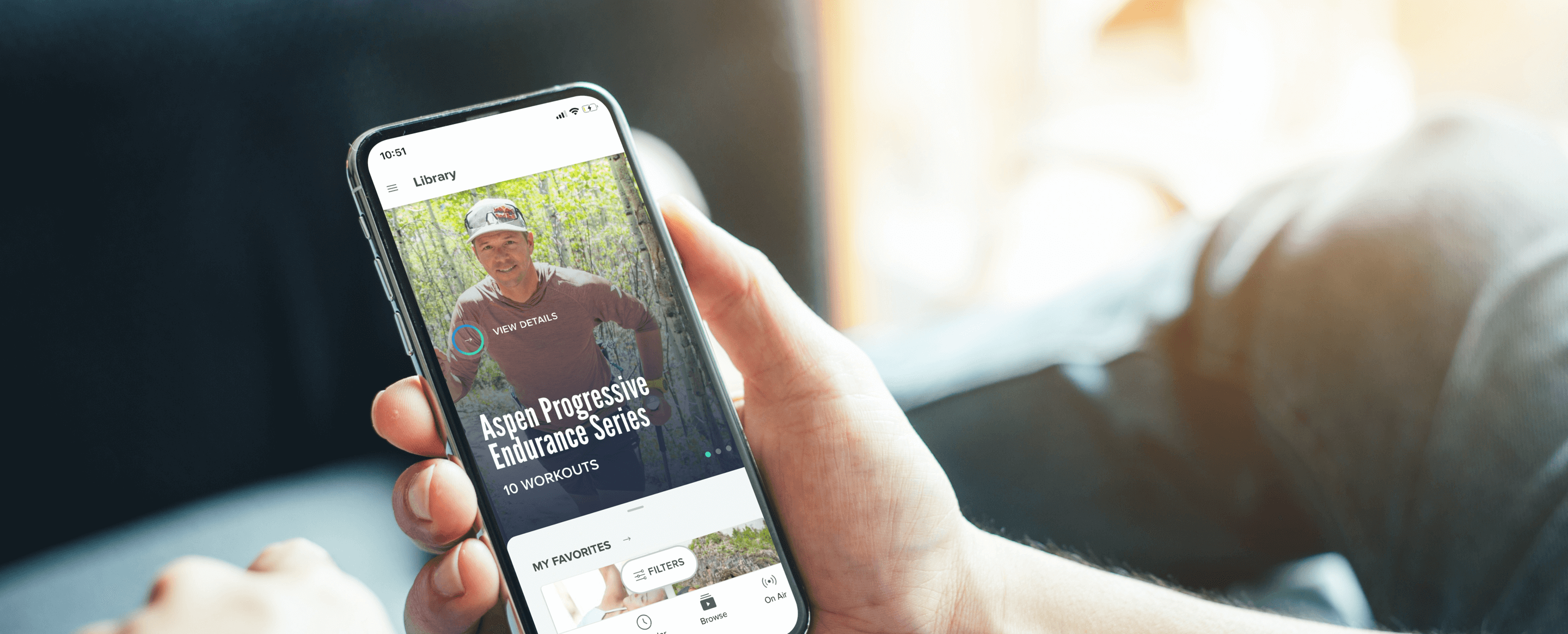
They say variety is the spice of life and at iFIT, we fully support that idea. The iFIT Library has thousands of workouts to choose from, whether you want to explore the tombs of Egypt, run the Boston Marathon®, or head to the studio for a quick workout. With all of this content to explore, it can be overwhelming to find the perfect workout for you, based on your difficulty level, time constraints, or even mood.
There’s nothing we love more than receiving feedback from our members, and when it comes to finding a workout, we heard you loud and clear. We’re constantly adding to and updating the iFIT Library with fresh content, including new workout types, like yoga, Audio Workouts, strength training, and even meditation.
With all of this content to explore, we’ve made it easier than ever to find your desired workout with a new search bar and several filtering options, both on the iFIT app and your iFIT-enabled equipment!
On the iFIT app (on your phone)
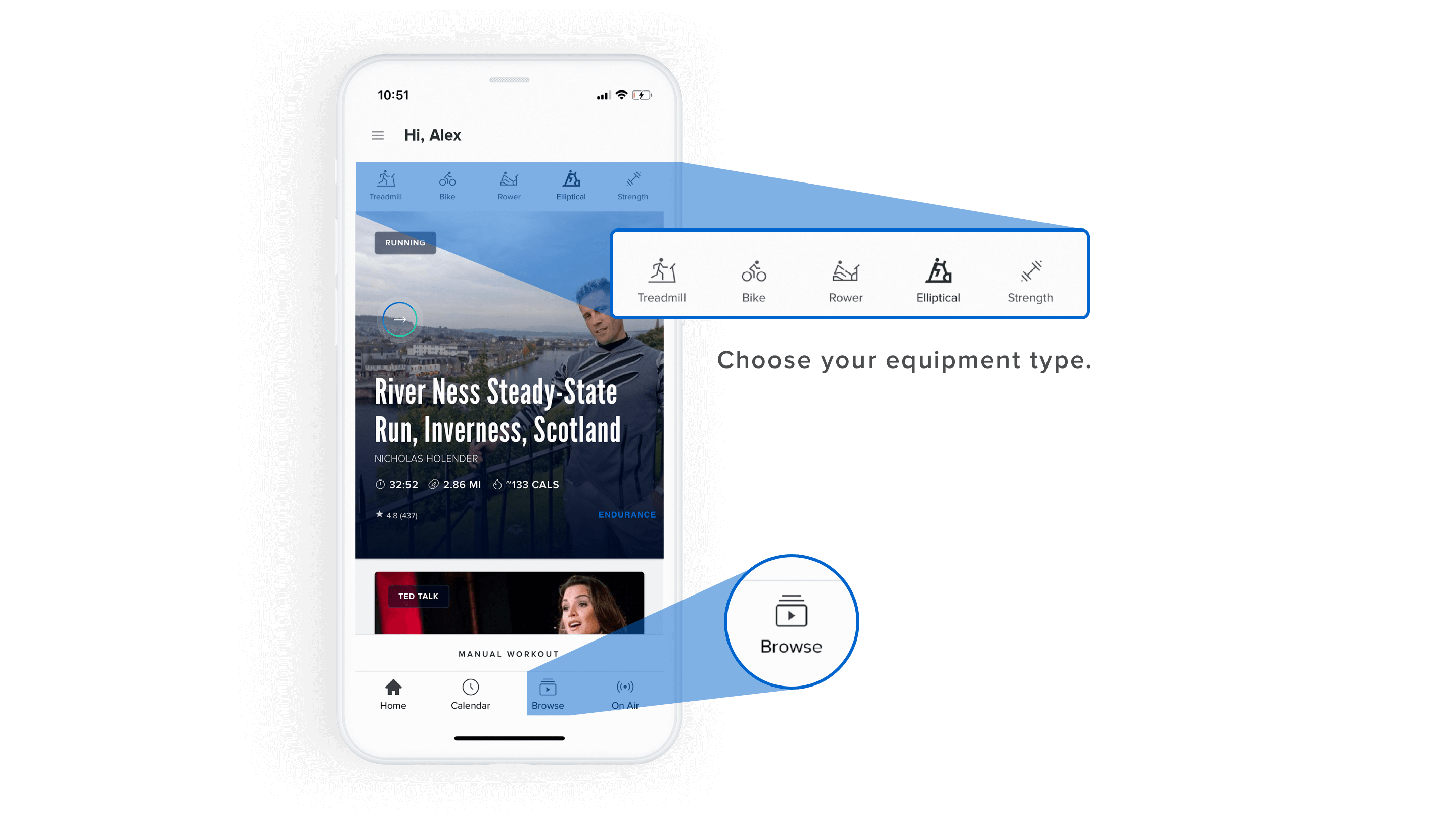
- While on the Home screen, select your workout type at the top.
- You can choose from Treadmill, Bike, Rower, Elliptical, or Strength.
- Once you select your equipment type, tap Browse from the bottom navigation.
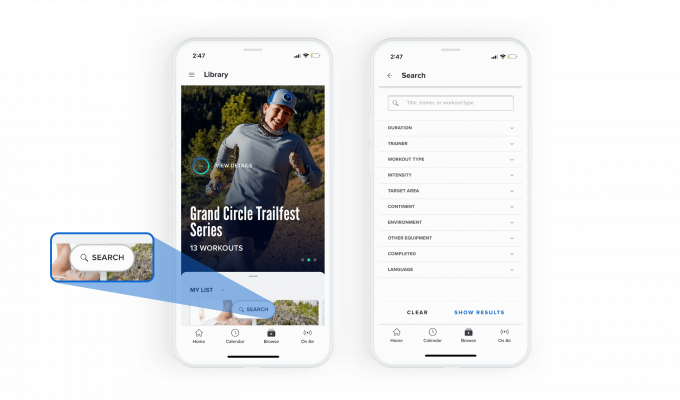
- From there, tap the Search button at the bottom. A search bar will appear and you can then search by keywords, like a workout title, trainer name, or workout type.
- There are also several filter options below the new search bar, including Duration, Trainer, Workout Type, Intensity, Target Area, Continent, Environment, Other Equipment, Completed, and Language. Tap a filter to see the results.
- From the results, those same filters will appear at the top of the screen if you need to adjust any of your selections.
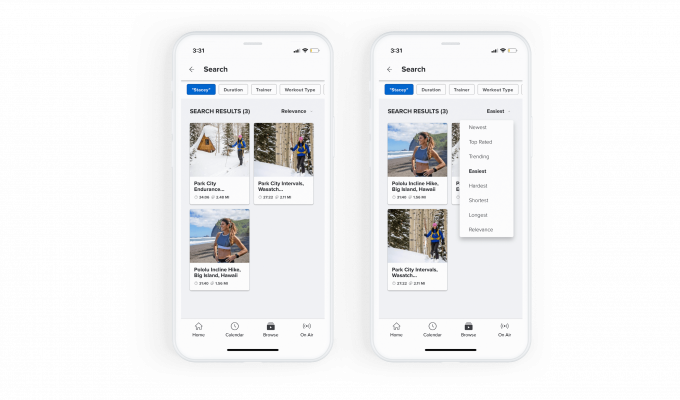
- Another filtering option is within your Search Results, so you can really find that perfect workout.
- In the top right corner of the results, you’ll automatically be filtered by Trending workouts.
- Tap this section to choose from options including: Newest, Top Rated, Trending, Easiest, Hardest, Shortest, and Longest workouts.
The Trending option is one of our favorites because it gives you an insight into the workouts that are most popular within the iFIT Community.
On your iFIT-enabled equipment
The directions are the same as above, but you can only choose to do workouts on your specific equipment type (treadmill, elliptical, etc.) or choose the Strength option for strength, yoga, meditation, and stretching workouts.
That way, if you only have 30 minutes for a mountain run with iFIT Trainer Tommy Rivs Puzey, or you’d love to spend 20 minutes doing yoga with iFIT Trainer Briohny Smyth, you can find just what you need.
On your TV with the iFIT app
- Select your desired workout type or equipment from the navigation bar.
- Click Sort by and make any selections, or click the Filter icon and select the attributes you are looking for.
- Tap the workouts that interest you for more information!
Let's get exploring!
Disclaimer: This blog post is not intended to replace the advice of a medical professional. The above information should not be used to diagnose, treat, or prevent any disease or medical condition. Please consult your doctor before making any changes to your diet, sleep methods, daily activity, or fitness routine. iFIT assumes no responsibility for any personal injury or damage sustained by any recommendations, opinions, or advice given in this article. Always follow the safety precautions included in the owner’s manual of your fitness equipment.
You might also like

Introducing SmartAdjust™ for Your Treadmill: iFIT’s New Personalized Workout Experience
SmartAdjust personalizes your treadmill workout before it even starts, adapting speed and incline to your fitness level in real time.
March 16, 2021
.jpg&w=3840&q=75)
NordicTrack’s Most Ambitious Pilates Machine Yet: Introducing the Ultra 1 Reformer
NordicTrack introduces the Ultra 1 Reformer, bringing studio-quality Pilates into the home. Featuring the innovative Smart Spine™ enclosed spring system, push-button resistance, and a 24-inch pivoting HD touchscreen powered by iFIT, it delivers an immersive, personalized workout experience without the complexity.
May 19, 2026
Explore Heart Rate Training with the ActivePulse™ Training Series
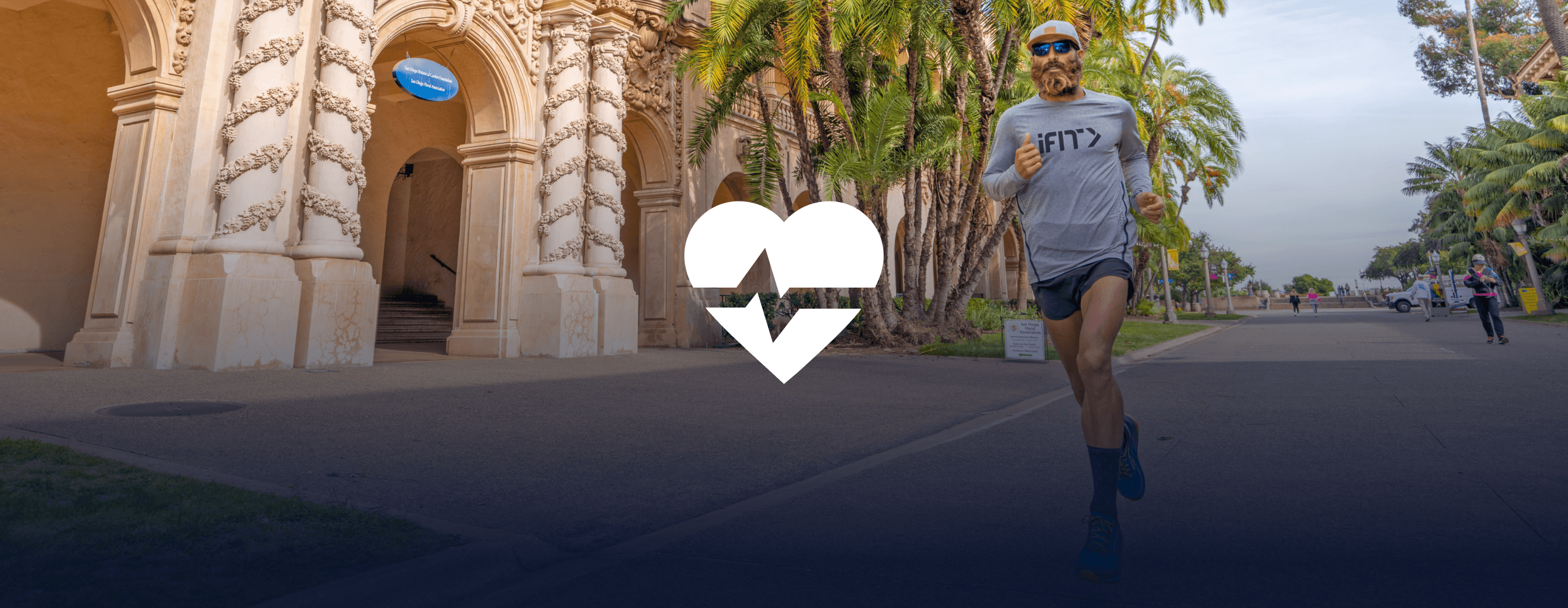
When it comes to a customized, interactive workout experience, it doesn’t get better than heart rate training. Our new, groundbreaking feature called ActivePulse uses your heart rate to personalize your workout. It’s the newest way to experience an interactive, personalized experience with iFIT. What is ActivePulse? ActivePulse is iFIT’s first heart rate training feature, designed for users who want to get the most out of their workouts. With ActivePulse turned on and a Bluetooth®-enabled heart rate monitor connected to your treadmill, the intensity of your workout will be automatically adjusted, based on your target heart rate zone. You will automatically be sped up or slowed down in order to maintain the ideal heart rate zone for your workout. This includes recovery, speed, or strength runs! Ready to explore ActivePulse? Try the ActivePulse Training Series! If you’re ready to try this new feature and put heart rate training to work for you, join the ActivePulse Training Series that covers all the basics of ActivePulse and heart rate training as you explore beautiful San Diego. Filmed in 2019, this six-part program is led by iFIT Trainer Tommy Rivs Puzey. Together, you’ll run through San Diego as you learn how to use the ActivePulse feature. You’ll also learn about the five heart rate zones, cardiac drift, and how your heart responds to stress. As you explore different zones, Tommy will continue to adjust your workout in order to set the perfect intensity for your fitness level. Disclaimer: This blog post is not intended to replace the advice of a medical professional. The above information should not be used to diagnose, treat, or prevent any disease or medical condition. Please consult your doctor before making any changes to your diet, sleep methods, daily activity, or fitness routine. iFIT assumes no responsibility for any personal injury or damage sustained by any recommendations, opinions, or advice given in this article. Always follow the safety precautions included in the owner’s manual of your fitness equipment.
March 30, 2021