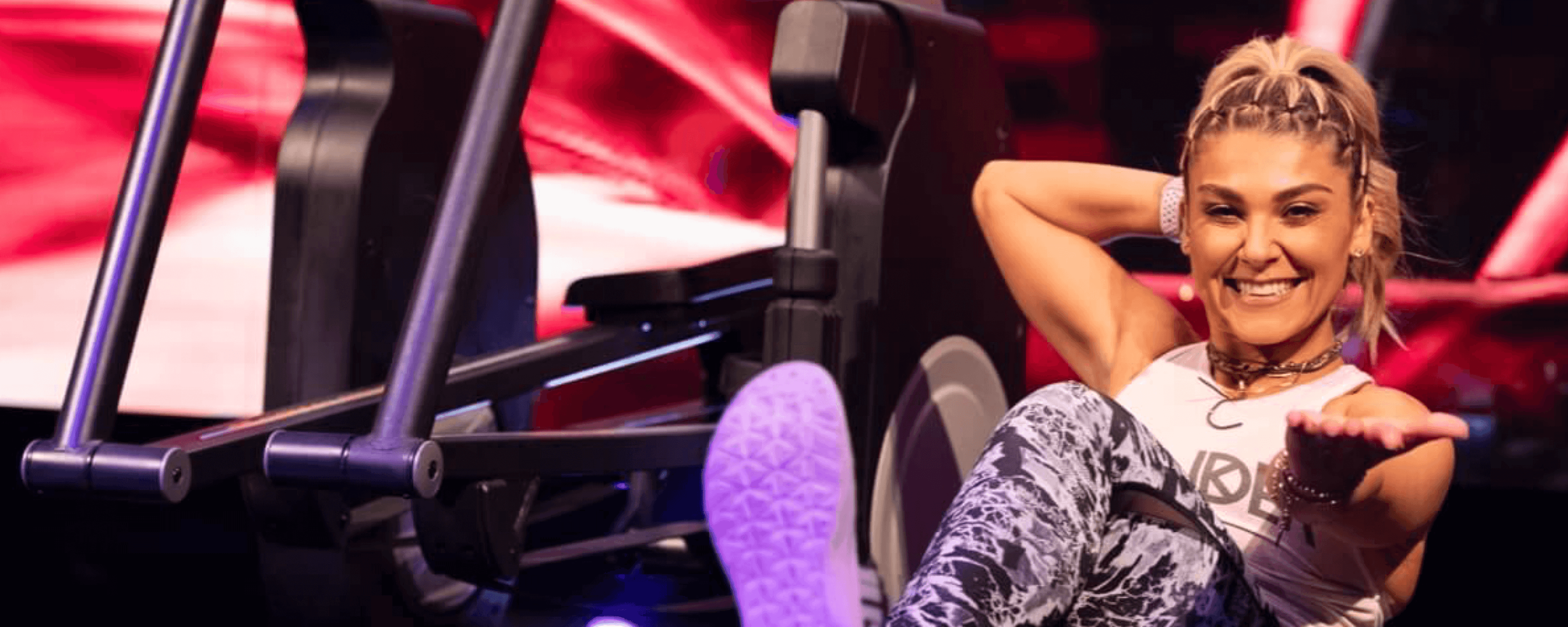
iFit Trainer Anja Garcia's Favorite Core Exercises
Core strength is an essential component of your well-being. For many, abdominal exercises are incorporated into a fitness routine for the sole purpose of acquiring that sought-after six pack. The real benefit, however, comes in the form of improved posture, reduced risk of sports-related injuries, improved athletic performance, reduced back pain, etc.
iFit Trainer Anja Garcia regularly incorporates ab exercises into her workout routine. We asked her to share five of her favorite core strengthening workouts to target and tone your abs. We hope you'll give them a try!
Bear hops in hand and elbow plank
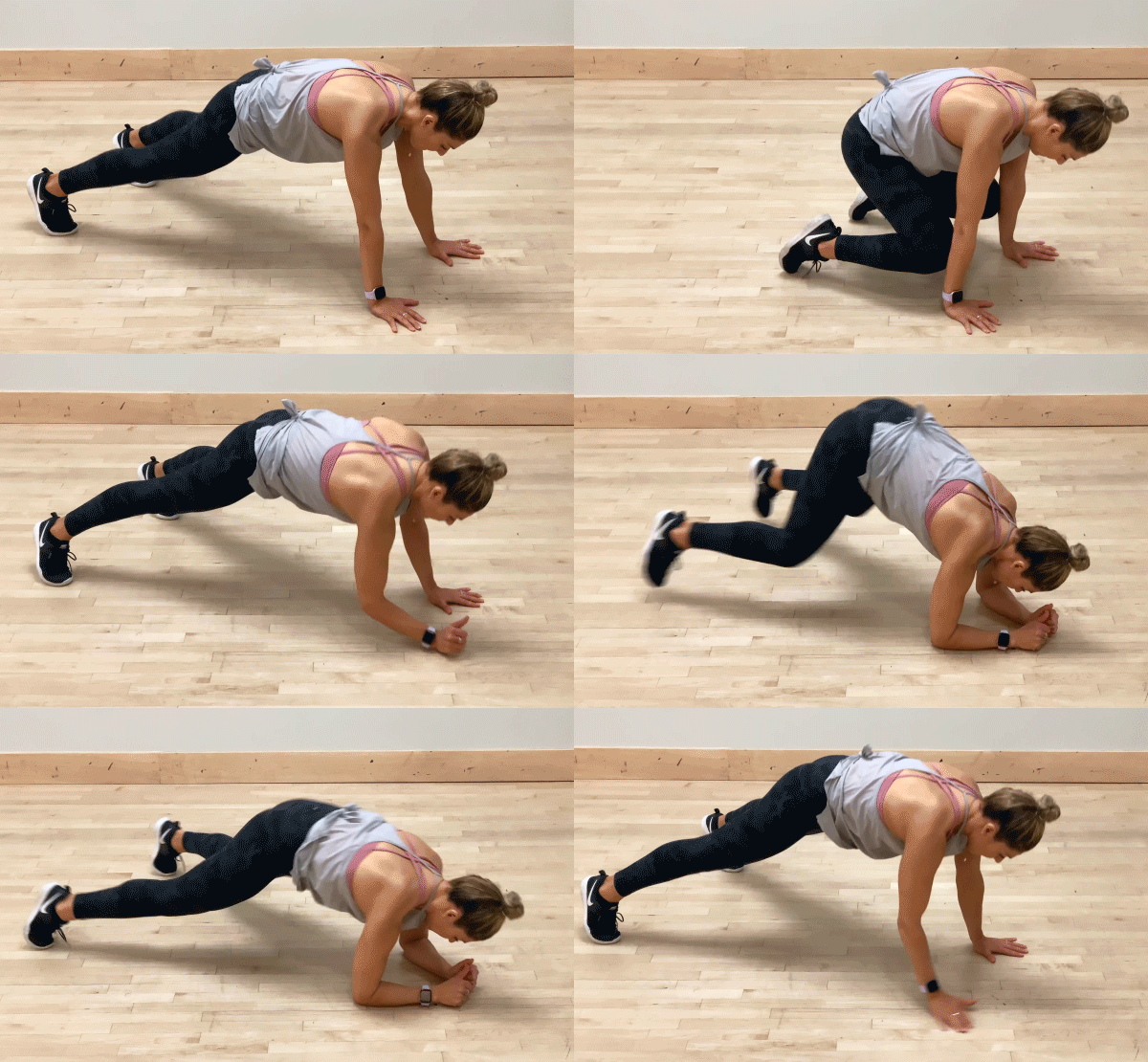
Muscles engaged: entire core and lower body with the frog hop
- Keep your shoulders stacked inline with your wrists to begin, then align with your elbows when dropping down to forearm plank.
- Make your neck straight and inline with the rest of your body to avoid extra stress on your neck—try looking forward about a six inches to a foot in front of your fingertips to keep your neck straight.
- Think of pushing your belly button up into your stomach to keep your back nice and straight. No high or sagging hips! A straight back will keep your core engaged.
- Avoid rocking your hips back and forth as you go from straight arm plank to forearm plank. Sometimes, widening your stance will help limit the amount of swaying.
Beast bird dog
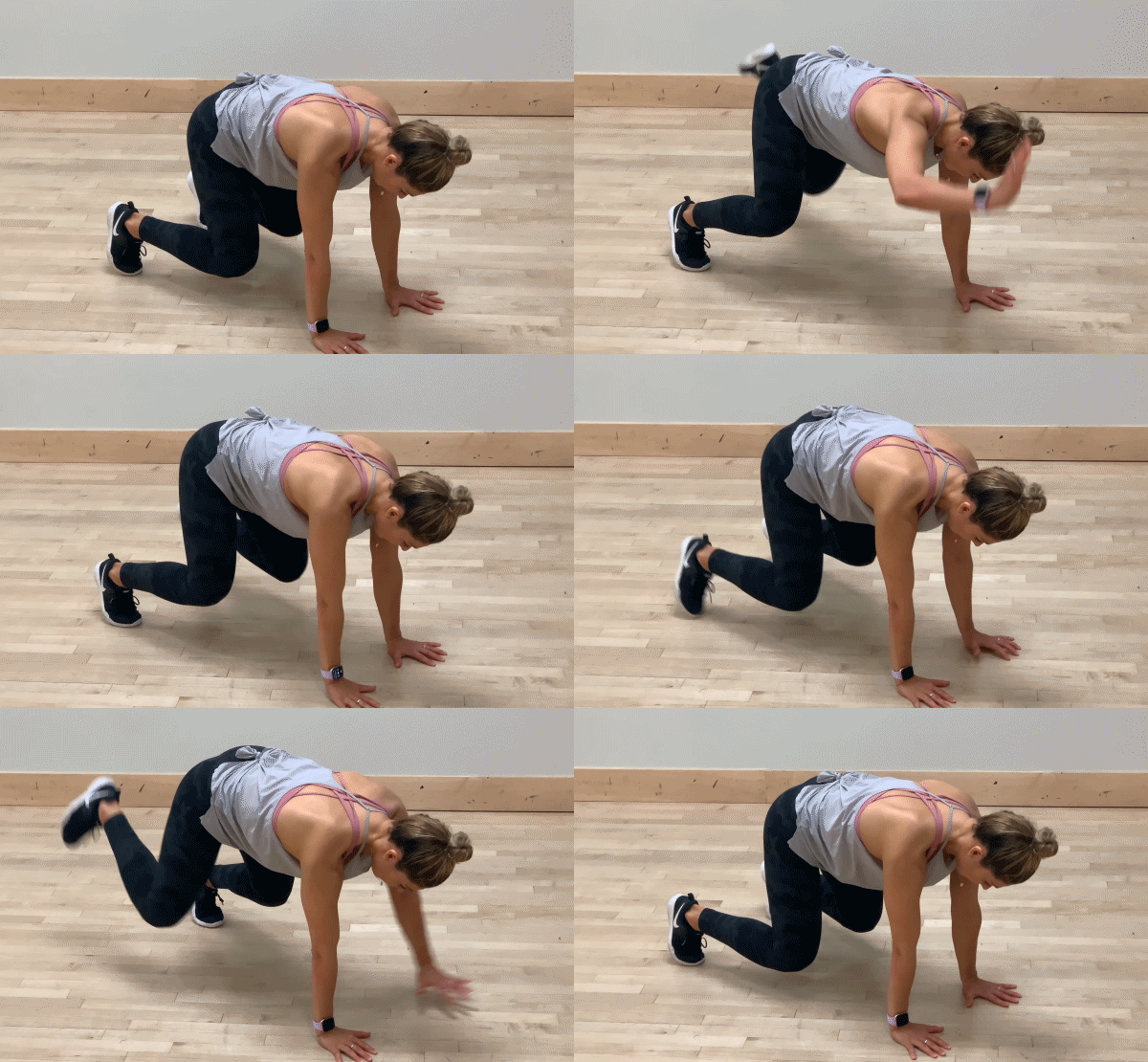
Muscles engaged: entire core
Added benefits: Not only will it help straighten your core, but it's a great way to help challenge your balance and stability!
- Keep your neck straight and inline with the rest of your body to avoid extra stress on your neck—try looking forward about a six inches to a foot in front of your fingertips to keep your neck straight.
- Your feet should be wider than shoulder width apart.
Scissor switches
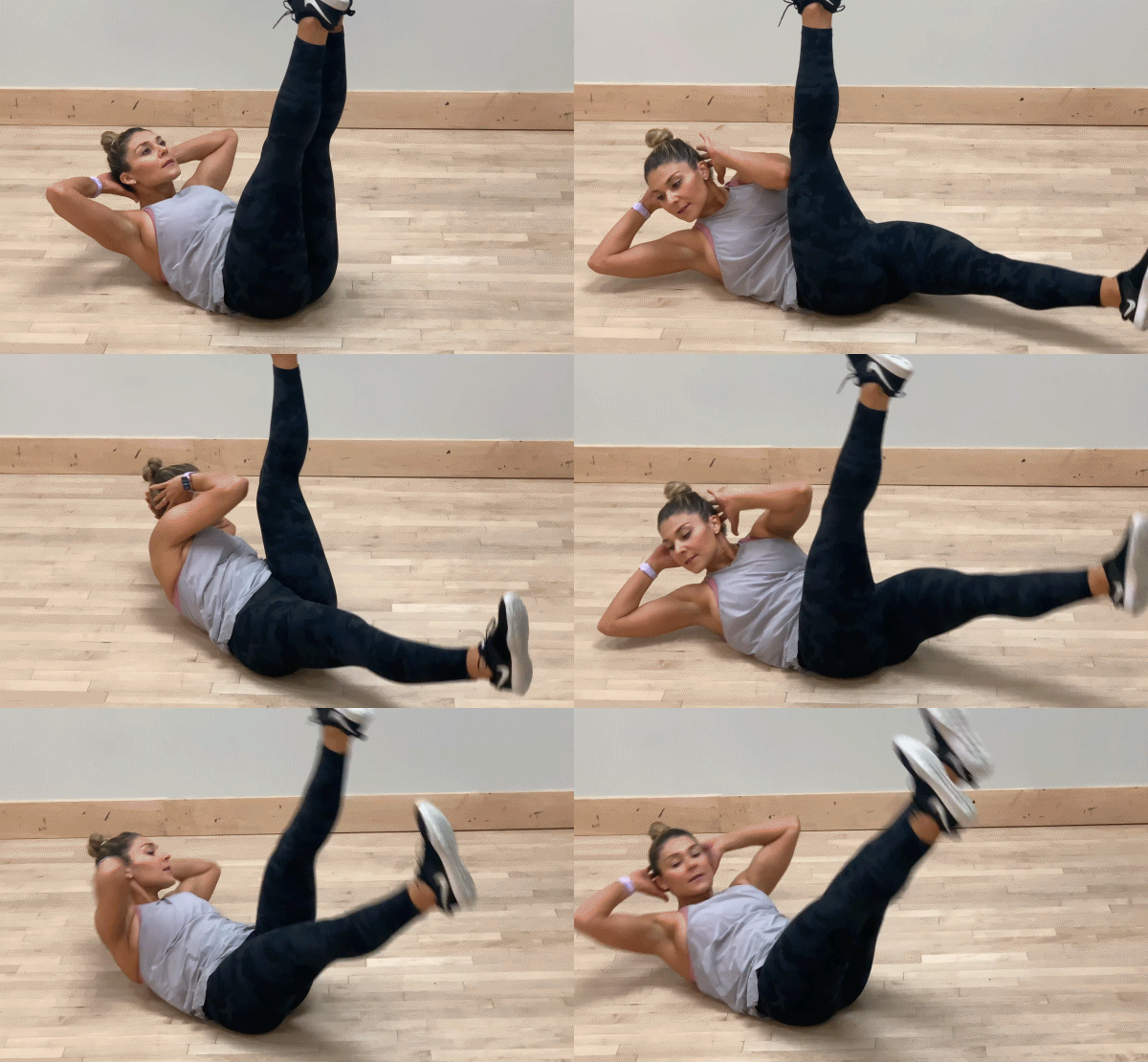
Muscles engaged: entire core, but focused mostly on your lower abs and obliques
- Keep your hands tucked behind your head with your elbows wide.
- Look upward and straight ahead to keep your neck in line with your back. Try your best to avoid tucking your chin. Pro tip: Find a spot to look at on the ceiling.
- For more of a challenge, keep your legs nice and straight. To modify, keep a bend in your knees.
Side plank wrap with leg lift
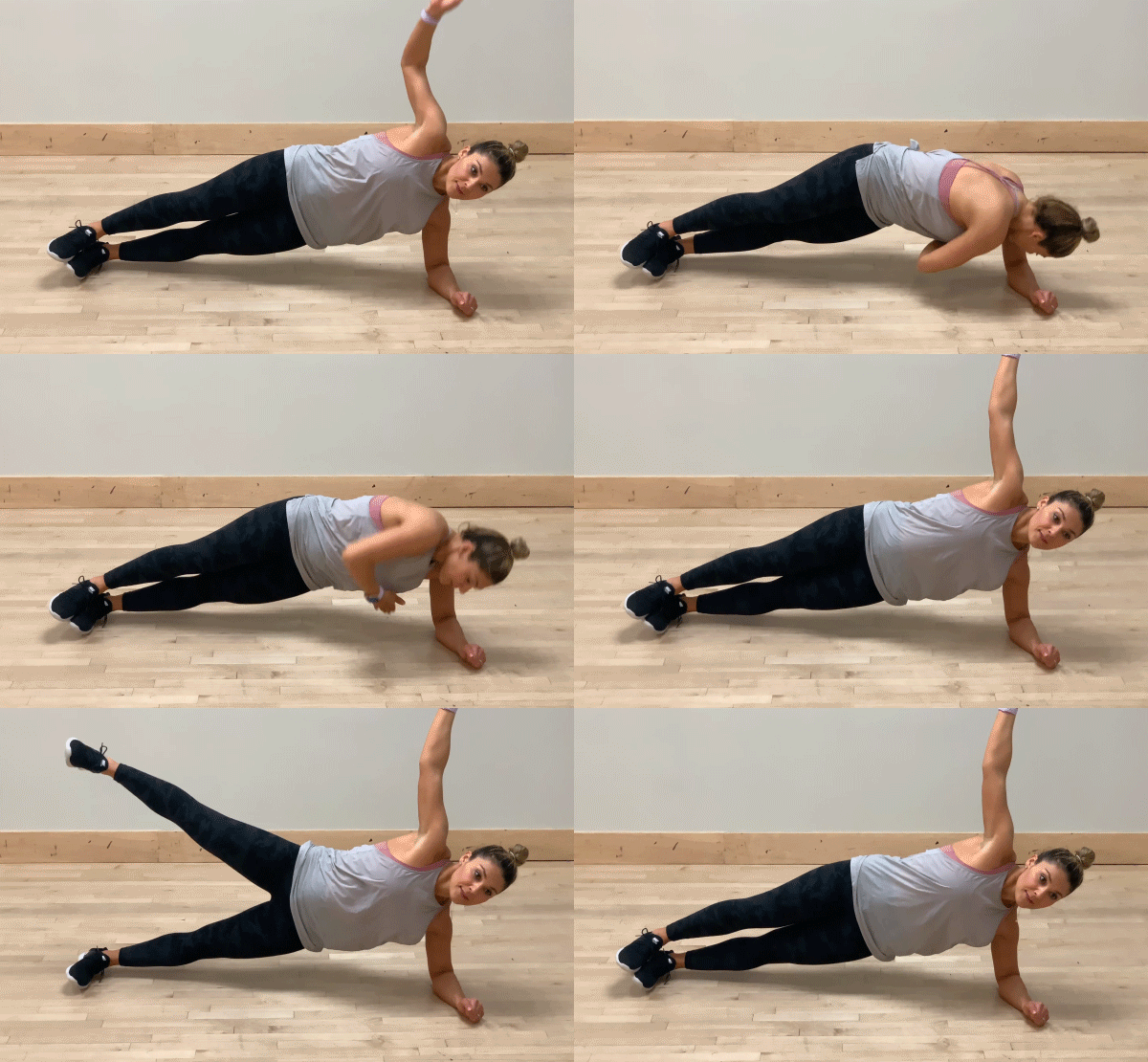
Muscles engaged: entire core, targeting the obliques as you thread the needle (pull your arm through)
- Make sure your shoulder is in a straight line with your elbow and perpendicular to the floor.
- Keep your hips lifted up high and try to avoid sagging.
- Stack one leg on top of the other (to increase stability, you can bring the top leg in front of your bottom, supporting leg).
Boat pose tuck up with v-extension
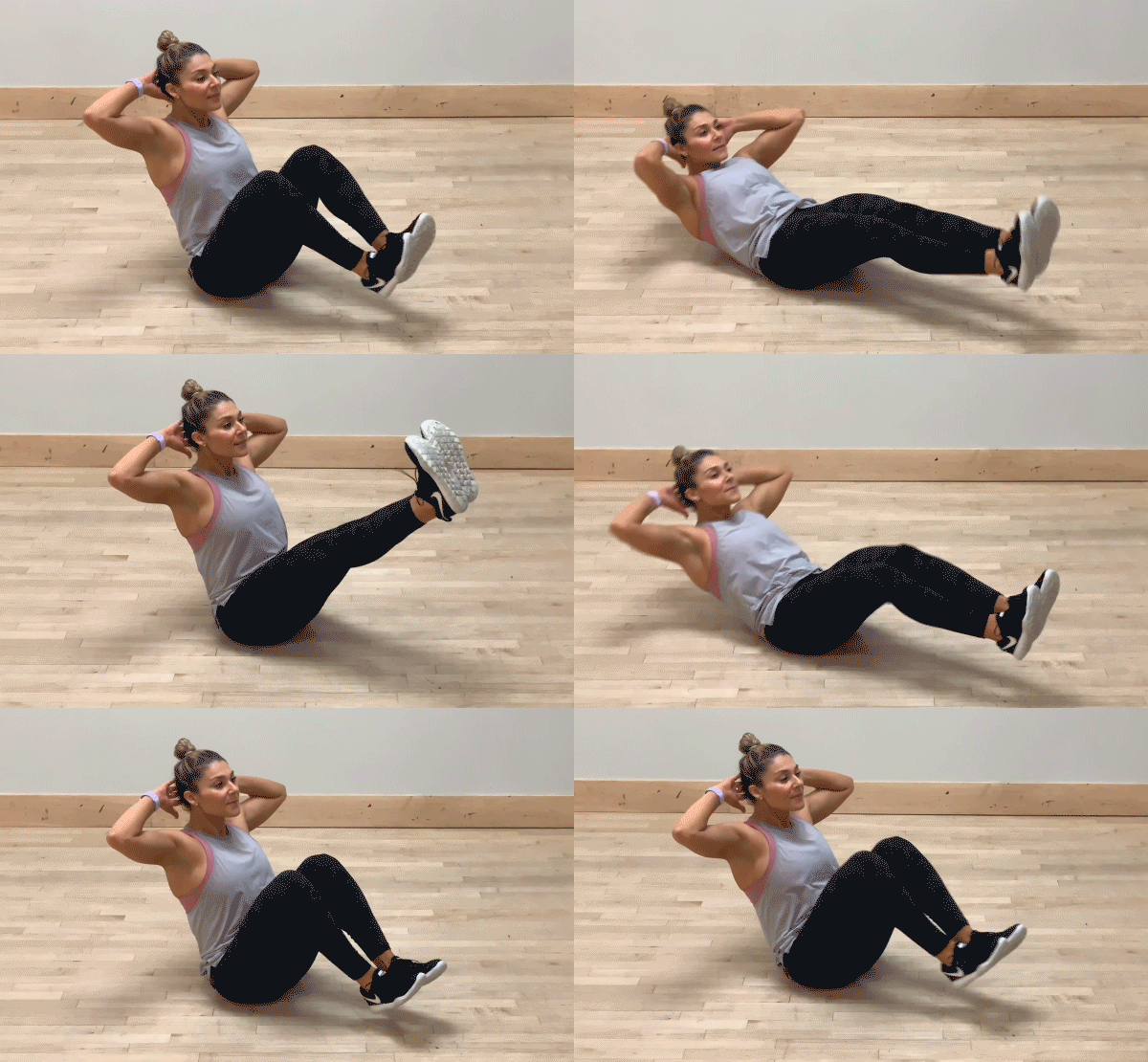
Muscles engaged: entire core, targeting the lower core with the leg raise
- Keep your hands tucked behind your head with elbows wide.
- Look upward and straight ahead to keep your neck in line with your back. Try your best to avoid tucking your chin. Pro tip: Find a spot to look at on the ceiling.
- Keep your back nice and straight.
We hope you'll give these challenging and fun abdominal exercises a try. Remember—the key to achieving all the amazing benefits that come with a strong core is proper form and consistency. Make sure to incorporate these ab moves into your workouts regularly, while still remaining mindful of your form.
You might also like

Introducing SmartAdjust™ for Your Treadmill: iFIT’s New Personalized Workout Experience
SmartAdjust personalizes your treadmill workout before it even starts, adapting speed and incline to your fitness level in real time.
March 16, 2021

Strength Training While on GLP-1: A 6-Week Plan
When your body weight changes, you aren’t just losing fat—research shows you risk losing lean muscle mass, too. Protecting that muscle is the key to maintaining your metabolism and everyday strength. This practical 6-week guide breaks down exactly how to structure a simple, 20-to-30 minute full-body strength routine 2–3 times a week. Built around foundational compound movements like squats and rows, this plan shows you how to safely implement progressive overload without burning out your energy. Give your body a clear signal to keep its muscle and build a routine that sticks.
May 26, 2026

Find Your Stride with Tommy Rivs in the Joy of Running Part 2: Redwoods, Workouts 1-10
There’s just something magical about taking your next step forward, especially when it means you’re surrounded by the towering redwoods and rugged beauty of California’s northern coast. iFIT Trainer Tommy Rivs’ newest series will help you experience the magic of this region with the Joy of Running Part 2: Redwoods, Workouts 1-10. This beginner-friendly program is designed to help you progress from walking to running at your own pace.Explore California’s Scenic CoastSet along breathtaking coastal trails and through scenic redwood groves, this series brings the natural beauty of Northern California to your treadmill. From the peaceful paths of Laguna Point to the rolling meadows of Mendocino Headlands, each workout is an opportunity to breathe, move, and connect with the pure joy of movement.Make Progress with Tommy RivsKnown for his thoughtful coaching and love of movement, Tommy Rivs will guide you through a mix of walking and running intervals to gradually build your endurance and confidence. Each workout keeps the speed steady while changing your movement so you can focus on how your body feels and adapts as you move.Whether you’re returning to fitness or taking your first steps toward running, this series is all about moving forward with purpose. Tommy will help you to:Develop endurance and build strength with progressive intervalsImprove your form and consistency with his expert guidanceReconnect with the joy of movement in an inspiring settingBuild confidence to take on your next running challengeThis is only the beginning; there’s so much more to come with Rivs. For now, lace up those shoes and join him for an incredible journey amongst the redwoods.Join Tommy Rivs in the Redwoods
November 3, 2025