
The purpose of a warmup is to increase body temperature, blood flow, and lubricate the joints to help with overall physical performance. Keep in mind, there are two types of warmups: general and specific. They are both exactly what they imply, and for running, I typically stick to a general warmup.
For me, this could be a quick walk as my body temperature rises. It’s more of a “rolling warmup” than anything, meaning it rolls into my workout. I begin at a walk, slowly move into a speed walk, then a jog, and I continue to build momentum until I can hold my pace comfortably, or as comfortably as the workload allows. For a low-intensity, steady-state run, like in Tommy Rivs' Costa Rica 5K Training Series. Be sure to take advantage of the warmup time given to you on your treadmill or elliptical. It really helps get those muscles moving!
However, if you’re doing a speed run or a workout with quick, explosive movements, you’ll most likely want to do a “specific warmup.” A specific warmup just means you’ll perform movements that mimic the work about to be done, so your body is prepared for that movement pattern. Some of my favorites include acceleration/deceleration sprints, A and B skips, rotational lunges, butt kicks, high knees, and groin in/outs. This not only preps movement patterns that will be repeated within the workout, but they are multiplanar movements, too. They’ll improve your range of motion and teach your body proprioception, control, and posture. They also expose imbalances you might have, since most people are more coordinated on one side.
The biggest thing to keep in mind is to listen to your body. The environment, temperature, your diet, hydration, and amount of sleep you’ve gotten can all play into how you feel going into a workout. Stay adaptable and realize that some days you might need a longer warmup than others. Make sure your body feels relaxed and ready. If you’re feeling tight, crampy, or lethargic, that’s your body saying you’re not ready to go yet.
Here’s my favorite running-specific warmup I like to do before a HIIT or sprint workout. I like to warm up on a track, to give me plenty of room to go 50–100 feet while doing each exercise. For example, the first item on the list, “lunges with rotational stretch,” you would do lunges across 50–100 feet of track.
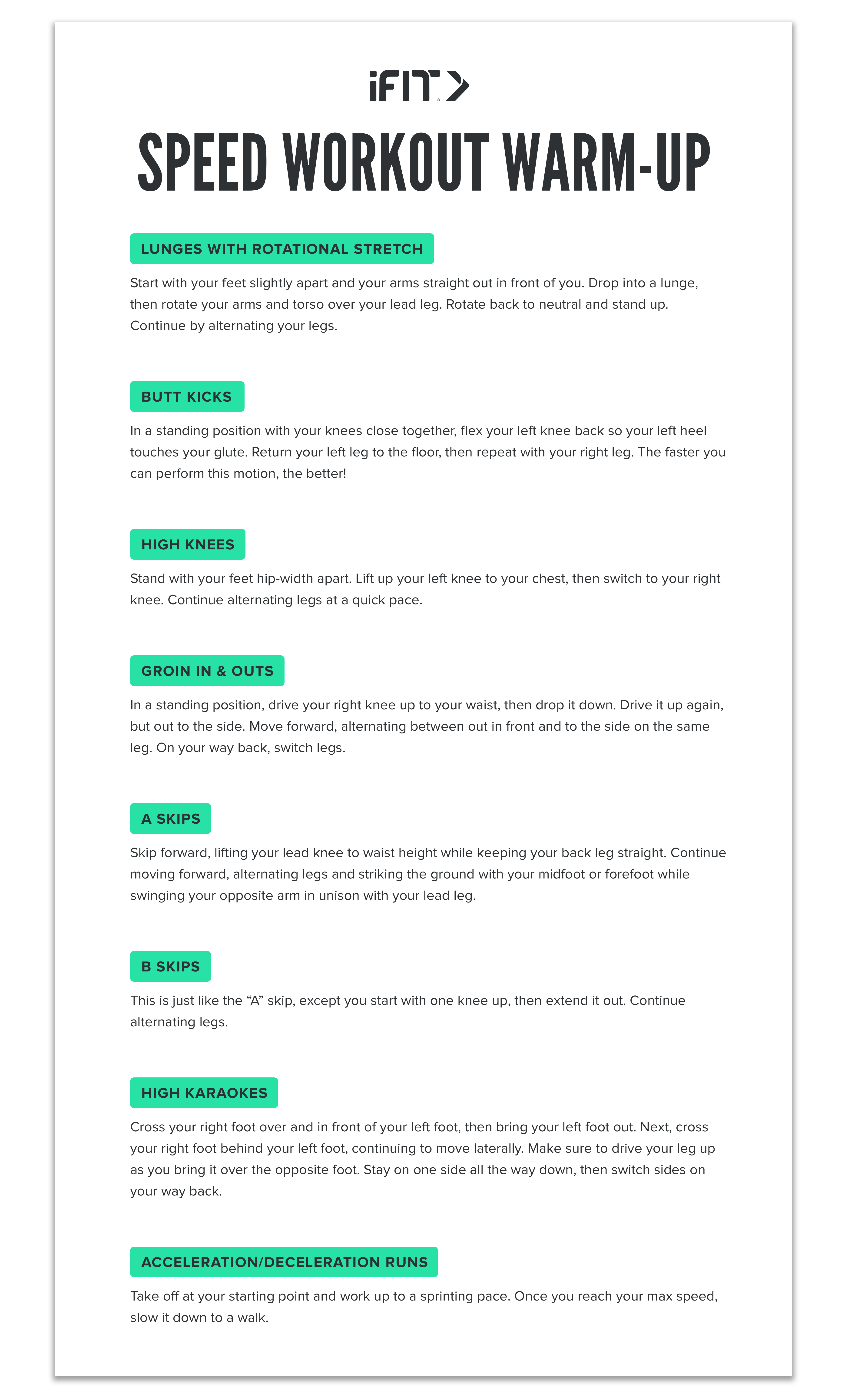
- Lunges with rotational stretch - Start with your feet slightly apart and your arms straight out in front of you. Drop into a lunge, then rotate your arms and torso over your lead leg. Rotate back and stand up. Continue to alternate legs.
- Butt kicks - In a standing position with your knees close together, flex your left knee back so your left heel touches your glute. Return your left leg to the floor, then repeat with your right leg. The faster you can perform this motion, the better!
- High knees - Stand with your feet hip-width apart. Lift up your left knee to your chest, then drop and lift your right knee. Continue alternating legs at a quick pace.
- Groin in & outs - In a standing position, drive your right knee up to your waist, then drop it down. Drive it up again, but out to the side. Move forward, alternating between out in front and to the side on the same leg. On your way back, switch legs.
- A skips - Skip forward, lifting your lead knee to waist height while keeping your back leg straight. Continue moving forward, alternating legs and striking the ground with your midfoot or forefoot while swinging your opposite arm in unison with your lead leg.
- B skips - This is just like the “A” skip, except you start with one knee up, then extend it out. Continue alternating legs.
- High karaokes - Cross your right foot over and in front of your left foot, then bring your left foot out. Next, cross your right foot behind your left foot, continuing to move laterally. Make sure to drive your leg up as you bring it over the opposite foot. Stay on one side all the way down, then switch sides on your way back.
- Acceleration/deceleration runs - Take off at your starting point and work up to a sprinting pace. Once you reach your max speed, slow it down to a walk.
Have fun with your warmup! It should give you plenty of stretch in those muscles to have a more enjoyable workout. Happy running!

Disclaimer: This blog post is not intended to replace the advice of a medical professional. The above information should not be used to diagnose, treat, or prevent any disease or medical condition. Please consult your doctor before making any changes to your diet, sleep methods, daily activity, or fitness routine. iFIT assumes no responsibility for any personal injury or damage sustained by any recommendations, opinions, or advice given in this article. Always follow the safety precautions included in the owner’s manual of your fitness equipment.
You might also like

Introducing SmartAdjust™ for Your Treadmill: iFIT’s New Personalized Workout Experience
SmartAdjust personalizes your treadmill workout before it even starts, adapting speed and incline to your fitness level in real time.
March 16, 2021

Strength Training While on GLP-1: A 6-Week Plan
When your body weight changes, you aren’t just losing fat—research shows you risk losing lean muscle mass, too. Protecting that muscle is the key to maintaining your metabolism and everyday strength. This practical 6-week guide breaks down exactly how to structure a simple, 20-to-30 minute full-body strength routine 2–3 times a week. Built around foundational compound movements like squats and rows, this plan shows you how to safely implement progressive overload without burning out your energy. Give your body a clear signal to keep its muscle and build a routine that sticks.
May 26, 2026

Find Your Stride with Tommy Rivs in the Joy of Running Part 2: Redwoods, Workouts 1-10
There’s just something magical about taking your next step forward, especially when it means you’re surrounded by the towering redwoods and rugged beauty of California’s northern coast. iFIT Trainer Tommy Rivs’ newest series will help you experience the magic of this region with the Joy of Running Part 2: Redwoods, Workouts 1-10. This beginner-friendly program is designed to help you progress from walking to running at your own pace.Explore California’s Scenic CoastSet along breathtaking coastal trails and through scenic redwood groves, this series brings the natural beauty of Northern California to your treadmill. From the peaceful paths of Laguna Point to the rolling meadows of Mendocino Headlands, each workout is an opportunity to breathe, move, and connect with the pure joy of movement.Make Progress with Tommy RivsKnown for his thoughtful coaching and love of movement, Tommy Rivs will guide you through a mix of walking and running intervals to gradually build your endurance and confidence. Each workout keeps the speed steady while changing your movement so you can focus on how your body feels and adapts as you move.Whether you’re returning to fitness or taking your first steps toward running, this series is all about moving forward with purpose. Tommy will help you to:Develop endurance and build strength with progressive intervalsImprove your form and consistency with his expert guidanceReconnect with the joy of movement in an inspiring settingBuild confidence to take on your next running challengeThis is only the beginning; there’s so much more to come with Rivs. For now, lace up those shoes and join him for an incredible journey amongst the redwoods.Join Tommy Rivs in the Redwoods
November 3, 2025